8 User Guide
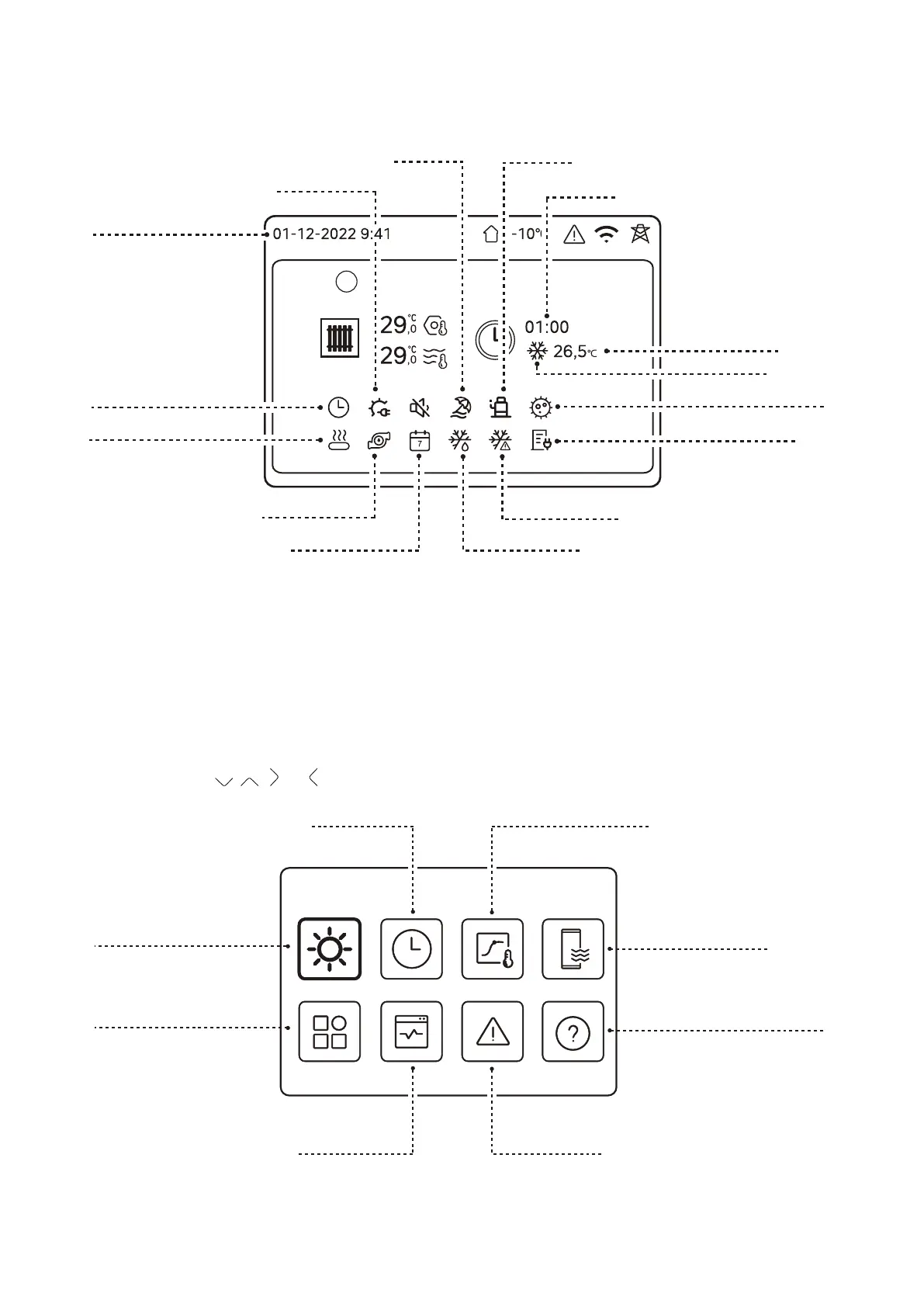
To select a menu press , , and until the required menu option is illuminated. Then press O.
Zone 1
Holiday Mode
Compressor On
Switching Time
In Frost Protection Mode
In Defrost Mode
Outdoor Unit Pump On
In Weekly Timed Operation
Target Temperature
Immersion Heater On
Operating Mode
In Legionella Protection Mode
In Daily Timed Operation
Date & Time
Backup Boiler On
Low Tari Operation On
Mode
Weather temp. settings (see section 5.8.3)
DHW Setting (see section 5.8.4)
Frequently asked questions (see section 5.8.8)
Set Operating Mode (see section 5.8.1)
Options (see section 5.8.5)
Error info (see section 5.8.7)Unit Status (see section 5.8.6)
Schedule (see section 5.8.2)
Figure 5. Operating status display
Figure 6. Menu display



 To Next Page