10
1. Basic Information
1.1. Printer outside features
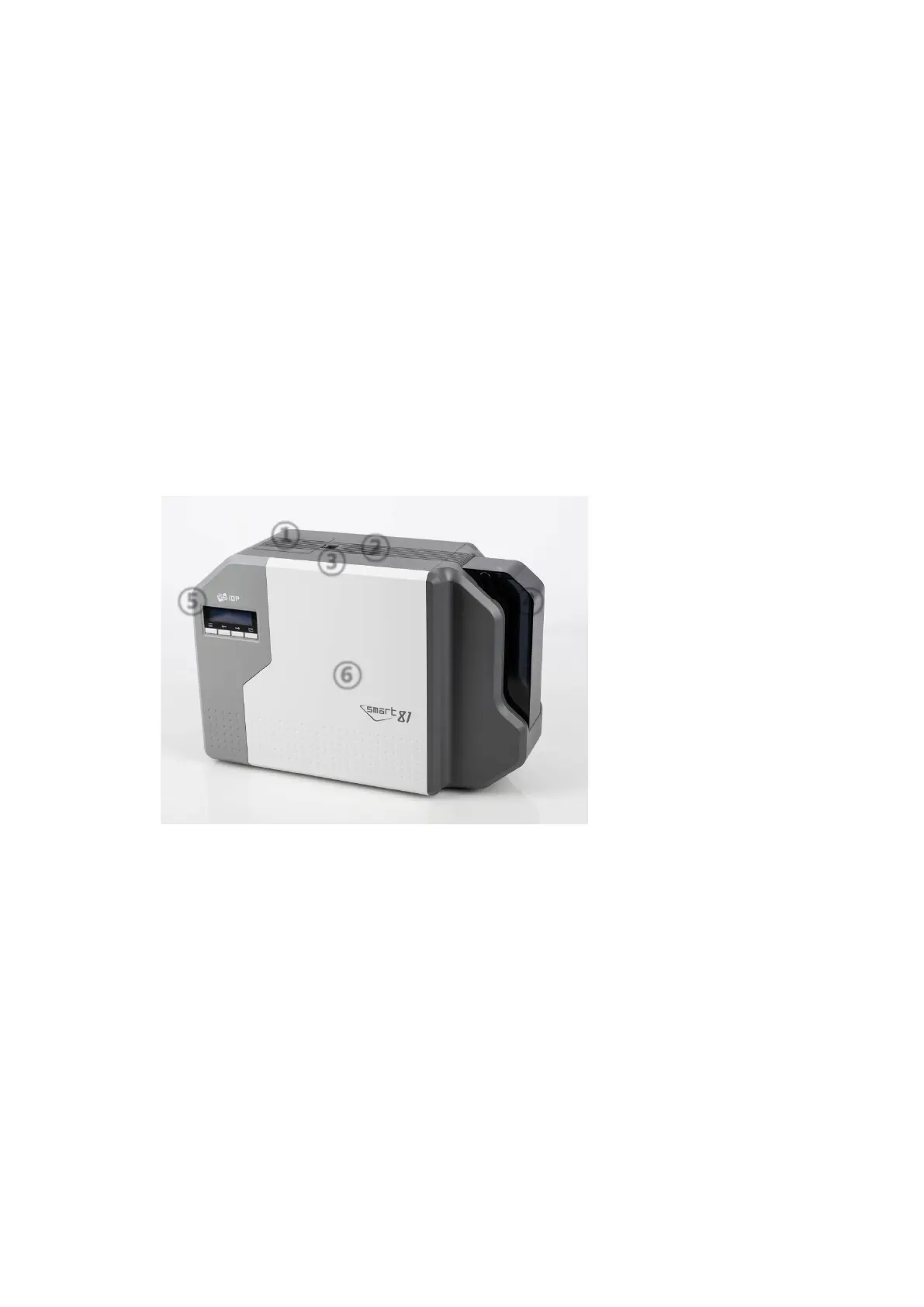
For the user’s convenience, SMART-81 status can be seen through LCD. and the printer
can be controlled by 4 buttons under the LCD. Using USB and Ethernet port, it is
communicated with the user’s PC
The following shows the outside functional features found on the printer
Figure 1 SMART-81 front features
①
②
③
④ ⑤
⑥
Air vent
Air vent
Physical lock *option
Input hopper
LCD and buttons
Front cover



 To Next Page