50
Ribbon Save: Select split function or not
when use Mono ribbon.
-Aliasing: Set Anti-Aliasing level of
printer image.
olor Sense: Set print image’s color sense.
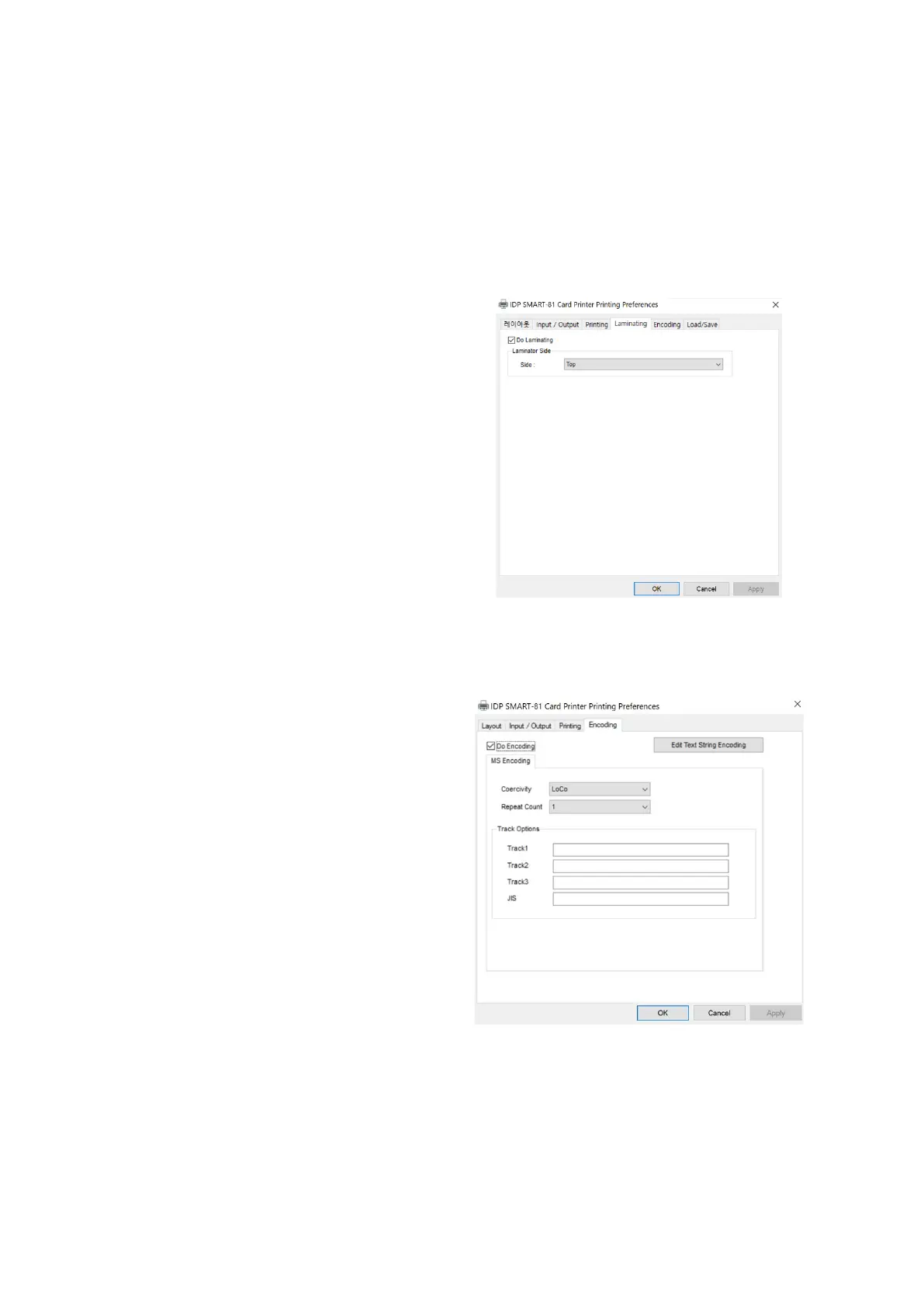
Laminating Setting
This tap will be shown only when SMART-
81 printer is connected to Laminator.
Laminating: You can select laminating
or not.
Laminator Side: you can select not use, top
side, bottom side and both sides
printing.
Figure 49 Laminating Setting
(6) Encoding Setting
This tap will be shown only when Magnetic
encoder is installed
.
Encoding: you can select encoding or
not.
: you can select the encoding
types.
o: 300, 600 Oe.
: 2760 Oe.
: 4000 Oe.
: Defined automatically.
: you can select the retry
count to encoding when encoding is
failed.
Figure 50 Encoding Setting



 To Next Page