36
2.3. Loading the cards
This section shows how to load plastic card.
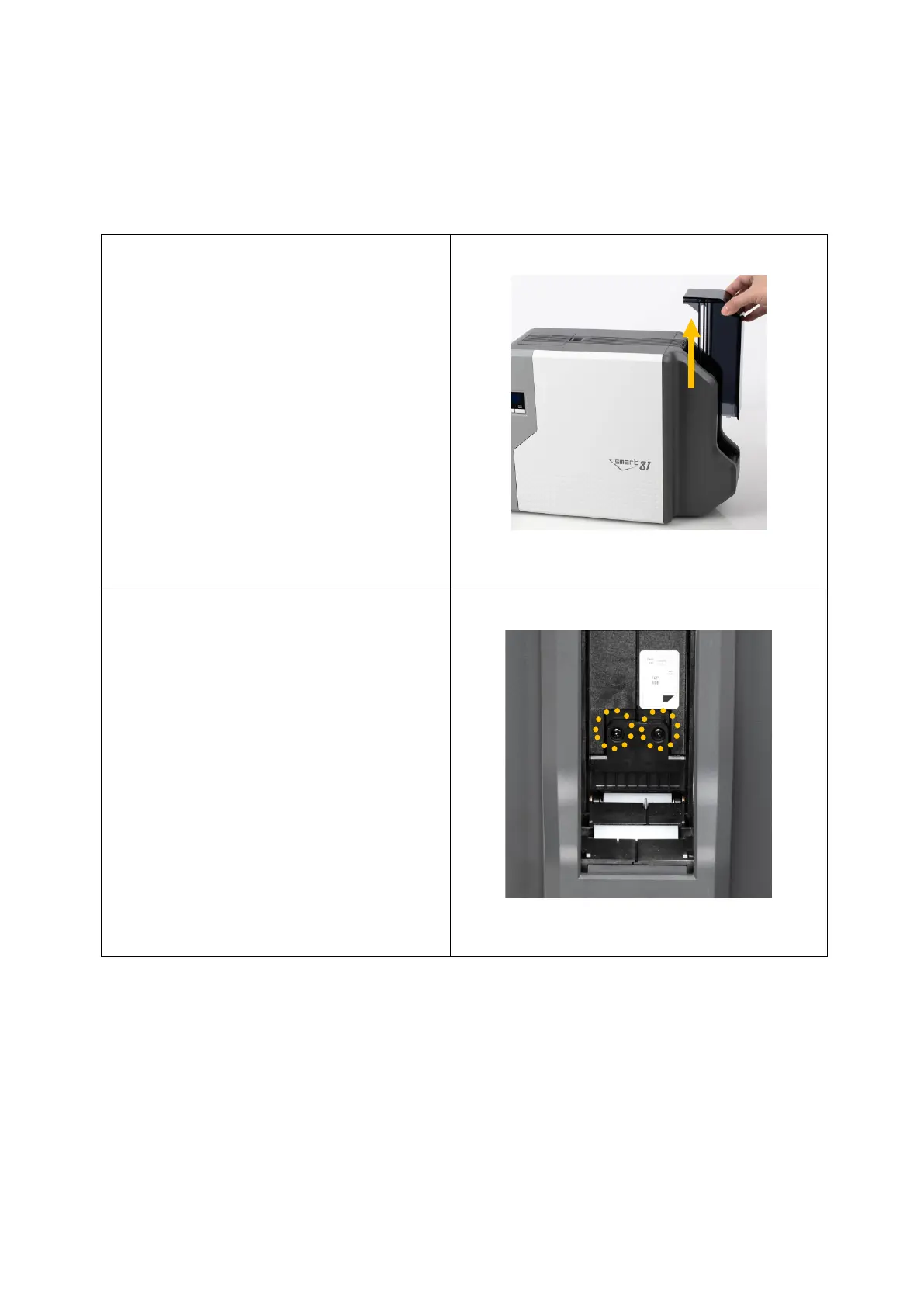
Open the Input hopper
cover in the direction of
the arrow.
Figure 20 Take out hopper cover
(2) If necessary, release card
gate screw to adjust height
of gate to match thickness
of the card.
Gate is optimized for
0.86mm cards.
(Caution! If the adjustment is
not correct, it will make some
error. Use the type of cards in
the specification of this manual.
Always keep the card surface
clean state.)
Figure 21 Adjusting card thickness lever



 To Next Page