42
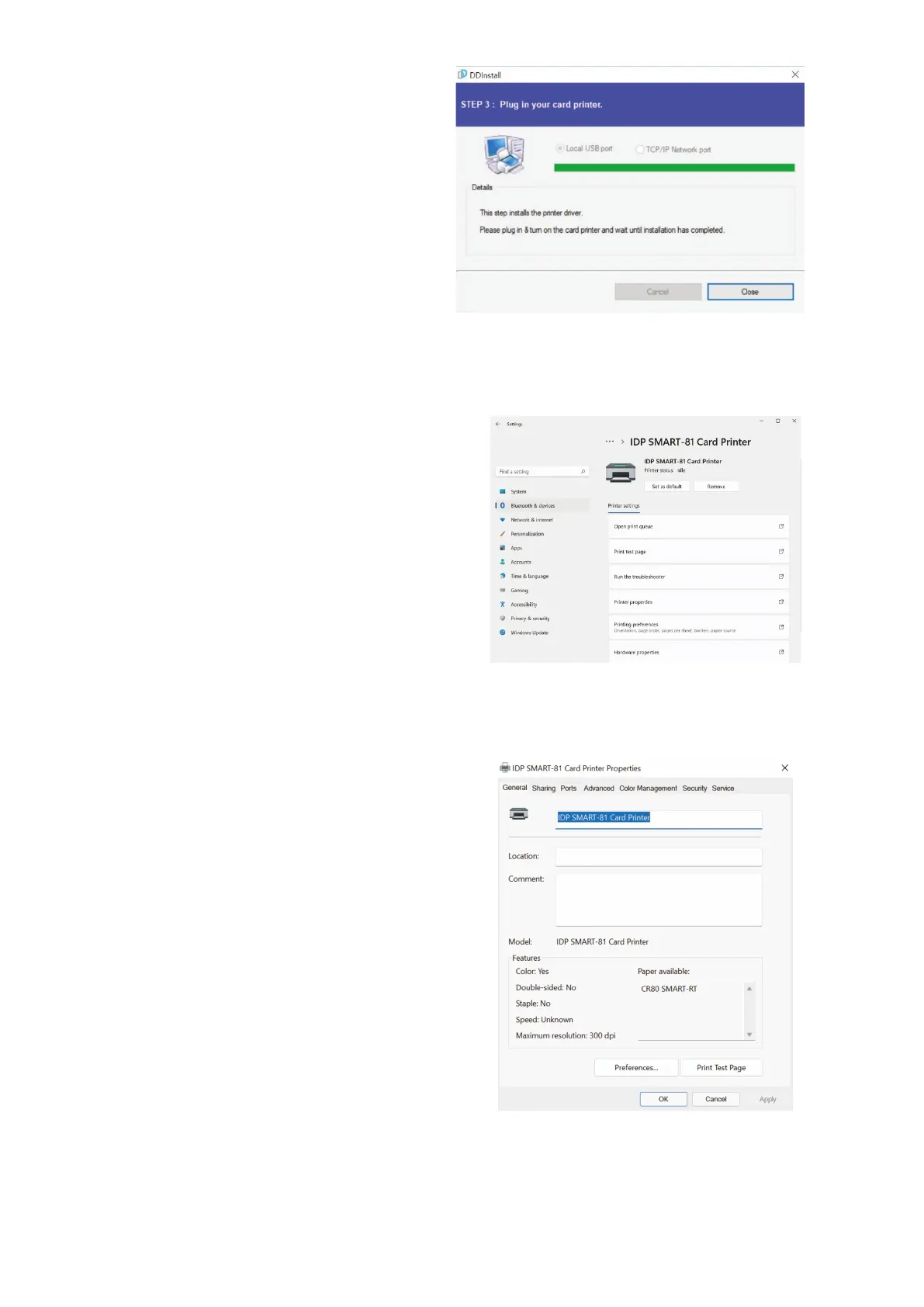
(9) When driver installation is
completed, please click “Close”.
Figure 35 Install printer driver 9
(10) Please open “Printers and
Scanners” from “Bluetooth &
Devices” (or “Devices”) on the
Windows “Settings”.
(For Windows 7/8, access
Windows control panel and
select device and printers. Right
click “SMART-81 Card Printer”
and select “Print Properties”.)
Figure 36 Install printer driver 10
(11) Please select General” tab and
click “Print Test page” in “IDP
SMART-81 Card Printer
Properties” window.
Figure 37 Install printer driver 11



 To Next Page