39
2.5. Driver installation (Windows 7/8/10/11)
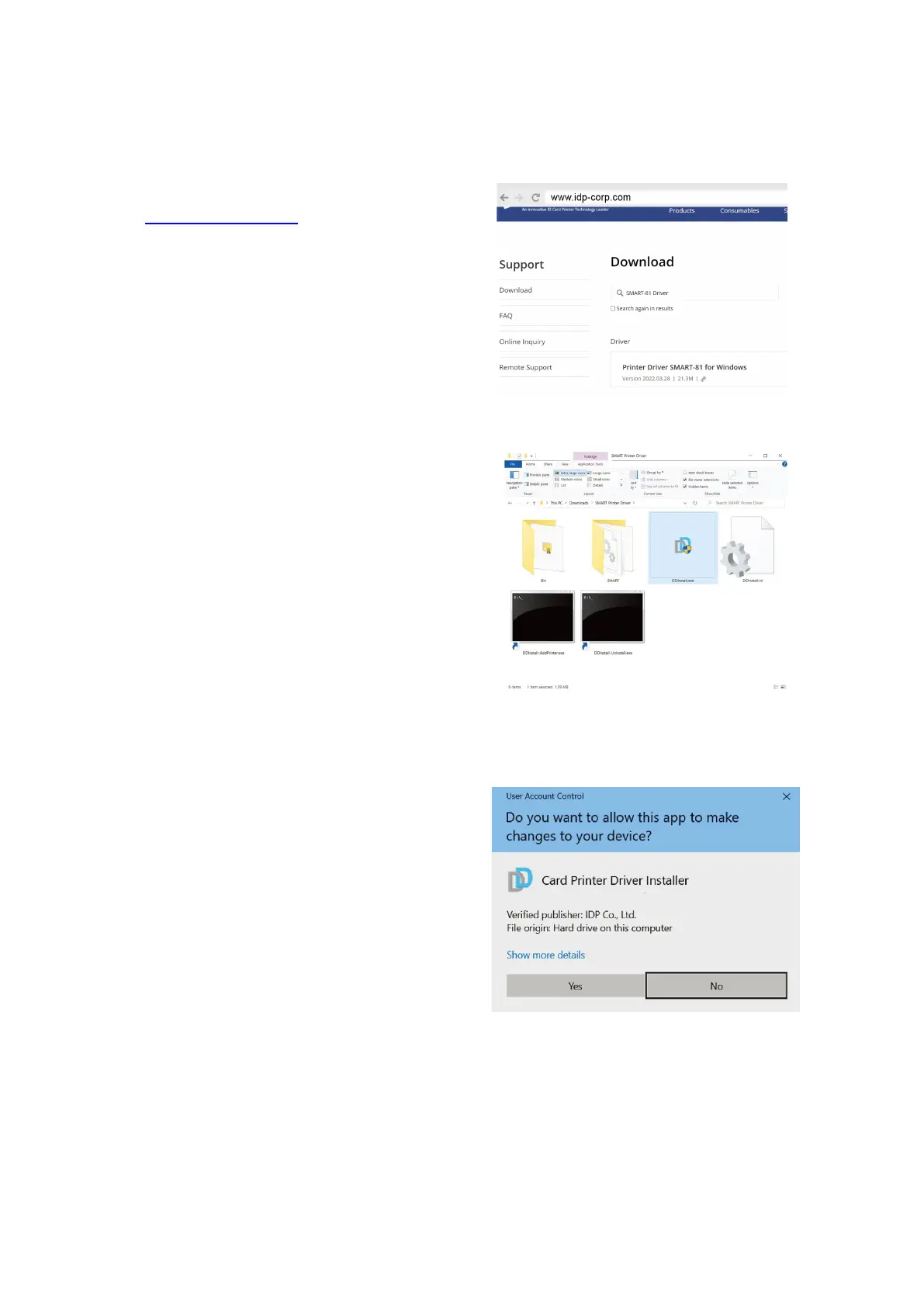
(1) Scan the QR Code or Go to
www.idp-corp.com and search
for “Driver” in the “Support”
“Download” menu.
Download the “SMART-81
Printer Driver”. Extract the driver
and all tis components from the
ZIP file and save it on your PC.
(2) Navigate to the extracted files
and Double click on the
“DDinstall.exe” file to start the
installation.
When the “User Account
Control” pop-up window opens,
Click “YES”.
※ Depending on your computer’s
settings, you may be prompted to
supply local admin credentials to
authorize the installation of the
driver.
Figure 28 Install printer driver 2
Figure 29 Install printer driver 3



 To Next Page