88
The following shows the error message on your Laminator. For checking a status of Laminator,
please use a CardPrinterTest or CardPrinterDiagnostics in the Utilities folder.
Message Discription
L CardIn Err Card in error
L CardFeed Err Card feeding error
L CardOut Err Card out error
L HT UpDown Err Head up/down error
L LaminatingErr Error occur while Laminating
L Command Err Error occur while execute command
L Init Err Initial error
L Film Seek Err Film seek error
L Film Zero All firms are used
L Film Empty Film is not installed
L HT Over/Cnt
Thermal Head is overheated or fail control temp.
L HT Fet Err Head FET error
L HT Temp Err Fail setting head temp
L BootDown Err Error while bootloader F/W download
5.2. Cleaning and Replacement Printer air filter
If printer air filter is much dust, need to cleaning and replacement it for prevent dust.
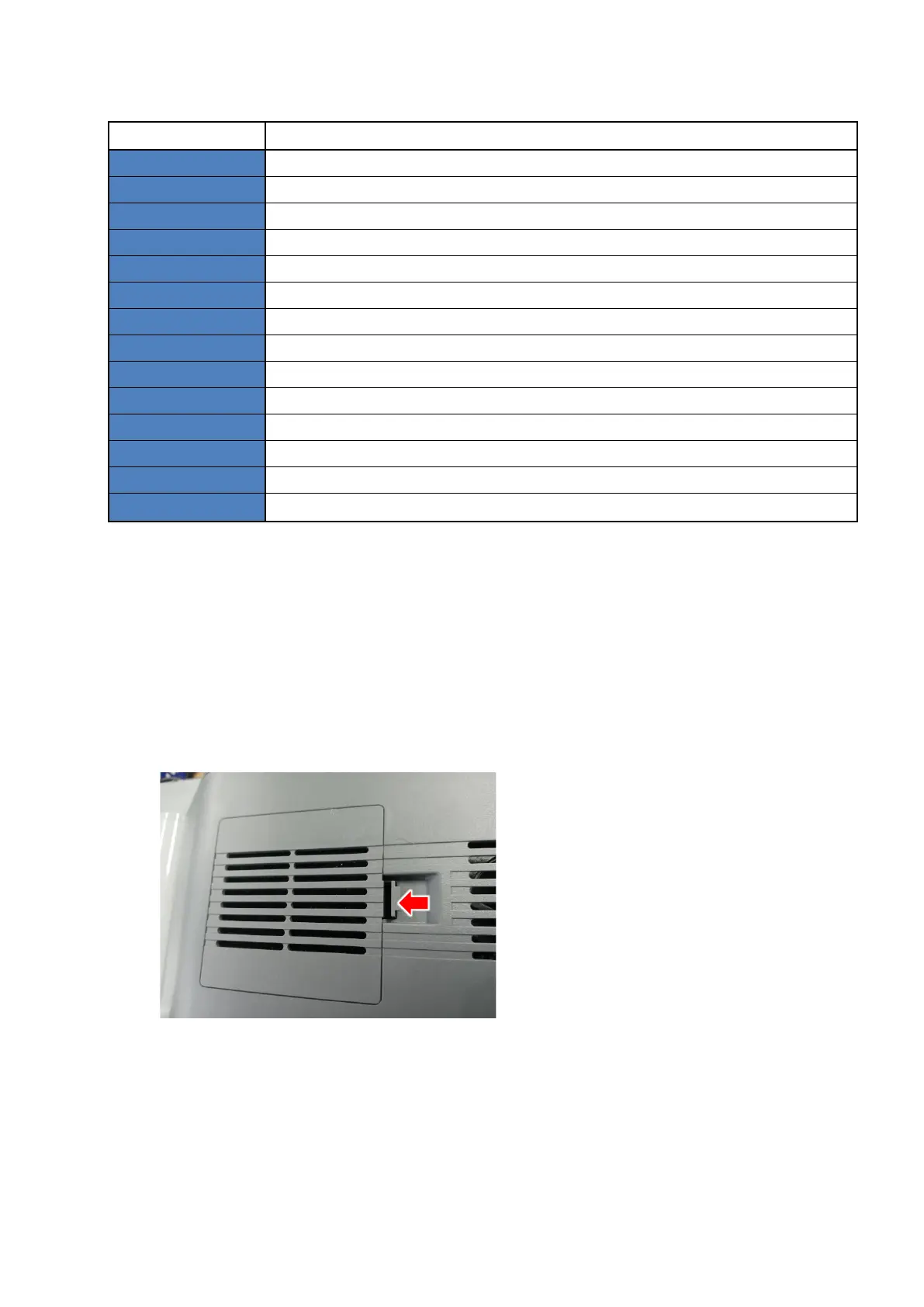
1. As shown in the below picture, you can remove the protect cover by pressing the locking
part in the direction of the arrow and pulling it up.
2. Remove the filter, wash it in running water, and completely dry it.



 To Next Page