41
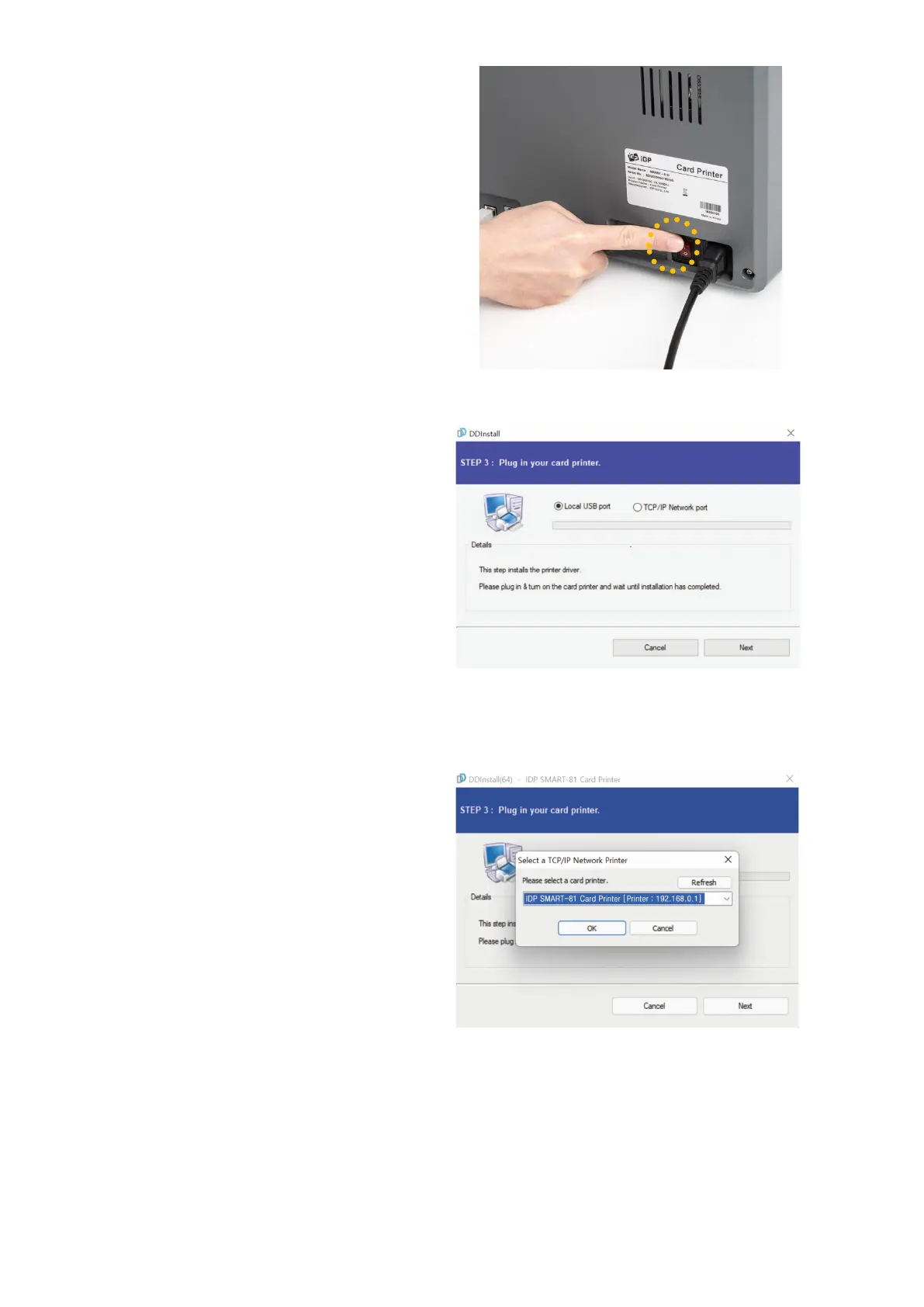
(6) Please turn on the printer
Please click “Next” if printer is
connected to USB only
.
If you want to install the driver for a
printer connected to network,
please select the “TCP/IP Network
port” and select the proper printer
as step (7).
Figure 32 Install printer driver 6
(7) STEP 3: USB Connection
(
In case of USB connection, click
“Next” and move to step (9).
If you are planning on setting up the
SMART
-81 as a network device,
Please proceed to Step 3:
Network (8).
Figure 33 Install printer driver 7
(8) STEP 3: Network
Please select the printer that you want
to install in the list and click “OK”.
(If no printer comes out on the window,
please check the connection.
)
Figure 34 Install printer driver 8



 To Next Page