91
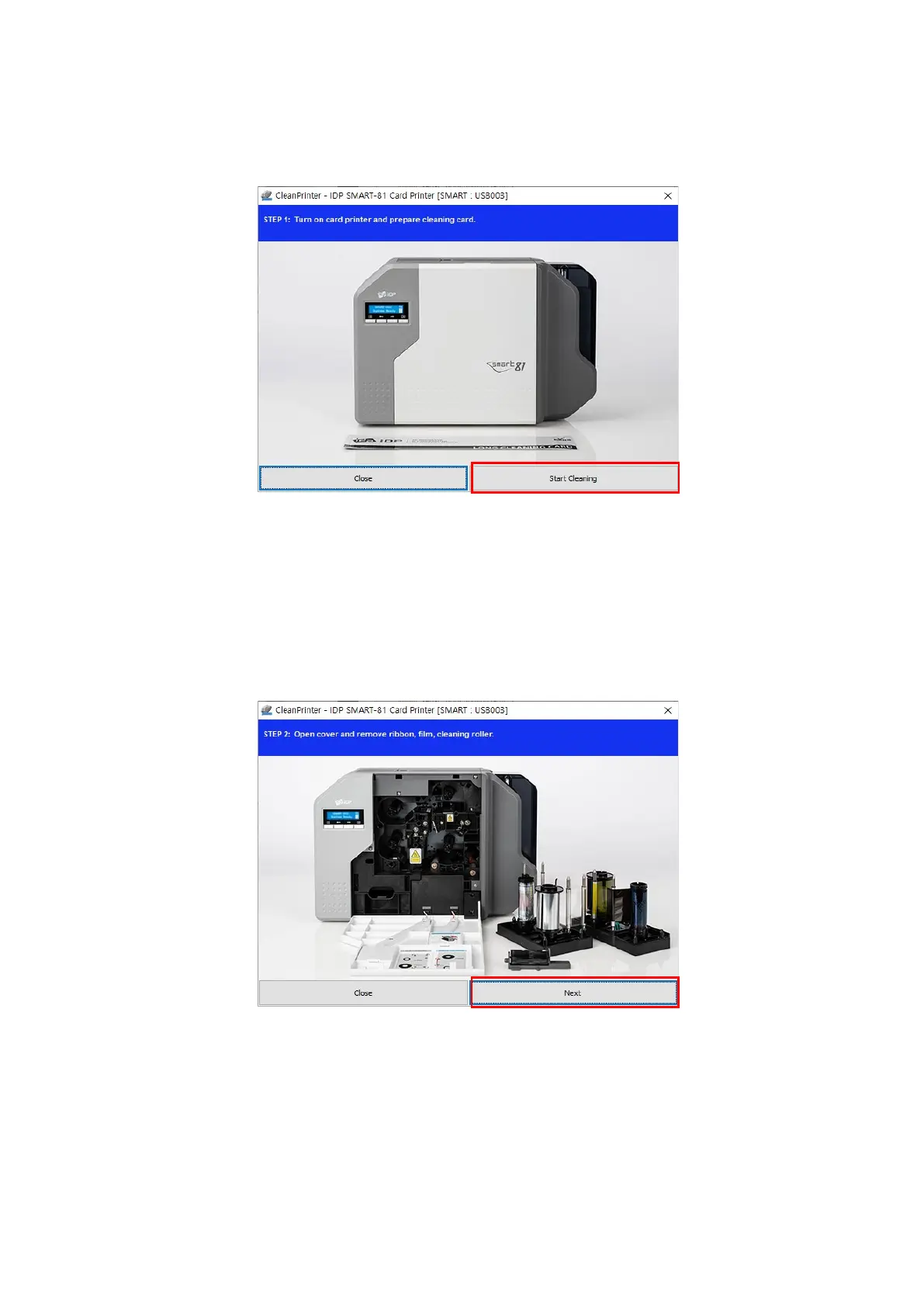
Step 1: Connect the SMART printer to PC and turn it on, and prepare the exclusive cleaning
card. Click “Start cleaning” to move on to step 2.
Figure 88 Printer cleaning step 1
Step 2: Check the printer entering cleaning mode with LCD window. Open the Cover, and
remove card cartridge, ribbon cartridge, and cleaning roller. Click “Next” to move on
to step 3.
Figure 89 Printer cleaning step 2
Step 3: Insert the cleaning card moderately(5-10cm) as shown in the figure 101 and press
LCD key to display temperature of the printer heater. When temperature of printer



 To Next Page