95
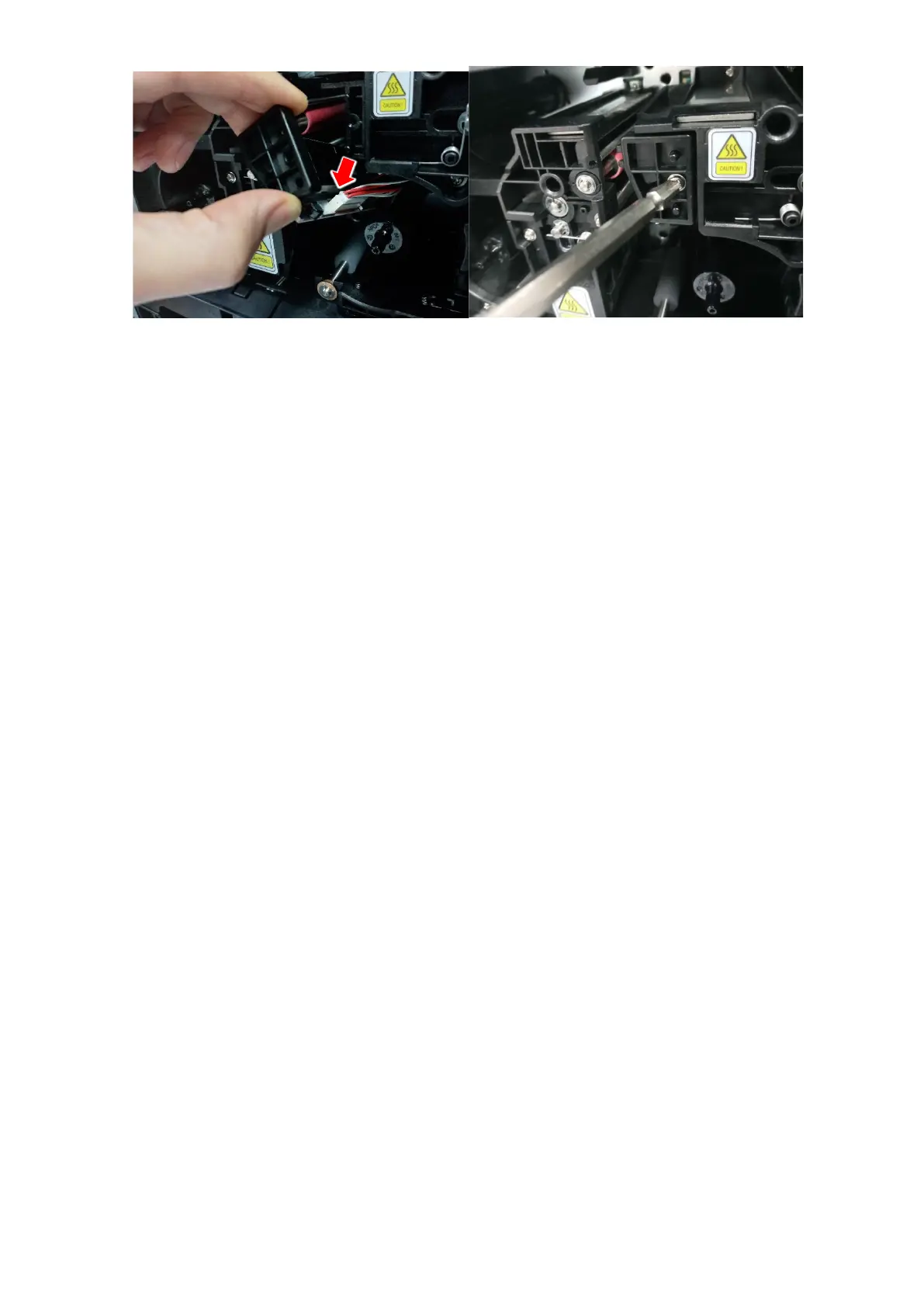
Figure 96 Printer head assemble
4. Setup the print position and the color density
After installing the new Print Head, you must reset the print position and the color density
using CardPrinterConfig utility. Refer to “4.1.2 Default setting”.
5.5. Card movement
(1) Cards can’t enter into the printer from input hopper
if card fails enter at all, or if the problem occurs frequently, please review the causes
below.
Non-standard cards or bad cards.
Change the cards. You can use only ISO CR-80 card (54mm x 86mm).
Card thickness control lever is set improperly.
Regulate the card thickness control lever to fit the current card thickness.
Bad card array.
Array the cards again and put them on input hopper as section 2.2 in this manual.
Cards have static and moisture.
Remove the moisture or static.
(2) Card Transfer Error occurs when the ribbon is coiled around the transfer
roller or the printing roller.
Open the top cover and remove the card and the coiled ribbon from SMART-81
printer using front buttons. If this problem occurred frequently, check the below
things.



 To Next Page