71
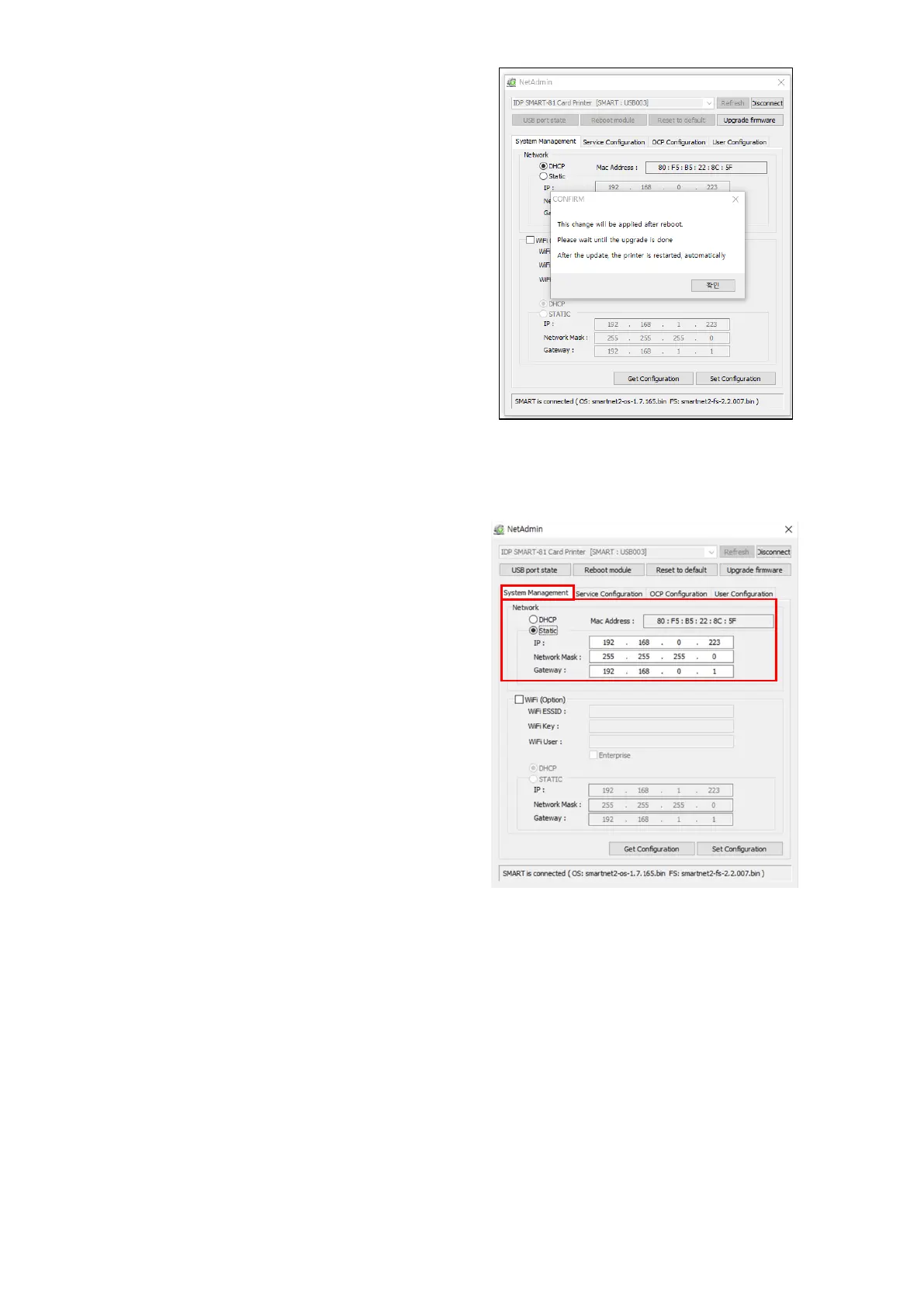
When firmware upgrade is completed,
pop-up comes out for reboot.
Please click “yes”.
It takes 1 minute to reboot.
Please click “refresh” after reboot.
When proper printer shown, please
connect printer by clicking “Connect”.
Figure 73 Upgrade the firmware 3
(10) Wired network configuration
Please select DHCP or static.
“DHCP” is default for SMART-81
printer.
Please enter values for “IP”, Nework
mask”, and “Gateway”. Click “Set
configuration”.
If you are not aware of Static IP, Please
ask network administrator for static IP.
Please click “Set Configuration” and
save. And please reboot printer.
We recommend using static IP because
it is more stable for using SMART-81
network printer.
Figure 74 Dynamic IP configuration



 To Next Page