31
2.2. Fitting the Film, Ribbon, Cleaning roller
Before printing, prepare the related items such as a card, a ribbon and a cleaning roller.
In this section, we invite you to know the proper method of installing the retransfer film,
ribbon and the cleaning roller into the printer.
(Caution! Please turn off the printer)
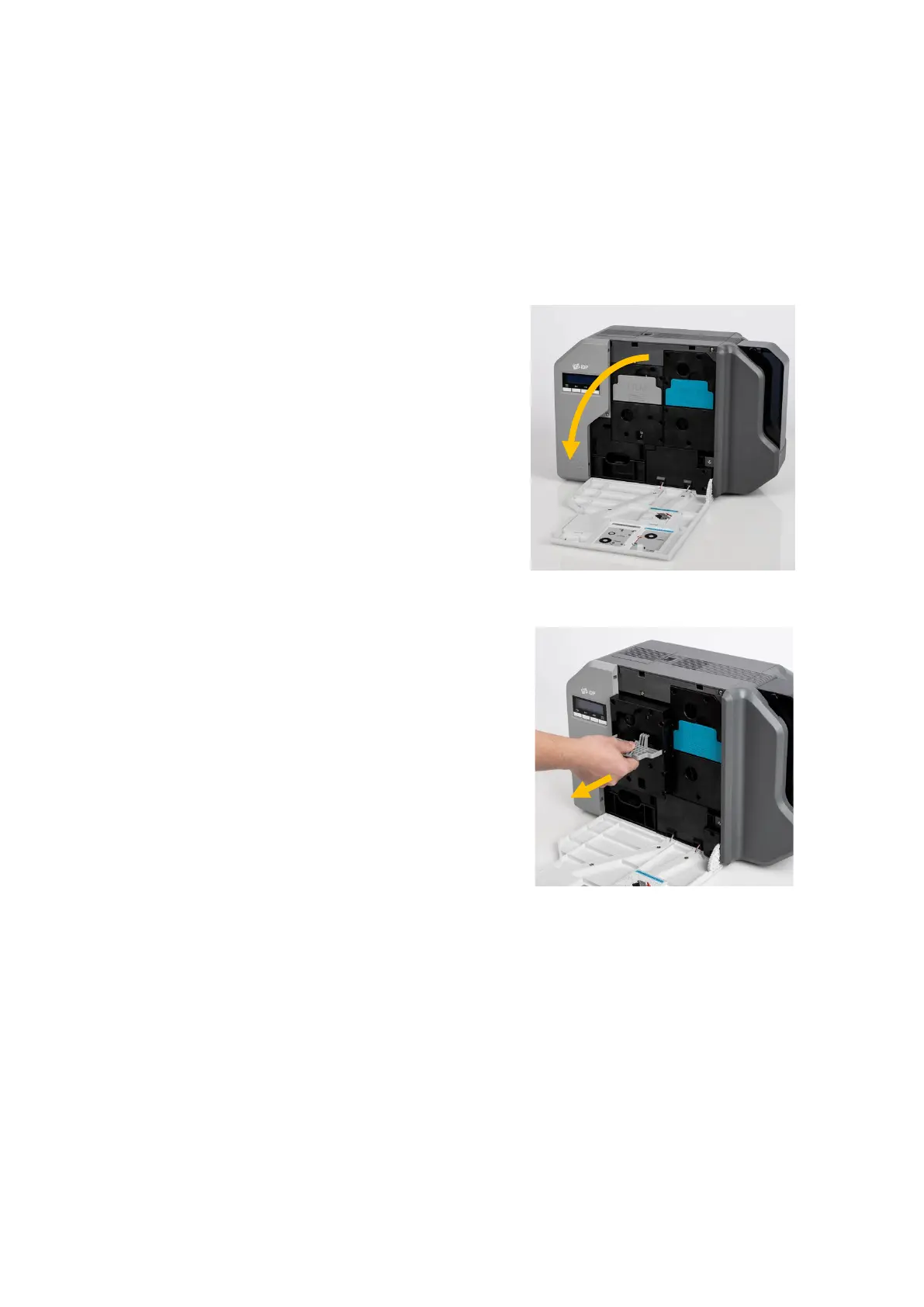
(1) Open the front side of the printer
cover.
Figure 8 Front cover open
(2) Hold the Retransfer film
cartridge handle and pull it out
as Figure 9.
Figure 9 Take out film cartridge



 To Next Page