39
RDX A8 User and Service Guide — Version 1.0
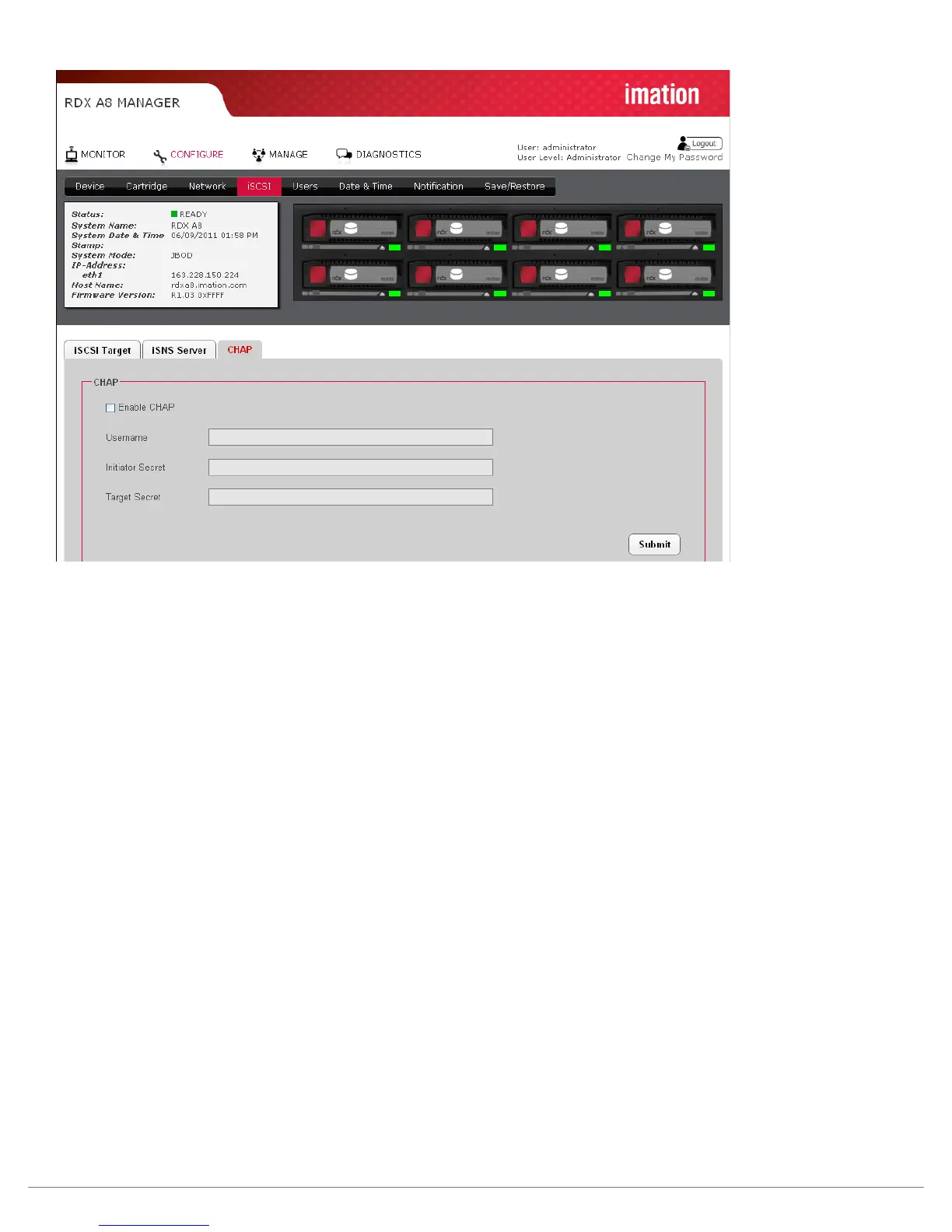
Figure 23—RDX A8 Manager Configure CHAP
CHAP is an authentication scheme used by servers to validate the identity of clients and vice versa.
When CHAP is enabled, the initiator must send the correct “Username” and “Target Secret” to gain
access to the RDX A8. The “Initiator Secret” field is provided to allow iSCSI mutual CHAP. If mutual
CHAP is selected on the Initiator, the RDX A8 will authenticate itself with the initiator using the
supplied Initiator Secret.
To enable CHAP click the ‘Enable CHAP” check box and enter the following details in the
remaining fields:
• Username – this is the username that the iSCSI Initiator must use to gain access to the
iSCSI bridge
• Initiator Secret – this is the password that the iSCSI bridge will send to the iSCSI Initiator
during mutual CHAP
• Target Secret – This is the secret defined by the iSCSI bridge and will be sent from the
ISCSI Initiator to authenticate the iSCSI Initiator.
The two CHAP secrets must be between 12 and 16 characters long and both Initiator and Target Secrets
must be different.
To save changes to this page click the “Submit” button.



 To Next Page