53
RDX A8 User and Service Guide — Version 1.0
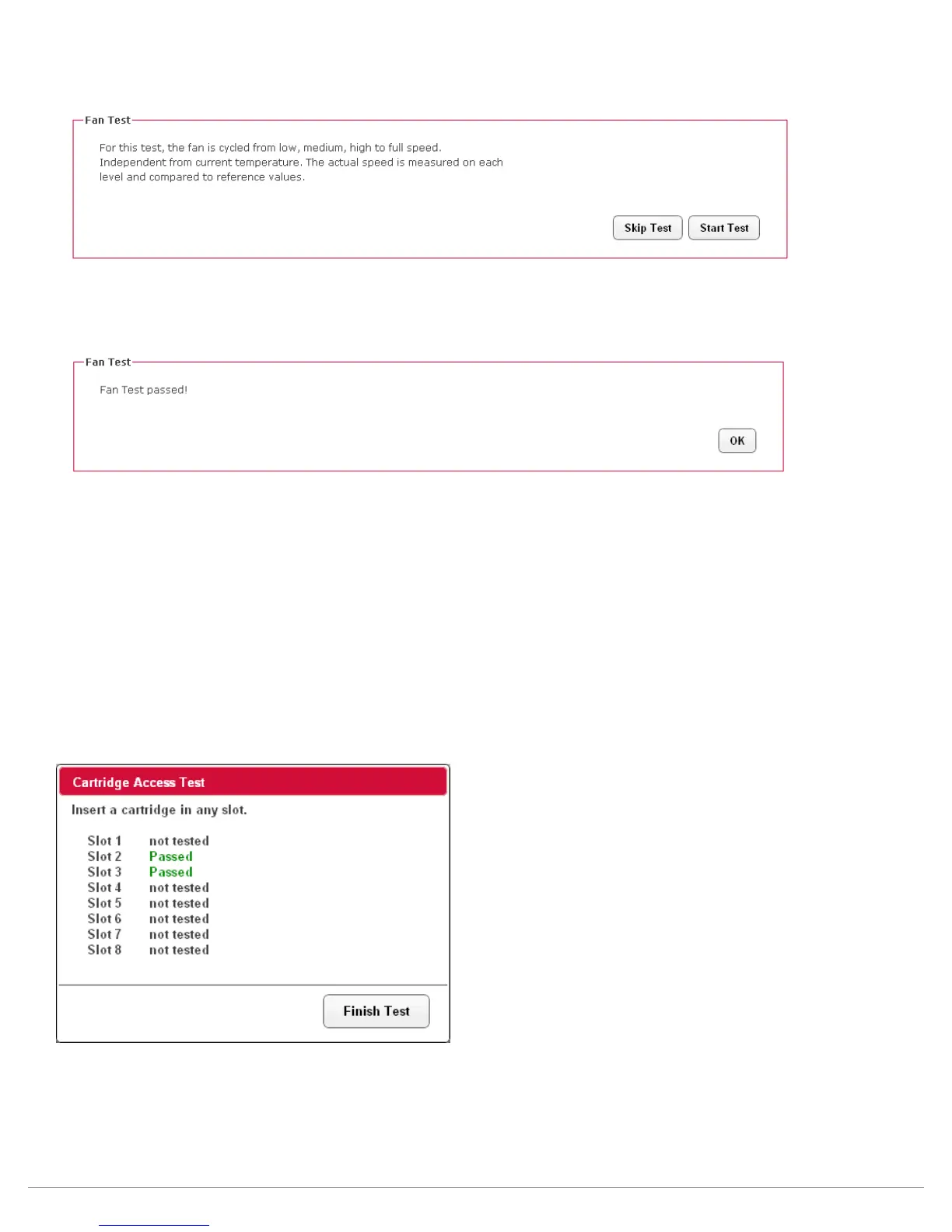
Fan Test
To execute the Fan Test select the “Start Test” button. The fan will cycle through four operation speeds
while monitoring the fan RPM for the correct reference value.
Once the fan test has completed the RDX A8 will report a pass/fail status and the user may click the “OK”
button to log the result.
Cartridge Access Test
The Cartridge Access Test checks the ability of each slot to properly insert/load, identify/communicate
with RDX media, and unload/eject RDX media. The unit will be taken offline from the iSCSI connection to
prevent concurrent data access attempts from the host system. Also at the start of the test all currently
inserted RDX media will be bulk ejected from the unit. It is suggested the test operator use a known good
cartridge which can be used to test each slot.
To execute the Cartridge Access Test select the “Start Test” button, the RDX A8 unit will then bulk eject
all currently inserted cartridges and ask the user to remove them from the unit.
The operator will then be asked to insert a cartridge in each of the eight slots in sequence. The RDX A8
unit will then perform the slot access test and eject the cartridge and provide a pass/fall status.



 To Next Page