113
INSTALLER
USERMAINTENANCE TECHNICIAN
TECHNICAL DATA
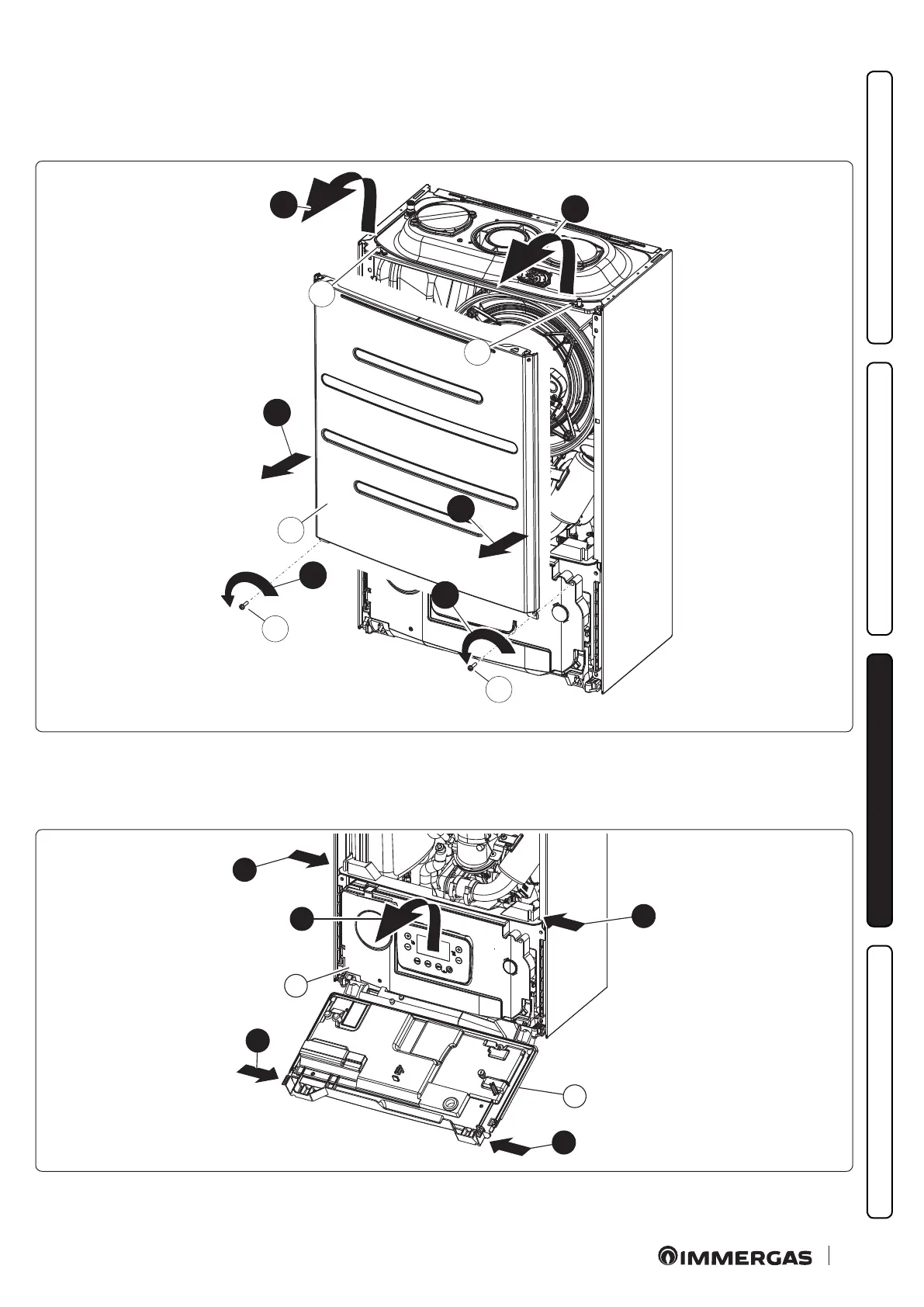
Sealed chamber cover (Fig. 85)
- Unscrew the two screws (g) at the bottom of the sealed chamber cover (f).
- Pull the sealed chamber cover (f ) slightly towards yourself.
- Release the sealed chamber cover (f) from the pins (h) by pulling it towards yourself while pushing it upwards.
7
g
7
g
f
9
9
h
h
8
8
85
Control panel (Fig. 86)
- Press the hooks on the side of the control panel (g).
- Tilt the control panel (g) towards you.
7
g
8
7
g
7
7
86







 To Next Page