33
8.1.3 Opening the front panel
Requirements:
• 4 mm Allen key
Dismantling the front cover panel:
• Use the lifter to move the seat to the uppermost position. If a lifter is not available, you have to
remove the seat as described in chapter 8.5.1 or 8.5.3 respectively.
• Remove the rear and centre cover as described in chapters 8.1.1 and Fehler! Verweisquelle
konnte nicht gefunden werden..
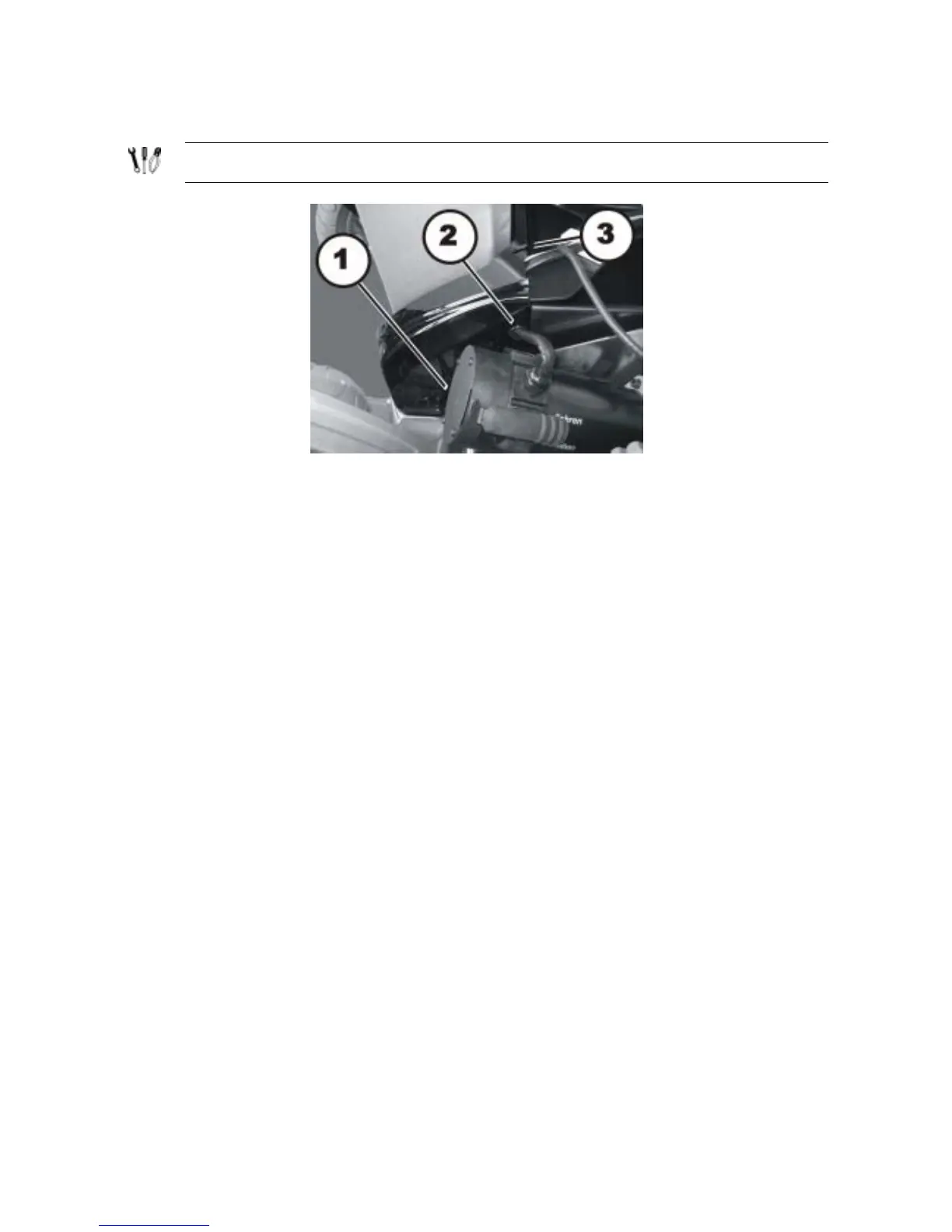
• Loosen the two Allen screws (1) – concealed by the motor in the picture – using a 4 mm Allen
key.
• Pull the motor cable and the guide bushes (2) out of the lateral recesses.
• Pull the connecting cable to the seat out of the recess (3).
• Lift off the front cover to the rear.
Refitting the front panel:
• Refit the parts in reverse order.
• Now tighten all the screws finger-tight again.






 To Next Page