63
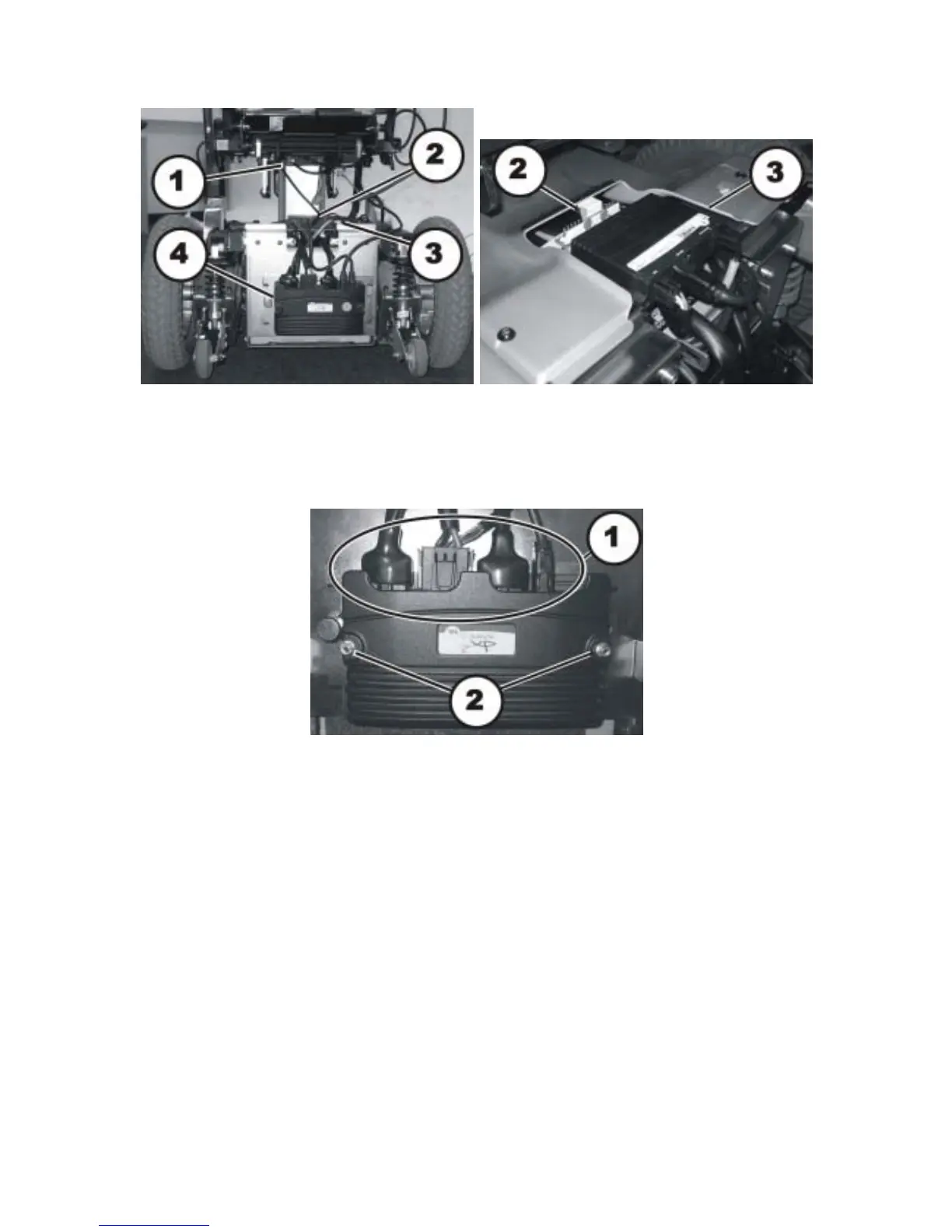
• Carefully note the location of the cable and the connection locations of the various plugs.
Either mark each plug and socket, or take a photograph with a digital camera.
• The pictures show the power module (4), the optional lighting PCB (2) and the optional
actuator modules (1) & (3).
• Pull the plug (1) out of the power module.
• Loosen the two nuts (2) with a 8 mm socket spanner.
• Remove the power module by pulling it backwards from the guides.
• Replace the power module.
Refitting the power module:
• Refit the parts in reverse order.
• Plug all the plugs into their old positions.
• Select the drive program as described in chapter 8.4.6.
• If a new software version is available, update the drive program as described in Chapter 8.4.7.
• Adapt the drive program using the programming software if necessary.
• To conclude, check all the mobility aid functions.






 To Next Page