12 Chapter 1 Phone Basics
Main Menu Icons
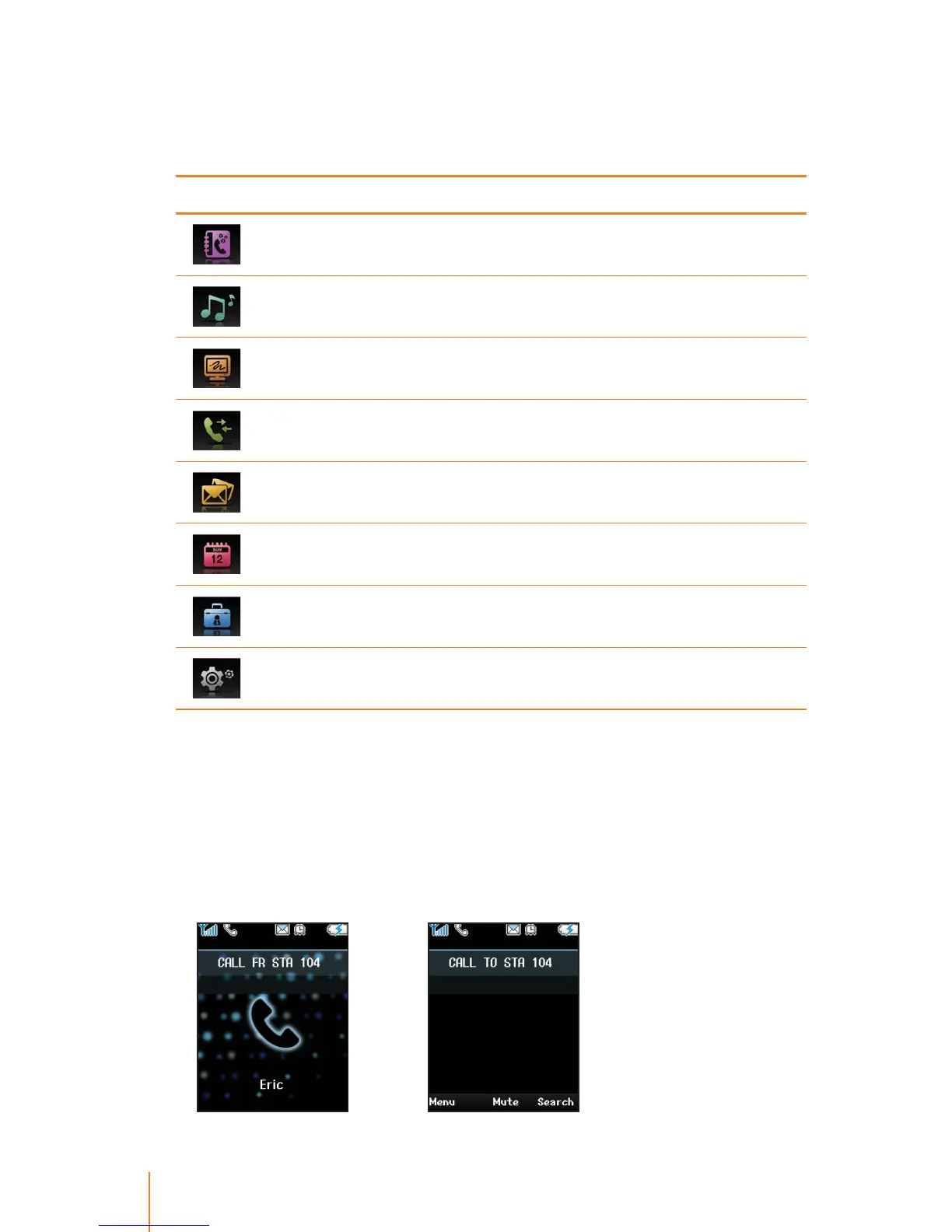
These icons are used to access the following your phone’s main
menu options as described in table.
Icon Description
This icon refers to the menus related to Phone Book.
This icon refers to the menus related to Sound for user’s custom-
ization.
This icon refers to the menus related to Display for user’s custom-
ization.
This icon refers to the menus related to Call History.
This icon refers to the menus related to Messages.
This icon refers to the menus related to Tools for user’s conve-
nience.
This icon refers to the menus related to Systems that provides a
user with variety of keyphone features.
This icon refers to the menus related to Settings of your phone.
State Displays
The phone will show both items on the display screen, if the caller’s
name and number are stored in your Phone Book. If not, phone will
only display the phone number. The following examples show the
call state displays.
t*ODPNJOH$BMM t0VUHPJOH$BMM



 To Next Page