93Chapter 11 Settings
- Lock icon ( ) indicates that the wireless LAN is encrypted. Wire-
less LANs that do not use encryption do not have the lock icon.
- Bar icon (
) indicates the signal strength in dierent states of
the network.
Right part on the screen shows the name of the network.
Note: By default, when the wireless LAN is switched on, you can
easily create prole after searching for the wireless LAN to connect.
2. Use the navigation key to scroll through the prole and select one.
Press Menu (left softkey) to select an options Re-scan, View Datail,
or Add Prole and then press
.
The Re-scan is used to refresh a list of all available wireless LANs.
3. Press Add (right softkey) to create the new prole.
Prole Name and Network name(SSID) are lled in with the SSID
which you have choosen automatically.
You can change this prole name to whatever you want, but not
network name(SSID).
4. Follow the applicable instructions in "To use phone’s default prole:"
on page 85.
Connecting a Prole
You can connect to the selected wireless LAN. After creating a prole
for connecting to the wireless LAN of your choice.
1. Press
> Settings > Prole Setting.
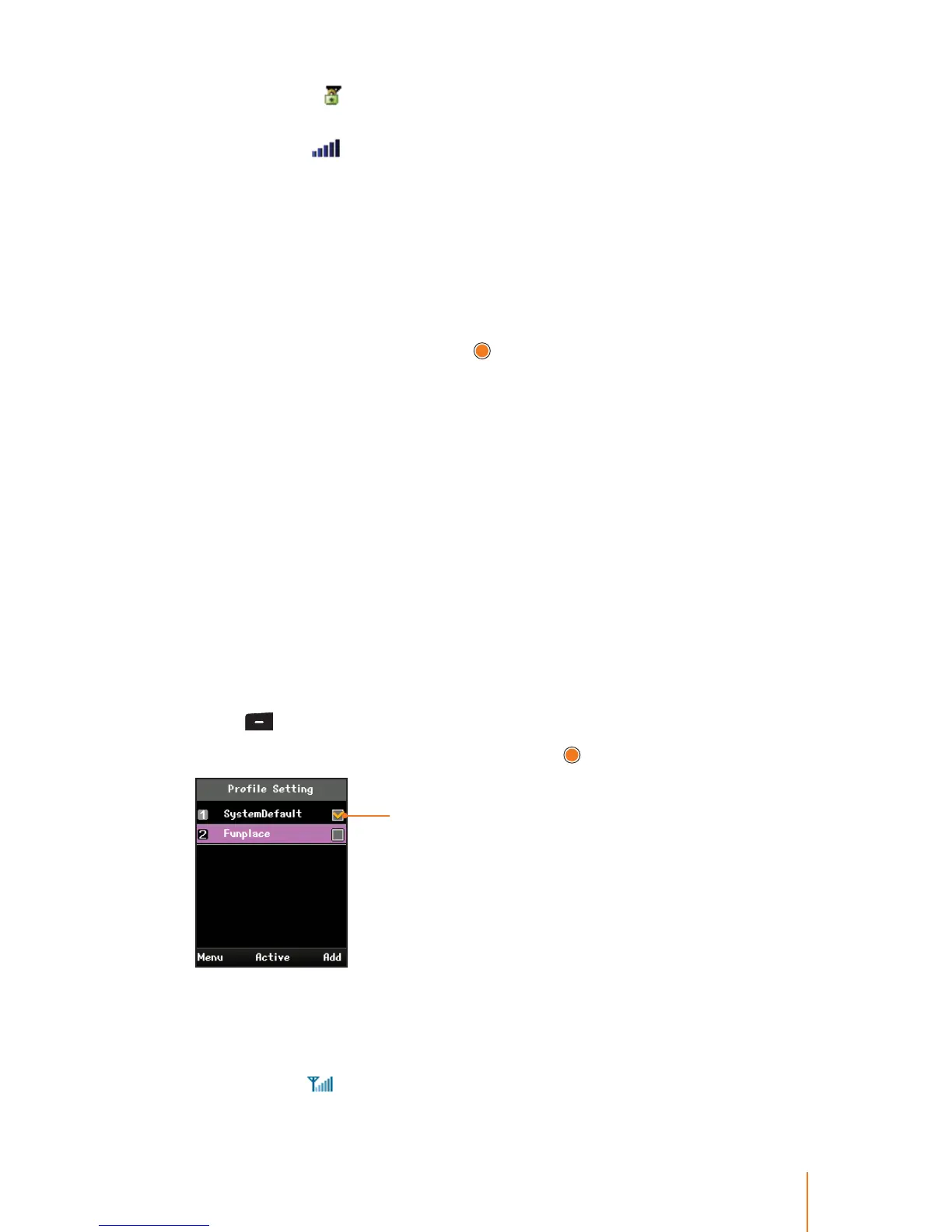
2. Select a prole you wish to use and press
.
Shows the prole that
you are currently using.
3. After requesting the IP, the phone tries to register with the system.
Please wait for the connection to be completed.
When the phone has nished connecting the wireless LAN, you
can see an
icon on the screen in standby mode.



 To Next Page