60 Chapter 8 Messages
Writing Text Message
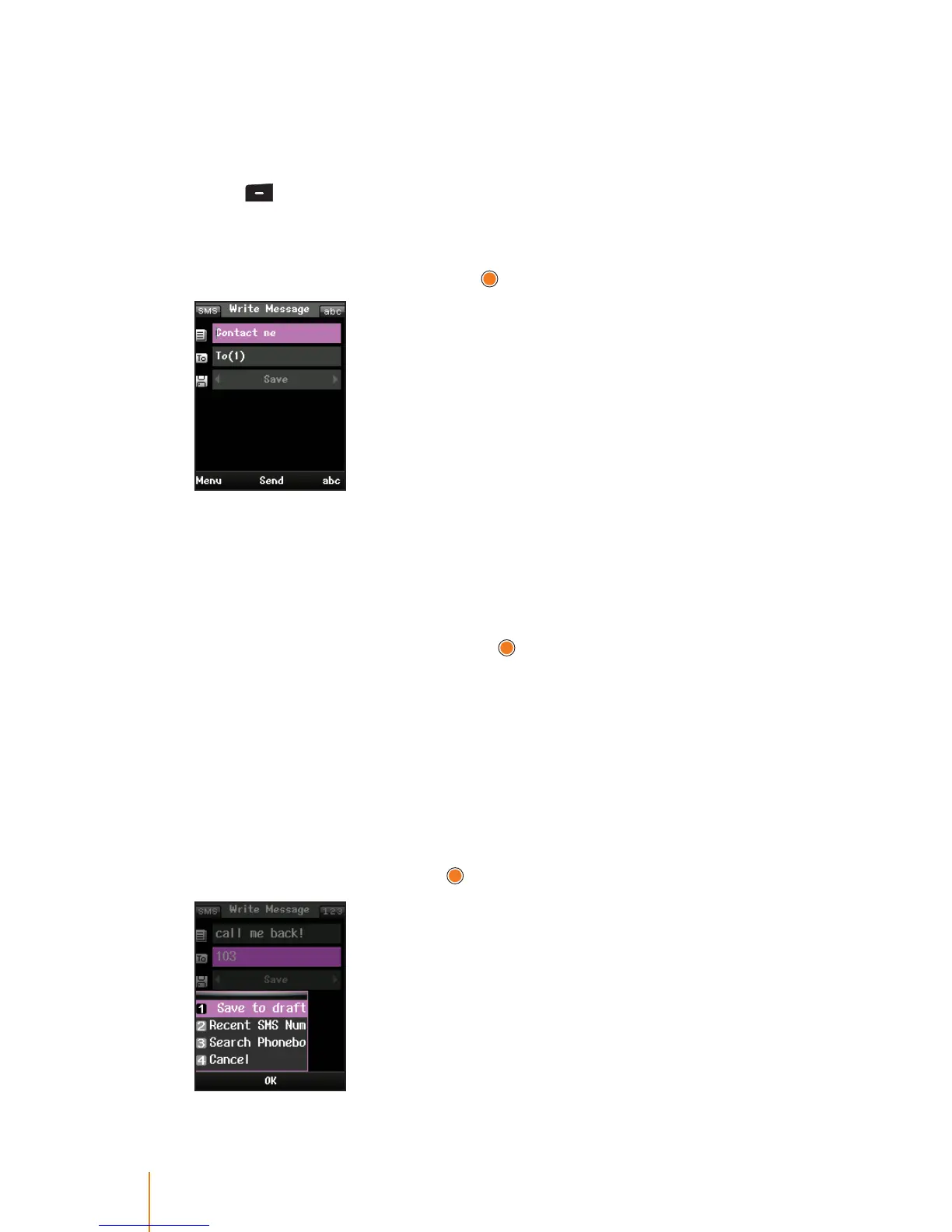
Compose a text message you wish to send it. A single text message
can be up to 80 characters.
1. Press
> Messages > Write Message.
2. Select Contact me eld (It may already be highlighted.) to compose
a message. When writing a message you can use the common terms
or smiley (emoticons) and press
.
To type a message, use your keypad to enter your message. Use
the right softkey to select a character input mode. (See “Entering
Text”on page 18.)
To use a common terms or a smiley, press the Menu (left softkey),
select Common Terms or Smiley, and then highlight your desired
message or emoticon and press
. (For more information on com-
mon terms, please see "Templates"on page 63.)
3. Use the keypad to enter the number you wish to send a message or
press Menu (left softkey) to select the entry method you prefer:
Recent SMS Num. to select from a list of recent message recipients.
Search Phonebook to select a recipient from your Phonebook.
4. If you wish to save the current message, press navigation key left or
right to select Save or press Menu (left softkey) to select one of the
following options and press
.



 To Next Page