21Chapter 2 Getting Started
Headset with Mic
The headset included with phone features a microphone and an
integrated button that allows you to answer and end calls easily.
Connecting the Headsest
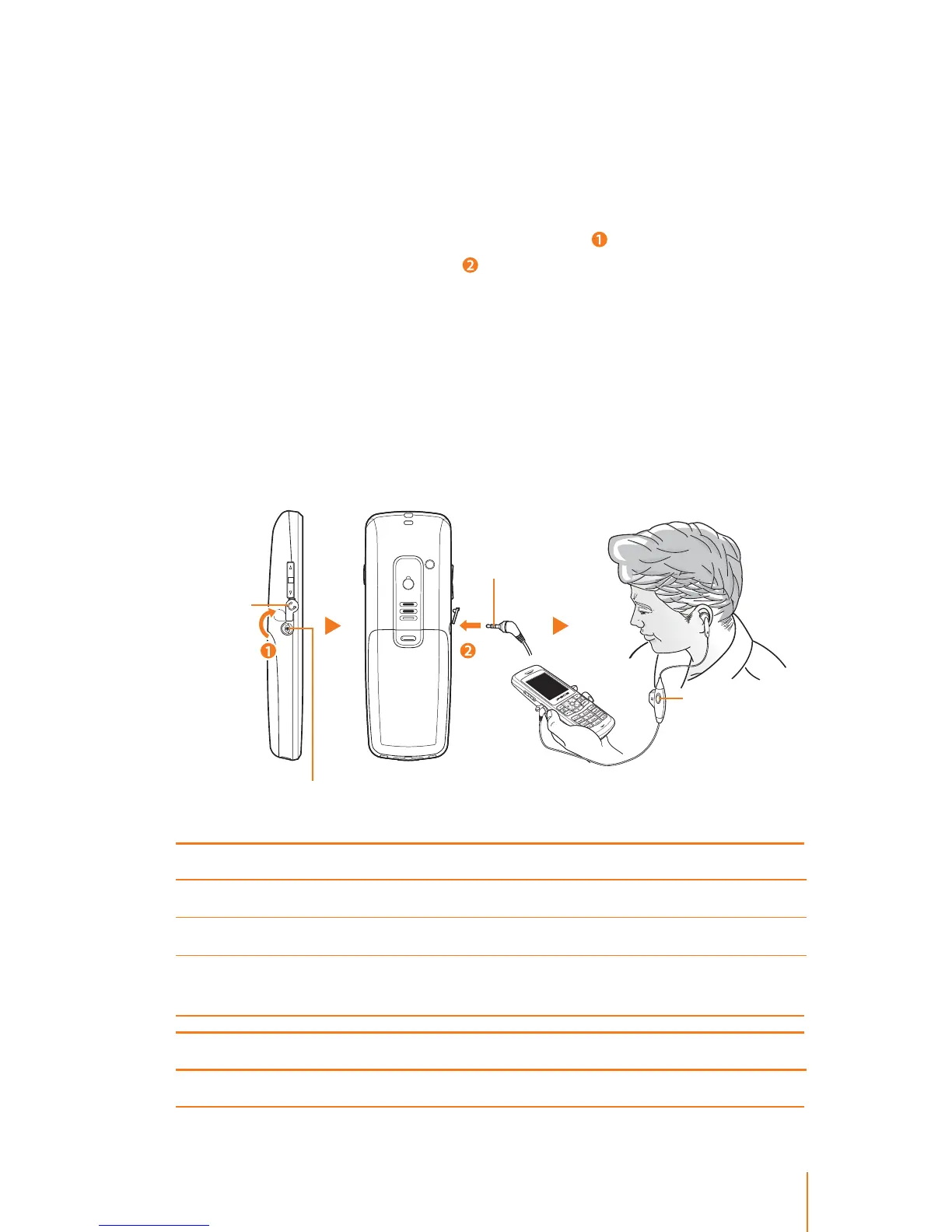
Ź Open the headset jack cover and ip it over ( ) and plug the head-
set into phone’s headset jack (
).
CAUTION: Using incompatible accessory may damage the phone.
WARNING: Do not insert any external substance except headset in
the headset jack. Inserting anything except for headset provided by
general maker may cause severe damage the phone.
Plug in the headset to make or answer a phone call. Callers hear
you through the headset microphone.
Even though the headset is plugged, incoming call ring tone is
heard through the speaker, not through the headset.
Press the mic button to control answer, hold, switch and end calls.
Standby mode:
Answering an incoming call Press once.
Go to the Call List Press once.
Redial call the most recent
number in the Call List
Press and hold for about two seconds.
During a call:
End the current call Press and hold for about two seconds.
Mic button
Headset jack
Headset plug
Cover



 To Next Page