13
Chapter
2
Getting Started
Battery and Charger
Your phone is equipped with a Lithium Ion (Li-Ion) battery. It allows
you to recharge your battery before it is fully drained.
WARNING: Use only Ericsson-LG approved battery, charger, and Power
Adapter with your phone. The failure to use a Ericsson-LG approved battery,
charger, and Power Adapter may increase the risk that your phone will
overheat, catch re, or explode, resulting in serious bodily injury, death, or
property damage.
When the battery reaches 10% of its capacity, your phone makes a
sound and displays a message. When there are approximately four
minutes of talk time left, the phone sounds an audible alert and then
turns o.
Installing and Removing the Battery
Always turn o your phone before installing or replacing the battery.
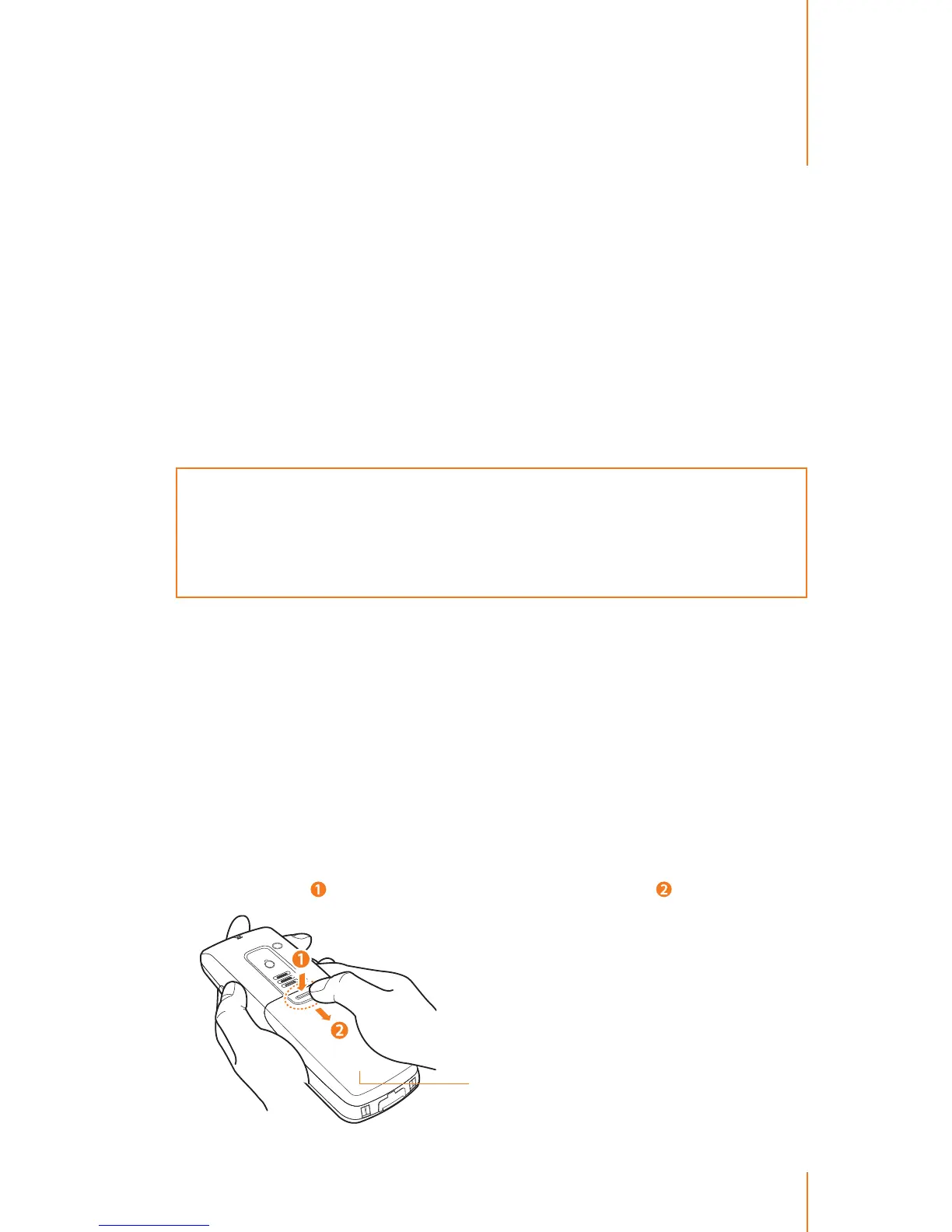
To install the battery:
1. With your thumb, press down on the battery cover on the back of
your phone (
) and slide it downward to release it ( ).
Battery cover



 To Next Page