14 Chapter 2 Getting Started
2. Remove the battery cover from the back of the phone.
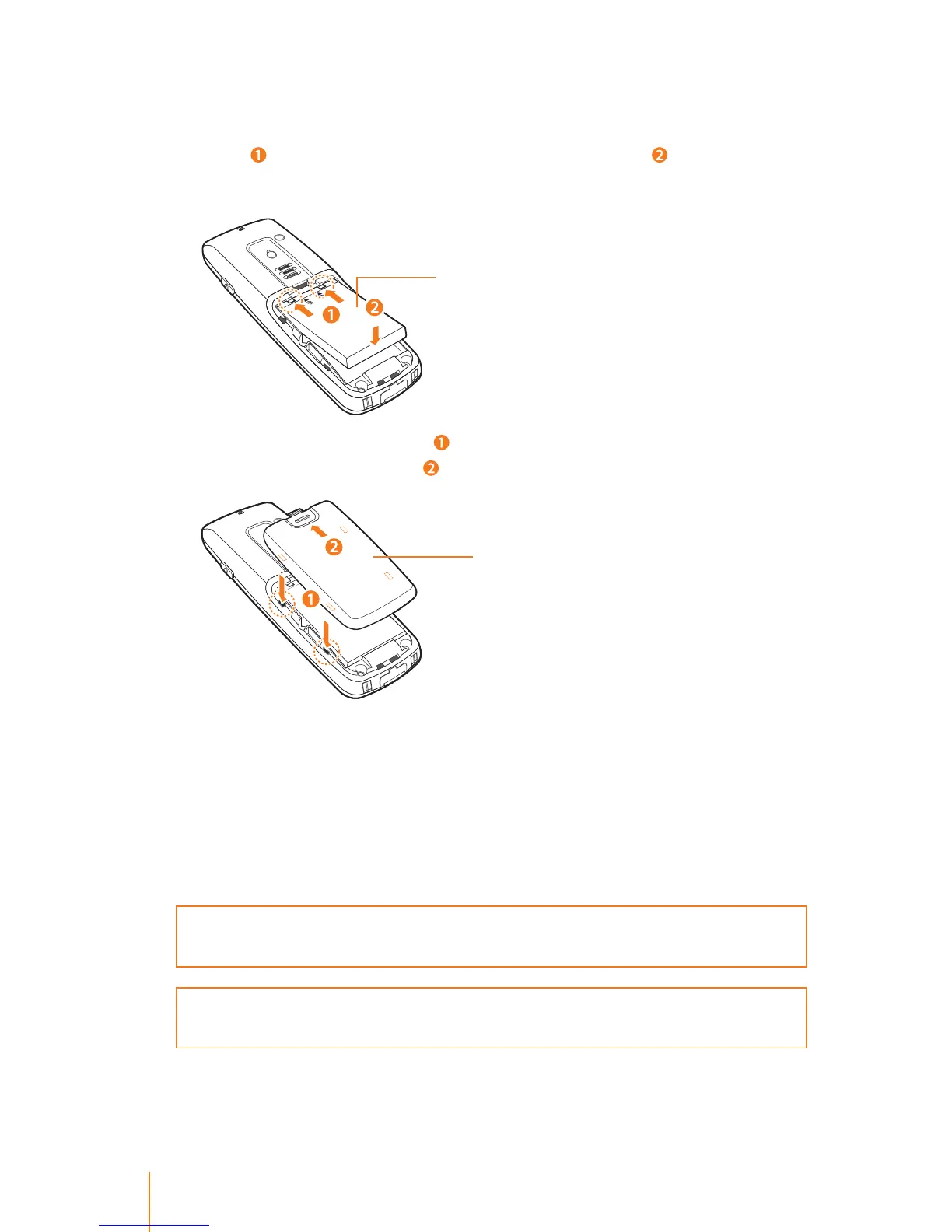
3. Insert the battery into the opening, making sure the connectors
align (
). Gently press down to secure the battery ( ). Note: Do not
force the battery.
4. Replace the battery cover (
) and press up until you hear a click to
lock the cover into place (
).
To remove the battery:
1. Make sure the power is o so that you do not lose any stored num-
bers or messages.
2. Use your thumb press down battery release hook on the back of
your phone and remove the battery from the phone.
WARNING: Do not handle a damaged or leaking Li-Ion battery as you can be
burned.
Note: The battery has limited a lifespans and the battery is warranted for a
period of 6 months from the purchasing date.
Battery cover
Li-Ion battery



 To Next Page