81Chapter 10 System
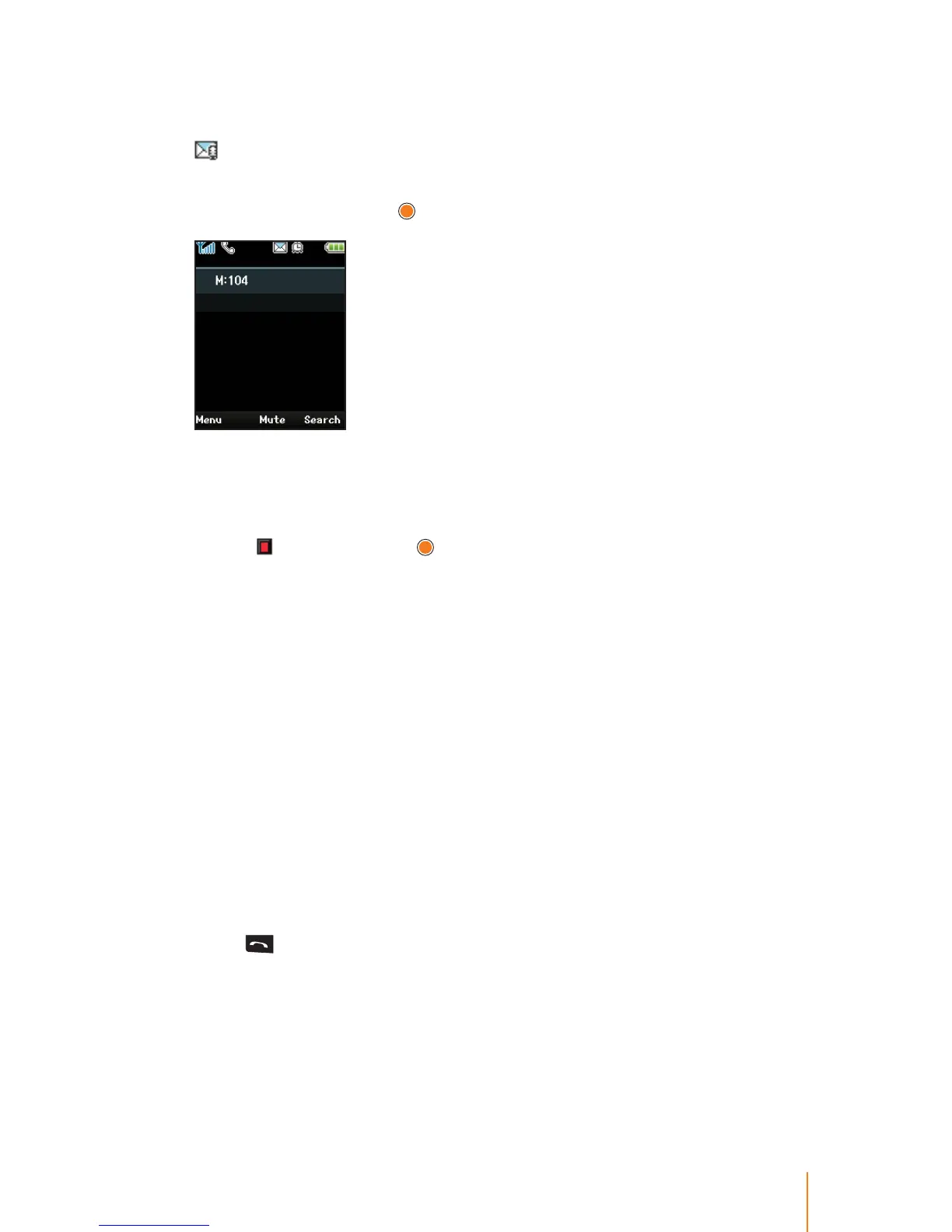
To review/call back a message:
When you receive a message, your phone noties you with the icon
at the top of phone's screen.
1. In standby mode, press navigation key left to access the System >
MSG/CallBk and press
.
For example, "M: 104" means that this message has been sent from
internal number 104.
2. Press the navigation key left to select the System > MSG/CallBk.
3. When '
' blinking, press to be connected to dial tone and then
place the call.
Call Back
Call Back allows you to reserve the call when a busy party becomes
available.
To reserve a call back:
1. If the called party is busy.
2. Press navigation key left to select System > MSG/CallBk.
When choose MSG/CallBk, at this point the call is terminated and
return to the standby mode.
To answer a call back:
1. When the called party becomes free, the system will call you back.
2. Press
to answer an Call Back call, the called party's phone will
ring and your call will be connected.
A Call Back will be canceled if not answerd within a certain amount
of time (set by your system administrator).



 To Next Page