65
Chapter
9
Tools
Your phone is equipped with several personal information manage-
ment features that help you manage your time eciently. This
chapter shows you how to use these features that helps you.
Schedule
The Scheduler keeps your event convenient and easy to access.
Simply store your events and your phone alerts you with a reminder
of your event.
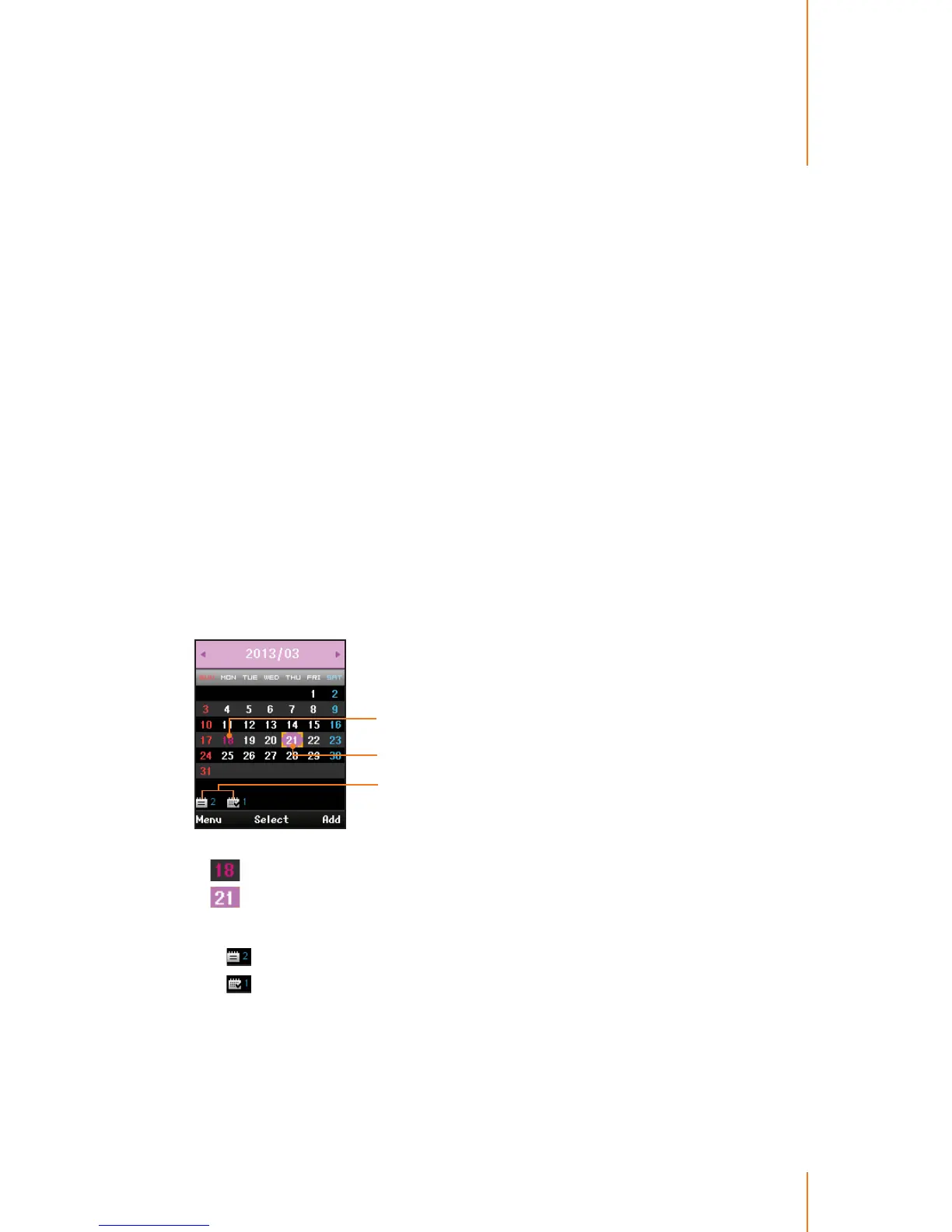
In the calendar view, If you have events stored for the selected day,
they will be highlighted in a dierent color as follows:
Schedule or Anniverary
for selected day
Days have scheduled
events
User specied holiday
indicates a user specied holiday has been set.
indicates a schedule or anniversary have been set. The follow-
ing icons are used to show the types of events saved to the date.
- means a schedule and shows its number.
-
means an anniversary and shows its number.



 To Next Page