Settings
144 USER MANUAL FPC 200 - 3/2017
4.3.2.5 My Devices
General
In My Devices user can store connections to devices that are used more often. Each device can be assigned to user
defined group and equipped with user defined Description and Location for easier recognition. By selecting device from
the list, access to device settings and downloaded and recorded files is much easier.
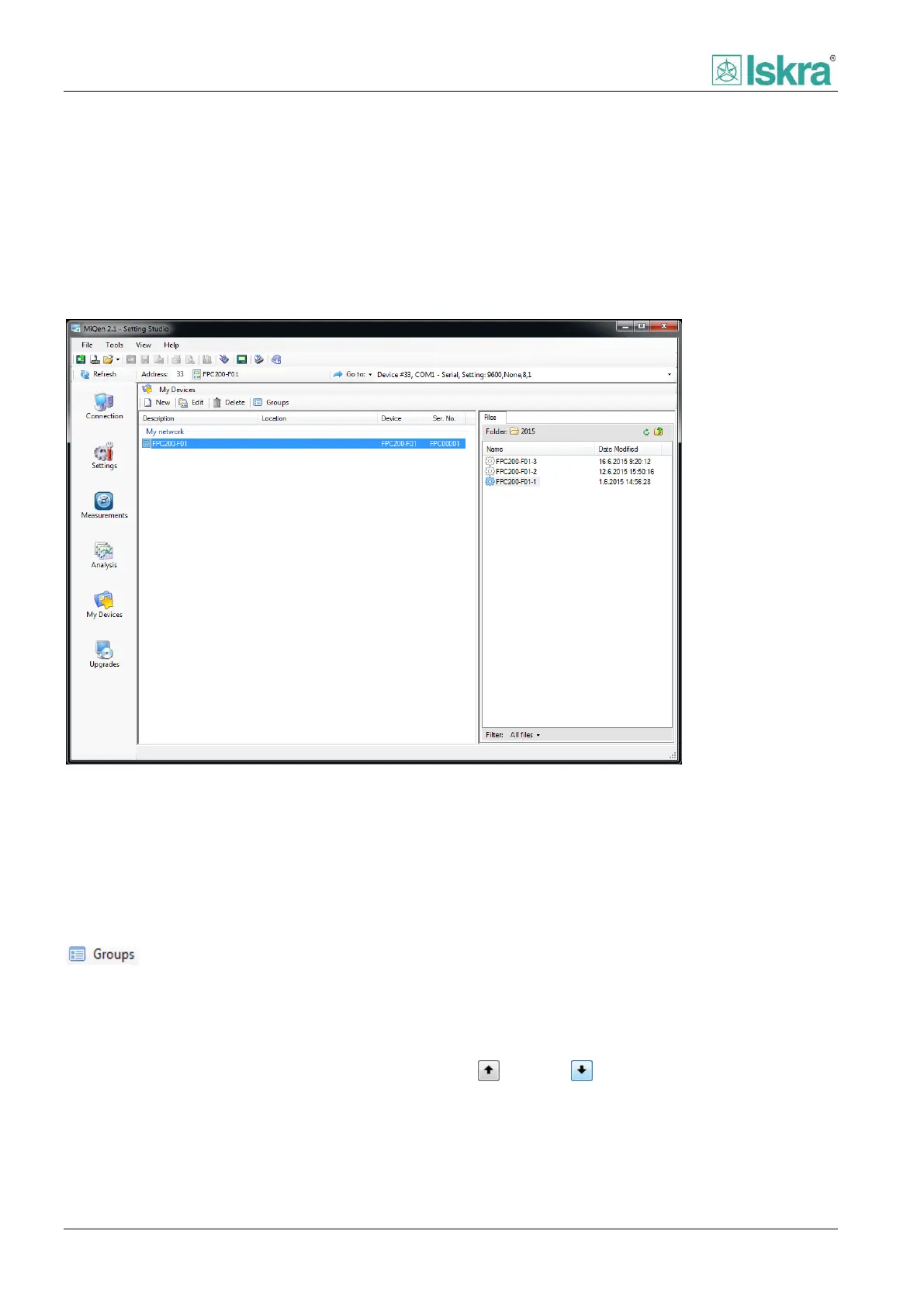
Window is divided into two panels, one showing the list of My Devices and the other displaying content of default Data
directory that belongs to selected device.
Figure 4.49 My Devices window showing Data directory contents for FPC 200 protection device. Data directory contains different
configurations.
4.3.2.5.1 Managing groups
Devices in My devices list can be assigned to predefined
groups. Groups can be managed in Device group
window that can be accessed by clicking Groups icon
form the My devices toolbar or by right
clicking on the list of devices. If no group is created,
devices are assigned to default system group My
network.
Creating groups
New group can be created in the Device group window.
Click Add button, write group name and confirm action
with OK button.
Deleting groups
To remove the group from a list, all attached devices
need to be removed from a group or relocated to other
groups. In the Device group window select desired
group and click Remove. Confirm action with OK button.
Sorting groups
Order of appearance of groups can be managed form
the Device group window. Select the group and use Up
and Down buttons to order groups as desired.



 To Next Page