Service functions and error messages
Page 152
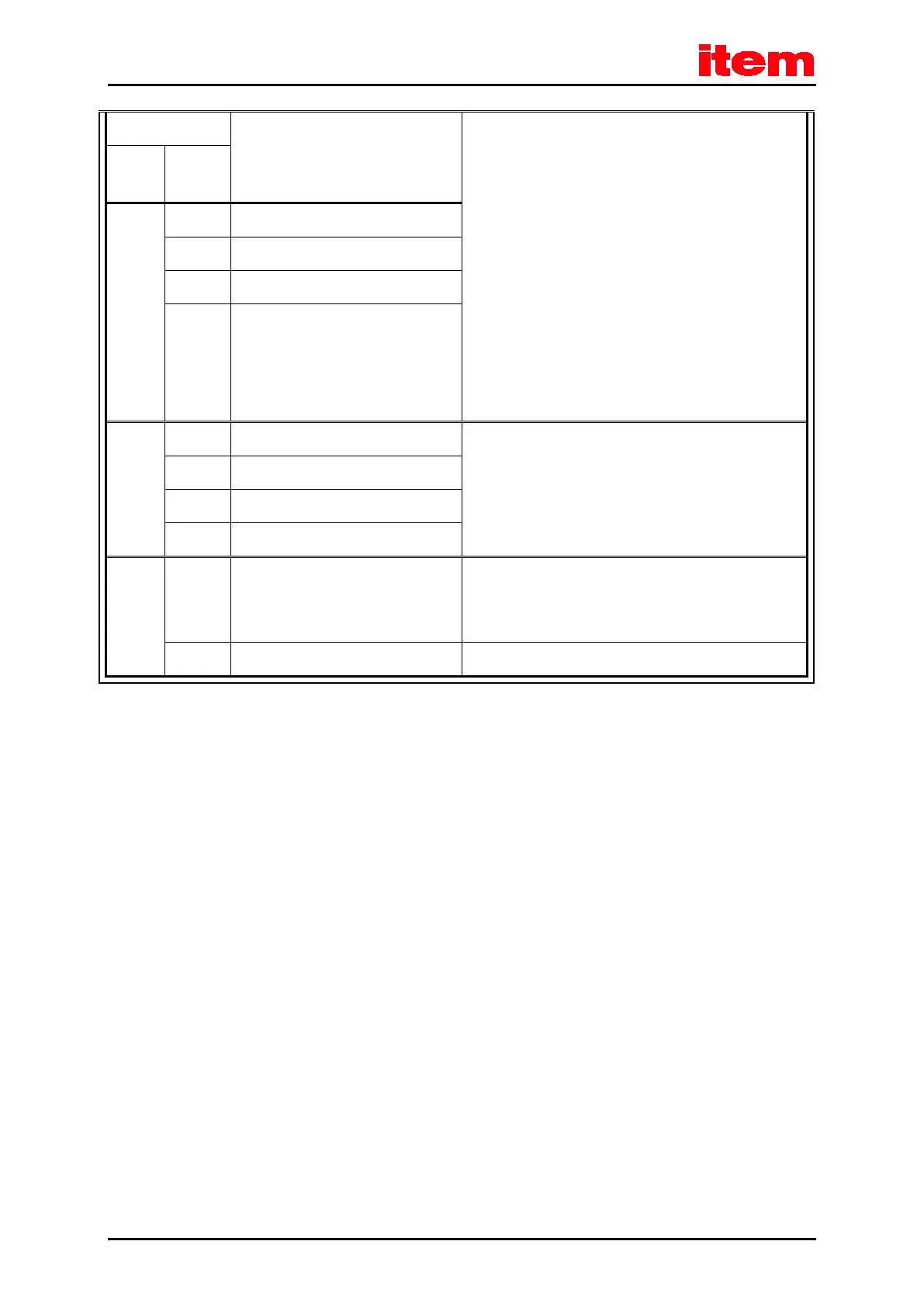
Meaning of the error message
6 IRQ 0 (current controller): trigger error
7 CAN controller not available
8 Device parameters checksum error
9 DEBUG-Firmware loaded
91 0 Internal initialisation error Please contact the Technical Support.
1 Memory error
2 Controller/power stage code read error
3 Internal software initialization error
92 0 Error during firmware download Incorrect firmware?
Load the correct firmware.
If necessary, contact the Technical Support.
1 Error during Bootloader Update Please contact the Technical Support.


 To Next Page
 Loading...