All rights reserved. The reproduction of this document, also partially, is allowed only with authorization by alpitronic s.r.l.
OCPP
This menu is used to set up the OCPP parameters for the charging station. They are required
to be inserted manually. Click ‘Save Configuration’ when all parameters are typed.
Location:
Click on ‘OCPP’ from the main menu.
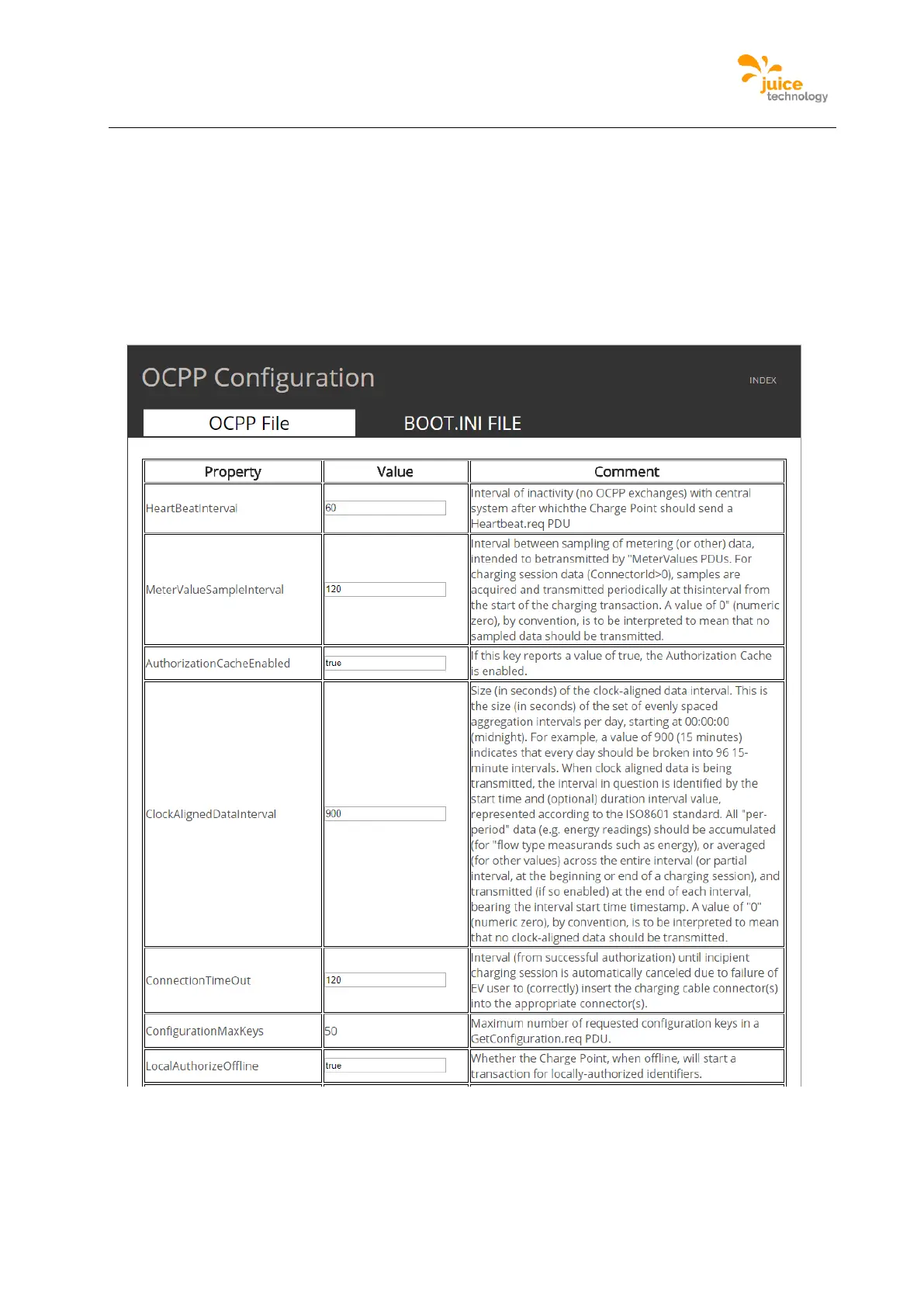
Figure 42 is an example of the webpage where the OCPP configurations are shown, there
is also a comment next to each option.
Figure 42: Example of OCPP Configuration webpage


 To Next Page