All rights reserved. The reproduction of this document, also partially, is allowed only with authorization by alpitronic s.r.l.
GUI
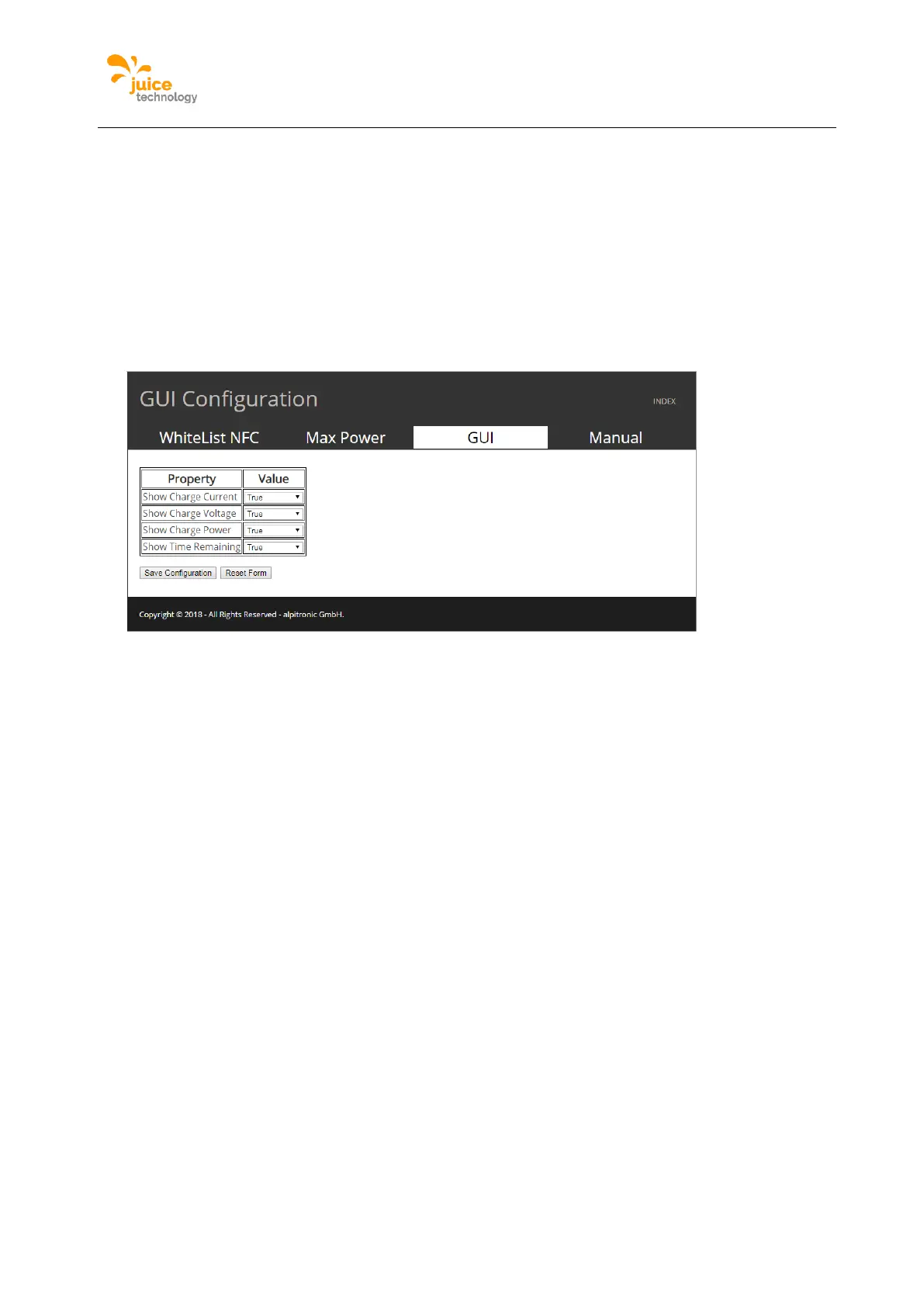
The gui menu allows to edit the visible portions of the user GUI, here there are options to
select what to view or hide in the GUI of the charging station.
Location:
Click on ‘GUI’ from the main menu.
Figure 43 is an example of the webpage, please note that the options for each feature is
either ‘true’ or ‘false’ selectable from a dropdown menu.
Figure 43: Example of GUI Configuration webpage
Ethernet Configuration
Used to select between ‘dhcp’ (automatic) or manual IP configuration for the cabled backend
connection. If the ethernet connection is not required to connect to the backend (for example
through a GSM connection), one can disregard this setup menu.
Location:
Click on ‘NETWORK’ from the main menu and following the top menu click on ‘Ethernet
Configuration’.
Figure 44 is an example of the webpage, please write only number and ‘.’ in the input fields
otherwise a wrong configuration could be loaded. At the top of the page you can see the
current IP address of the charging station.


 To Next Page