All rights reserved. The reproduction of this document, also partially, is allowed only with authorization by alpitronic s.r.l.
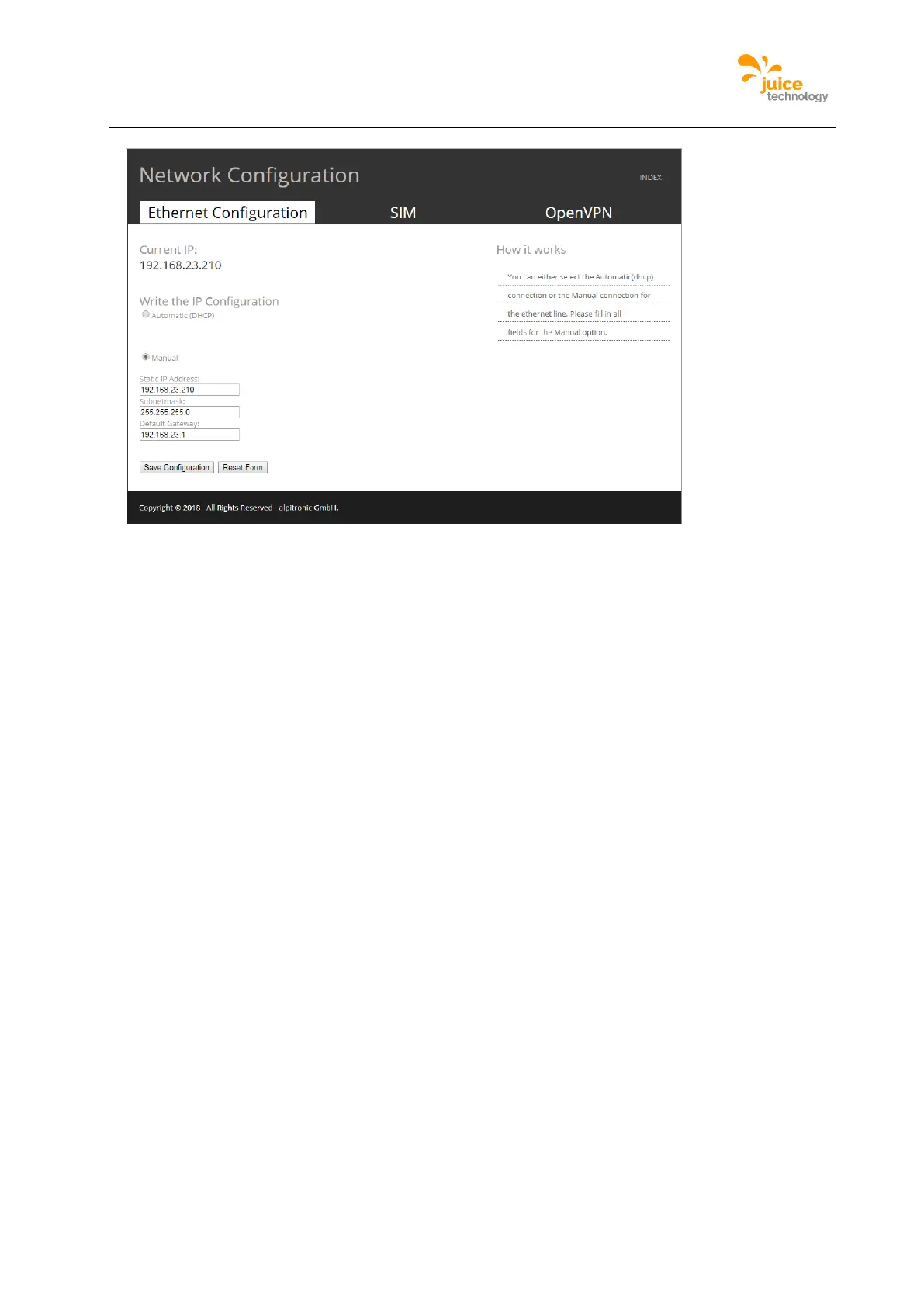
Figure 44: Example of Ethernet Configuration webpage
APN Configuration
This menu allows to setup the connectivity to the backend through the GSM modem
incorporated in the charging station.
Location:
Click on ‘NETWORK’ from the main menu and then following the top menu ‘SIM’ and
following the submenu ‘APN Configuration’ can be found.
Figure 45 is an example of the webpage showing the APN configuration, please write the
PIN of the SIM card and the APN of the SIM, which will be used to connect to the network,
make sure the PIN is only inserted if there is one.
Consequently, there is also the opportunity to write the credentials of the APN which may
be required for certain mobile network connections.


 To Next Page