Additional Functions 77
Frame
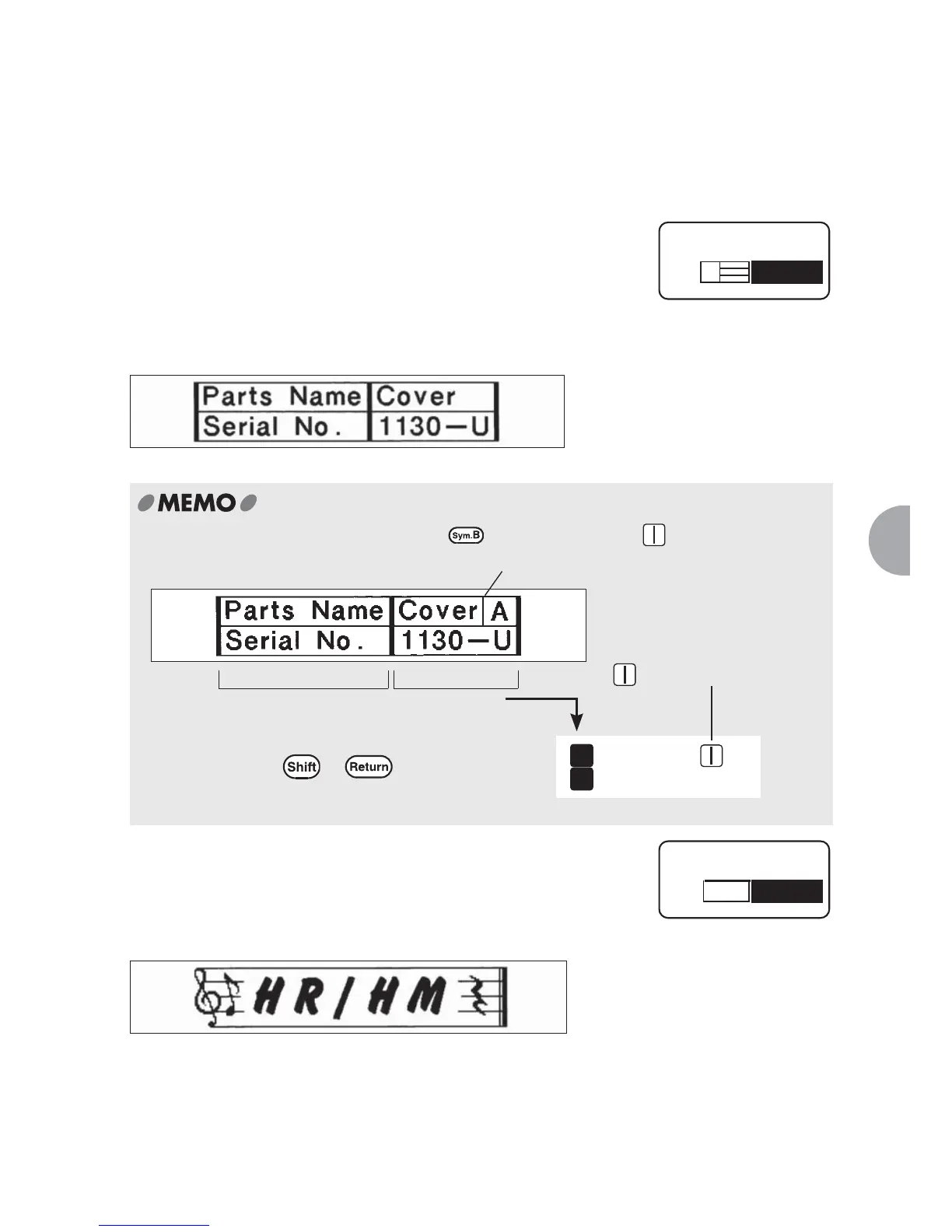
Surrounds the text (paragraph) with frames or inserts tables.
Off (default)
No frame or table is inserted.
Table
Surrounds the text (paragraph) with a frame and inserts a
horizontal separation line in between the lines.
When setting the same table in several paragraphs,
inserts a separation line between the tables.
Check the type of table using the displayed pictographs.
To insert vertical lines into a table, press and select "Mark" - .
Frame
Inserts a frame around the text (paragraph).
Check the type of frame by looking at the displayed
pictographs. Enter the two-digit number next to each
frame to select the frame to apply.
Table
01
Cover A
1130
-
U
1
2
Paragraph 2Paragraph 1
Insert in the text enter screen.
Press + to start a new line,
and enter text in paragraph 2.
A vertical line is inserted in the table.
Frame
01



 To Next Page