72
01/13424999386
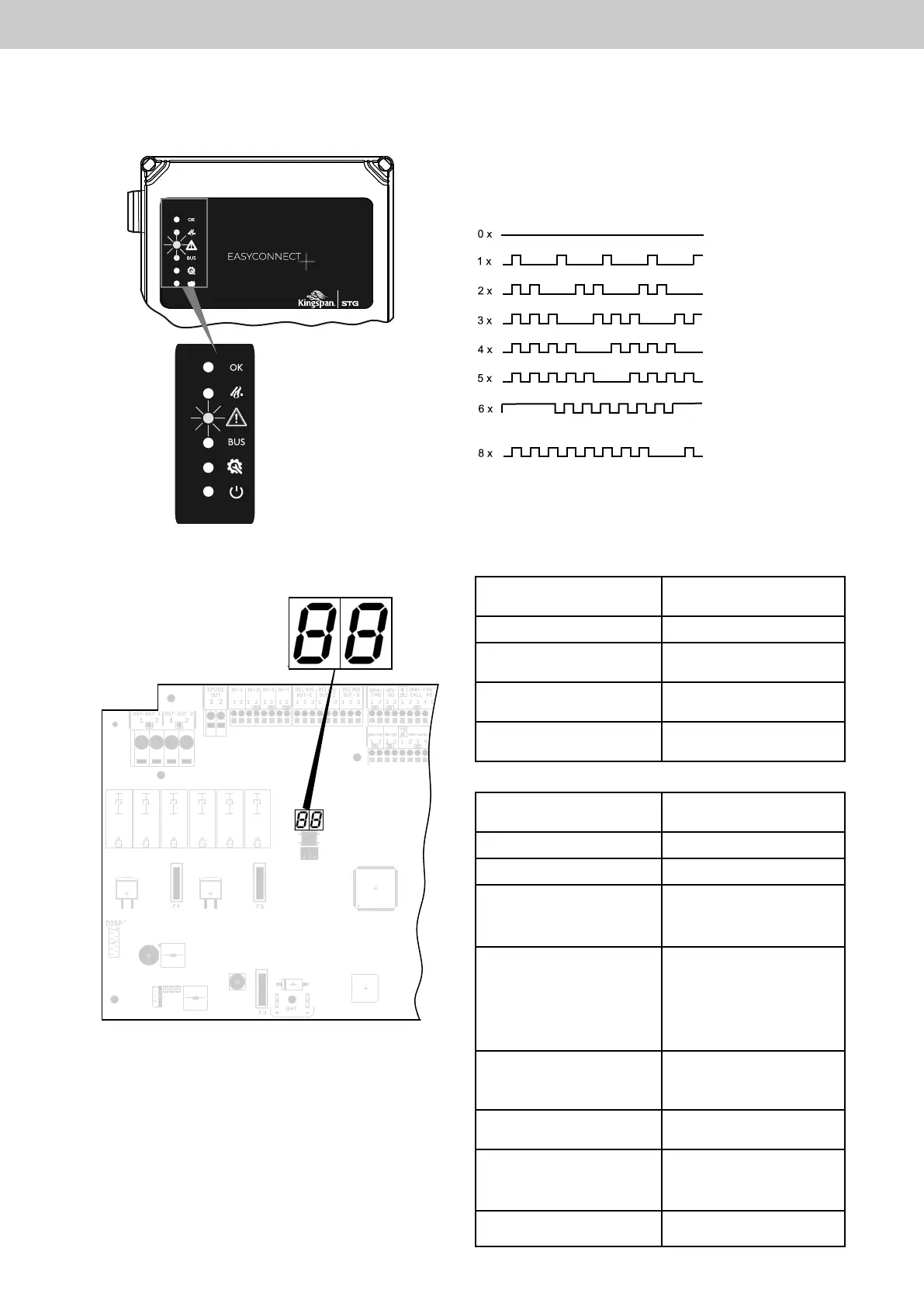
12.2 Status and error message on the 2 x 7-segment display of the motherboard
Error message on the
2 x 7-segment display
Causeofthe
error message
E1
Mains failure
E2
Battery failure
E3 C1
or
E3 C2
Fault in line monitor
of SHE manual call point
channel 1 or channel 2
E4 C1
or
E4 C2
Fault in line monitor of
automatic detectors
or automatic detectors
still active after reset
via CLOSE button of SHE
manual call point channel
1 or channel 2
E5 C1
or
E5 C2
Fault in line monitor of
drive line
channel 1 or channel 2
E6
Fault in connection to
control panel (bus)
E8 C1
or
E8 C2
Fault in line monitor of
realarmsystem(FAS)
channel 1 or channel 2
E12
DC power supply < 27.5 V /
mains switching
Status message on the
2 x 7-segment display
Meaning
I.O.
Ready for operation
F. A
Channel 1 barred for
ventilation function
F A.
Channel 2 barred for
ventilation function
F. A .
Channels 1 + 2 barred for
ventilation function
2 x 7-segment display for
error messages
Motherboard
12 Errormessages/causeoffault
12.1 Error message on door display (yellow)
Ifafaulthasoccurred,theyellowfaultdisplayashes
in the housing door or on the SHE manual call point.
Theashingsequenceindicatesthecauseofthefault.
Ready for operation
Mains failure
Battery fault
Fault in SHE manual call point
Fault in automatic detectors
Fault in monitoring
Drive line
Fault in connection to control panel
Fault in FAS
F A = Activation SHE active (Fire-alarm)
EasyConnect+



 To Next Page