83
01/13424999386
16 NetworkingofseveralEasyConnect+
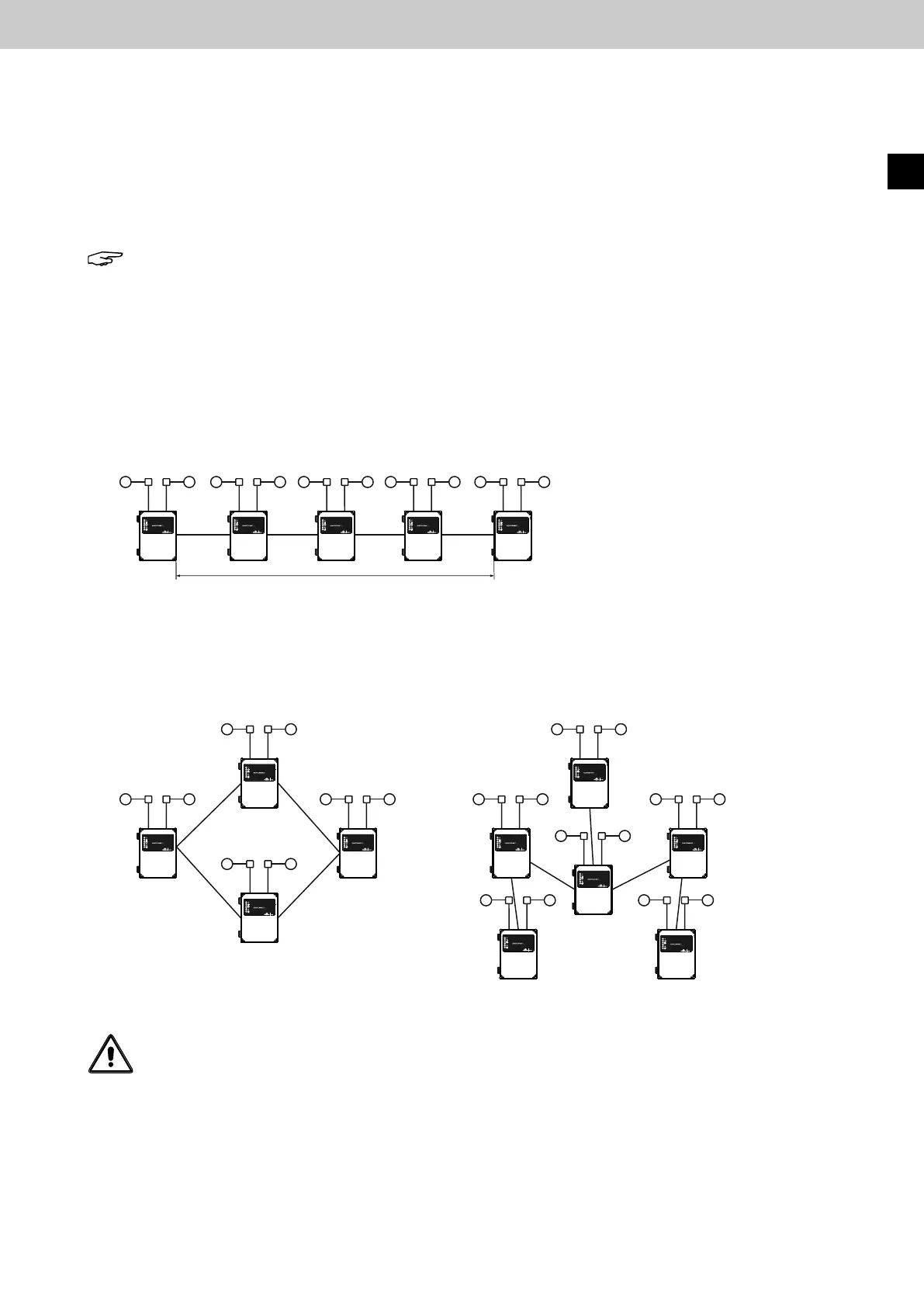
16.1 Network topologies line type and lengths L
The EasyConnect+ can be easily networked via an additional board with two equivalent plug-in terminal con-
nections. Up to 26 devices can be connected in a freely selectable network topology. Networking takes place via
a2-wireconnectionwithoutpredenedpolarity.Addressassignmentandtheintegrationofnewlyconnected
control panels is automatic. Each of the two channels of an EasyConnect compact control panel can be assigned
up to 4 SHE areas and 4 ventilation areas.
The assignment is possible via area DIP switches on the circuit board.
Line topology: twisted pair cable shielded, cable length Lmax.= 1000 m.
Lmax = 1000 m
a
b
c
d
Example ring topology
Lmax = a + b + c + d = 500 m
Note: The following points must be observed when networking several EasyConnect compact control units.
1. Only vent switches (no buttons) are permitted for the ventilation function.
2. FAS signals are only fed into a networking system via one control panel.
Lmax = a + e + c oder a + e + d + b = 500 m
a
b
c
d
e
Ring, tree, other topologies: Twisted pair cable shielded, maximum cable length Lmax. = 500 m.
Example tree topology
EasyConnect+
EN
Attention: Networking with shielded twisted pair cable is necessary. Non-observance can lead to
malfunctions within the network.
IY(St)Y 2 x 2 x 0.8 mm should be used as the cable type.



 To Next Page