81
01/13424999386
EasyConnect+
EN
Ventilation button Stop requires Open and Close at the
same time
Channel 1 Chan
nel 2
Meaning: Repeated actuation of OPEN or CLOSE on a
ventilation pushbutton does not cause the drives to stop.
Changeover delay
Motor output 1: max. 5000 ms
Motor output 2: max. 5000 ms
Meaning: The changeover delay is the pause time in
milliseconds when the motor output voltage reverses
polarity.
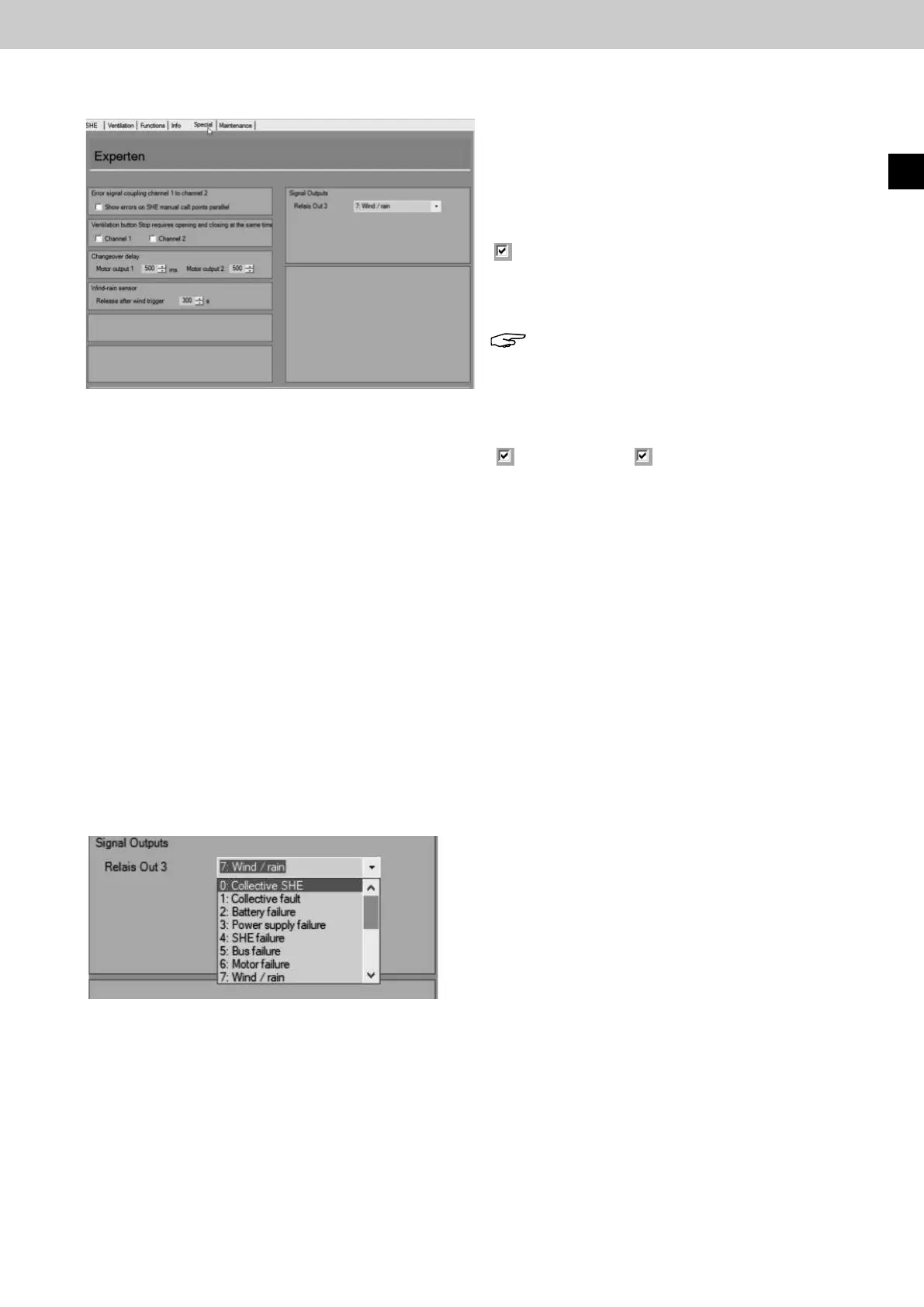
15.9 Specialcongurationinterface
ms
Wind/Rain sensor
Release by wind
Meaning: Once wind has been detected, the ventilation
function remains blocked for this time. The
ventilation function is then released again when
the wind speed threshold has not been exceeded by the
time set here.
Time setting 0 s to 900 s.
Signal outputs
Meaning: Here, the potential-free relay output 3 can be
functionallycongured(RelayOut3).
Default: Wind / rain message
Selectionoptionsforallcongurablefunctions:
0: Collective RWA message
1: Collective malfunction 12: Service due
2: Battery malfunction 13: ON
3: Network malfunction 14: OFF
4: RWA malfunction 15: Motor output 1 fully opened
5: Bus malfunction 16: Motor output 2 fully opened
6: Motor malfunction
7: Wind / Rain
8: Motor output1 opened
9: Motor output2 opened
10: RWA duct1 activated
11: RWA duct2 activated
►
►
►
►
►
►
Error signal coupling channel 1 to channel 2
Show errors in parallel on control point
Meaning: If link error is activated, errors occurring on
duct 1 are also shown on the control points of
duct 2 and vice versa.
Note: The error display on the control centre
door always shows the errors of both ducts.
Malfunction displays and monitoring processes can be
conguredinthe"Special"congurationinterface.
The "Defaultsettings" button is used to reset all
congurationstotheirfactorysettings.
Fig.:Specialcongurationinterface
Fig.:SpecialcongurationInterface,Signaloutputs



 To Next Page