82
01/13424999386
EasyConnect+
If ON or O is activated, an Info window opens.
The service timer settings are applied using the OK
button.
Note: Except for the settings for the service
timer, all values set in the other tabs are also
applied and transferred to the control centre.
The display "Data applied" OKisshowntoconrm
the successful setting of the service timer.
15.10 Maintenancecongurationinterface
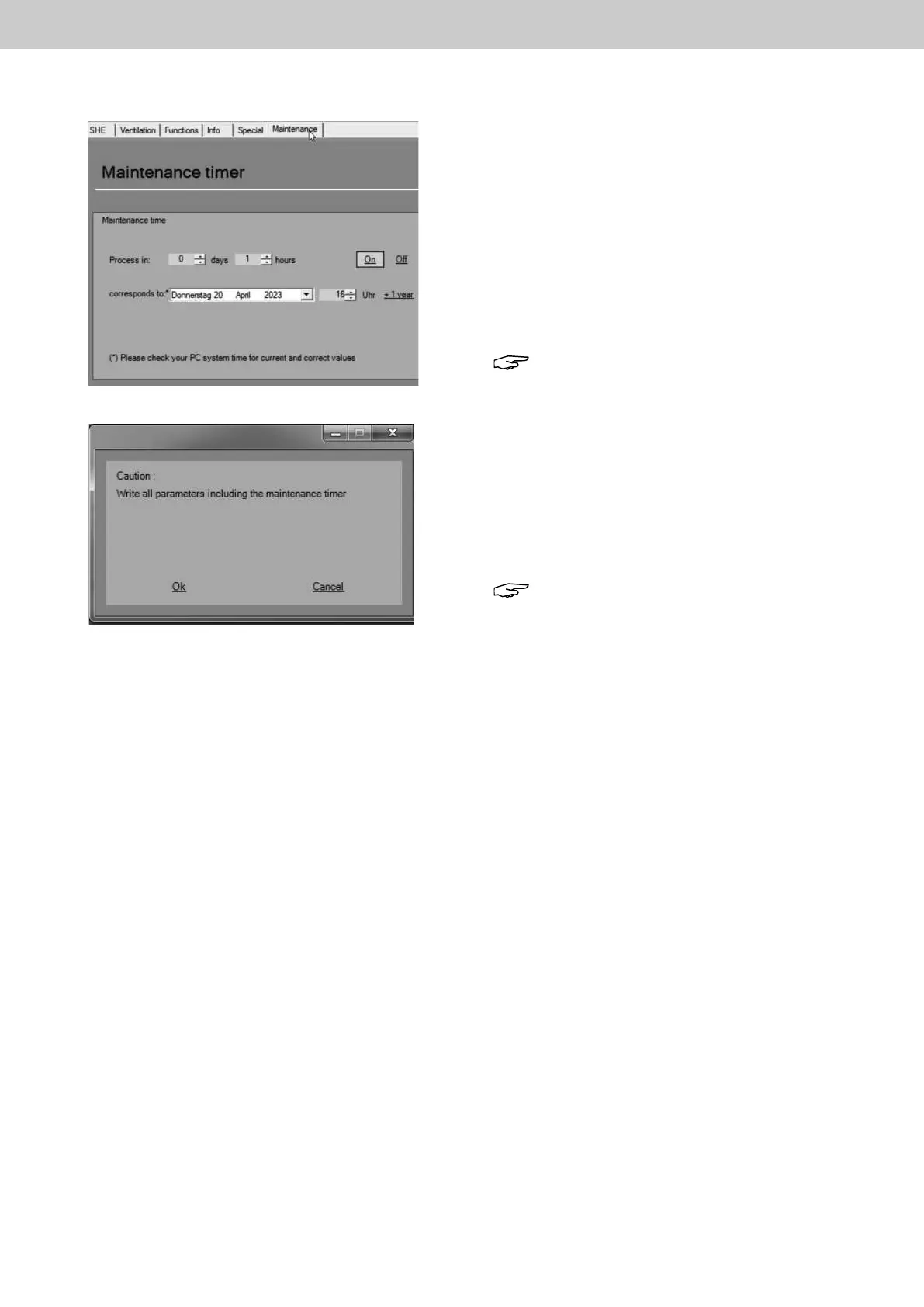
Inthe"Maintenance"congurationinterface
themaintenancetimecanbedenedexactlywith
date and time.
Maintenance timer
Herethemaintenancetimecanbedenedbydirectby
setting the expiration days and hours.
The service timer is activated/deactivated via ON or
OFF.
Note: If only ON is clicked, the service timer is
set automatically to 1 year. For times that
deviatefromoneyear,youmustrstactivate
the service timer with "ON".
Thenenterthecorrespondingvalueandnish
by clicking on "Write".
Use Read to check whether the desired value
has been applied..
Fig.:Maintenancecongurationinterface
Fig.: Note window Maintenance timer settings



 To Next Page