79
01/13424999386
EasyConnect+
EN
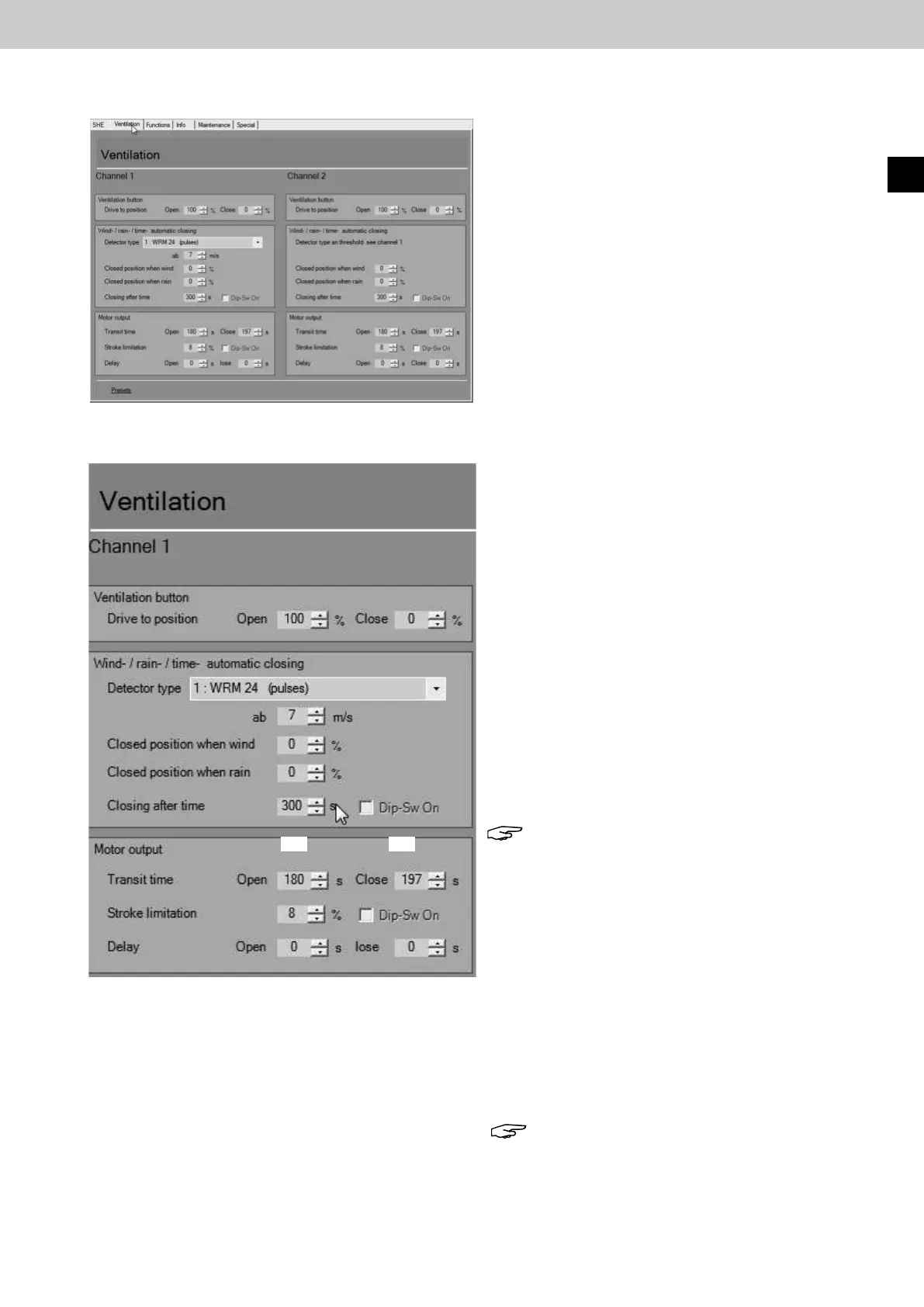
15.7 Ventilationcongurationinterface
►
►
180 180
Ventilation button connection settings
Position setting Open / Close
Meaning: Setting for the desired opening width of an
opening unit as a percentage when pressing
a connected ventilation button in the OPEN
direction.
Automatic closing wind / rain / time connection set-
tings
Detector type
0:O
Meaning: No wind / rain detector connected
1:WRM24 (pulse)
Meaning: The evaluation of the wind speed and setting of
the wind threshold is done in the EasyConnect.
2:WRM24 (threshold in WRM)
Meaning: The evaluation of the wind speed and setting of
the wind threshold is done in the WRM24V.
from 7 m/s (default)
Meaning: The automatic wind closing starts from this set
wind speed (wind strength).
Setting range: 0 - 20 m/s
Note: Onlyeectiveif"1:WRM24(pulse)"is
selected as detector type.
Wind-controlled closing
Meaning: Setting for the desired closing range from a
specicwindstrengthasapercentage.
0 % full Close, 50 % half OPEN
Rain-controlled closing
Meaning: Setting for the desired closing range for rain as
a percentage.
0 % full Close, 50 % half OPEN
Timer-controlled closing
Meaning: The opening units close automatically after a
pre-set time in seconds independent of the wind
or rain pulse contact.
Note: OnlyeectivewhenDIPswitches1+5
on the board are ON or DIP switch 1 is OFF and
the virtual DIP switch 5 is ON.
►
►
Connection settings for the following connected
components can be made in the "Ventilation"con-
guration interface via PC:
•
Ventilation buttons
• Wind/Rain detector
• Motor outputs (drive)
The "Defaultsettings" button is used to reset all
congurationstotheirfactorysettings.
Fig.:Ventilationcongurationinterface
Fig.:Ventilationcongurationinterface,channel1



 To Next Page