66
01/13424999386
1 2 3 4 5 6 7 8 9
ON
1 2 3 4 5 6 7 8 9
ON
10
1 2 3 4 5 6 7 8 9
ON
1 2 3 4 5 6 7 8 9
ON
10
1 2 3 4 5 6 7 8 9
ON
1 2 3 4 5 6 7 8 9
ON
10
1 2 3 4 5 6 7 8 9
ON
1 2 3 4 5 6 7 8 9
ON
10
1 2 3 4 5 6 7 8 9
ON
1 2 3 4 5 6 7 8 9
ON
10
1 2 3 4 5 6 7 8 9
ON
1 2 3 4 5 6 7 8 9
ON
10
1 2 3 4 5 6 7 8 9
ON
1 2 3 4 5 6 7 8 9
ON
10
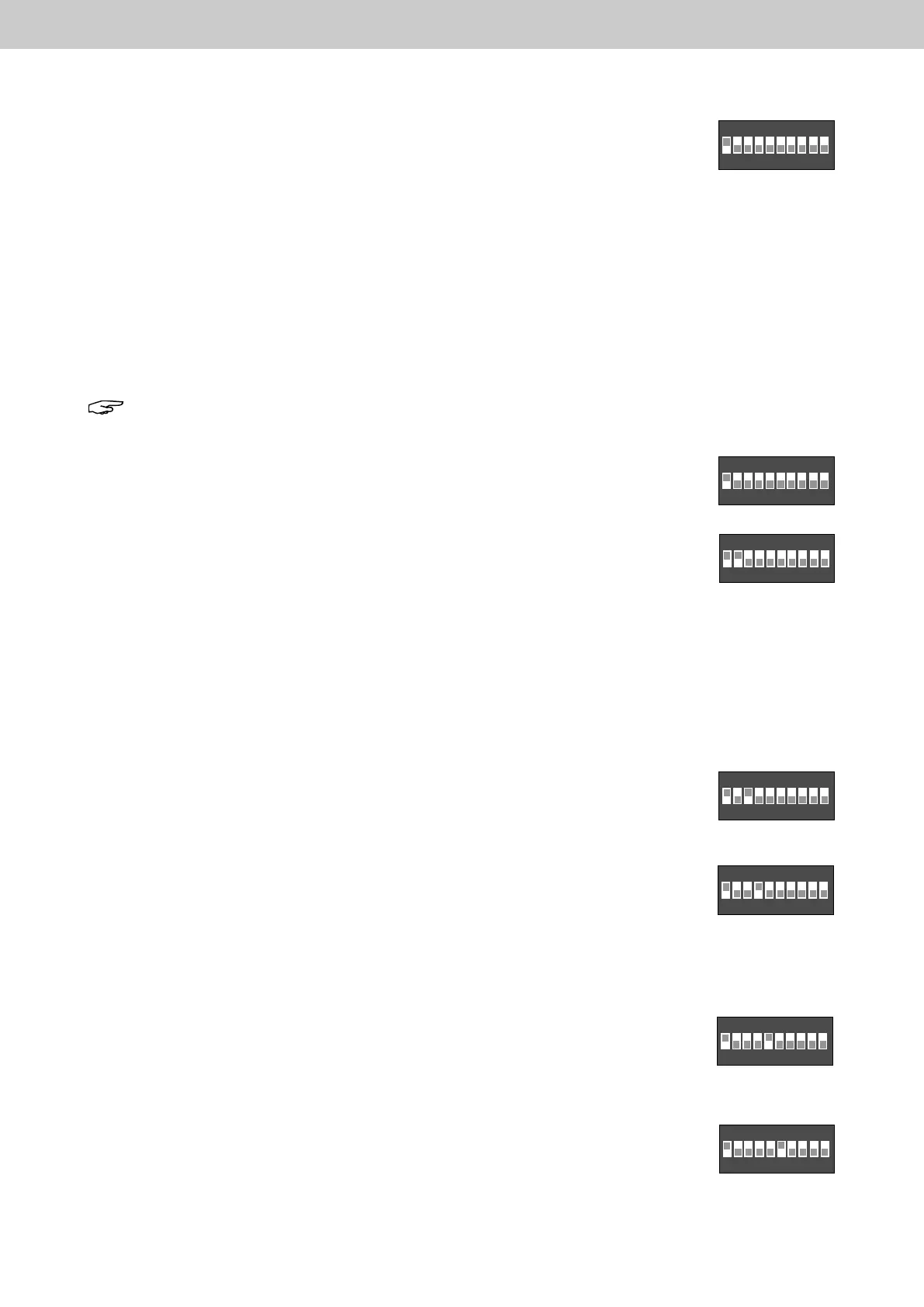
In the works setting, all DIP switches – except DIP switch 1 and 6 – are in the OFF position
(not actuated).
Selectable functions in position ON
DIP switch 1:CongurationviaDIPswitches
DIP switch 2: “FAS Open” and “Reset via 1 x FAS NO contact” deactivated.
DIP switch 3: Ventilation actuation limit active
DIP switch 4: Ventilation in inching mode (dead man)
DIP switch 5: Automatic ventilation closure, automatic closing
DIP switch 6: Deactivation of motor timing (VdS function)
DIP switch 7: Magnetic clamp function
DIP switch 8:
FAS triggering via 1 x NC contact
DIP switch 9: Channel splitting – ventilation channels together
DIP switch 10: Channel splitting – SHE channels together
Note: Carry out all settings of the DIP switches without mains power supply (230 V AC) and without
connected batteries.
DIP switch 1: PositionON:CongurationviaDIPswitches2-10isactive.
PositionOFF(notactuated):Externalcongurationisactive.
DIP switch 2: Position ON: The automatic reset function when the FAS NO contact drops out
is deactivated. The release can be reset via the reset button on the motherboard and via the
SHE close button on the SHE control panels.
In the case of EasyConnect bus networked control panels, the reset is possible via the
SHEcontrolpanelisonlypossibleforthecontrolpanelonwhichtherealarmsystemtriggering
was activated.
Position OFF (not actuated): “FAS Open” and “Reset via 1x FAS NO contact”
An FAS trip signal (external NO contact closes) triggers smoke and heat extraction.
Resetting of the FAS trip signal (opening of the external NO contact) resets the smoke and
heat extraction function if this has not already been tripped by other sources
(e.g. SHE manual call point).
DIP switch 3: Position ON: Ventilation actuation limit active. The stroke limitation is
determined by a motor running time (DEFAULT: 15 s). It is not active during an SHE function.
Position OFF (not actuated): Ventilation actuation limit deactivated.
DIP switch 4: Position ON: Ventilation in inching mode (dead man) active.
The drives move to the OPEN or CLOSED position as long as the button is held depressed.
When the button is released, the drives stop immediately. This function can serve as a
protective function for “power-operated windows” as long as there is visual contact between the button
and the respective windows.
Position OFF (not actuated): Inching mode of the ventilation push button deactivated.
DIP switch 5: Position ON: Automatic ventilation, automatic closure is triggered after 5
minutes. After every ventilation open command, a closing command is given automatically
after the set time. Not active during smoke and heat extraction (SHE function).
Position OFF (not actuated): Automatic ventilation deactivated.
DIP switch 6: Position ON: Deactivation of motor timing (VdS function).
Position OFF (not actuated): Motor timing active. In order to overcome possible mechanical
blockagesattheopeningelements,thedrivelinesareactivatedbrieyevery2minutes
in CLOSE direction and then in OPEN direction again.
This procedure is carried out for at least 30 minutes.
9 DIP switch functions
EasyConnect+



 To Next Page