80
01/13424999386
EasyConnect+
15.8 Functionselectioncongurationinterface
180 180
►
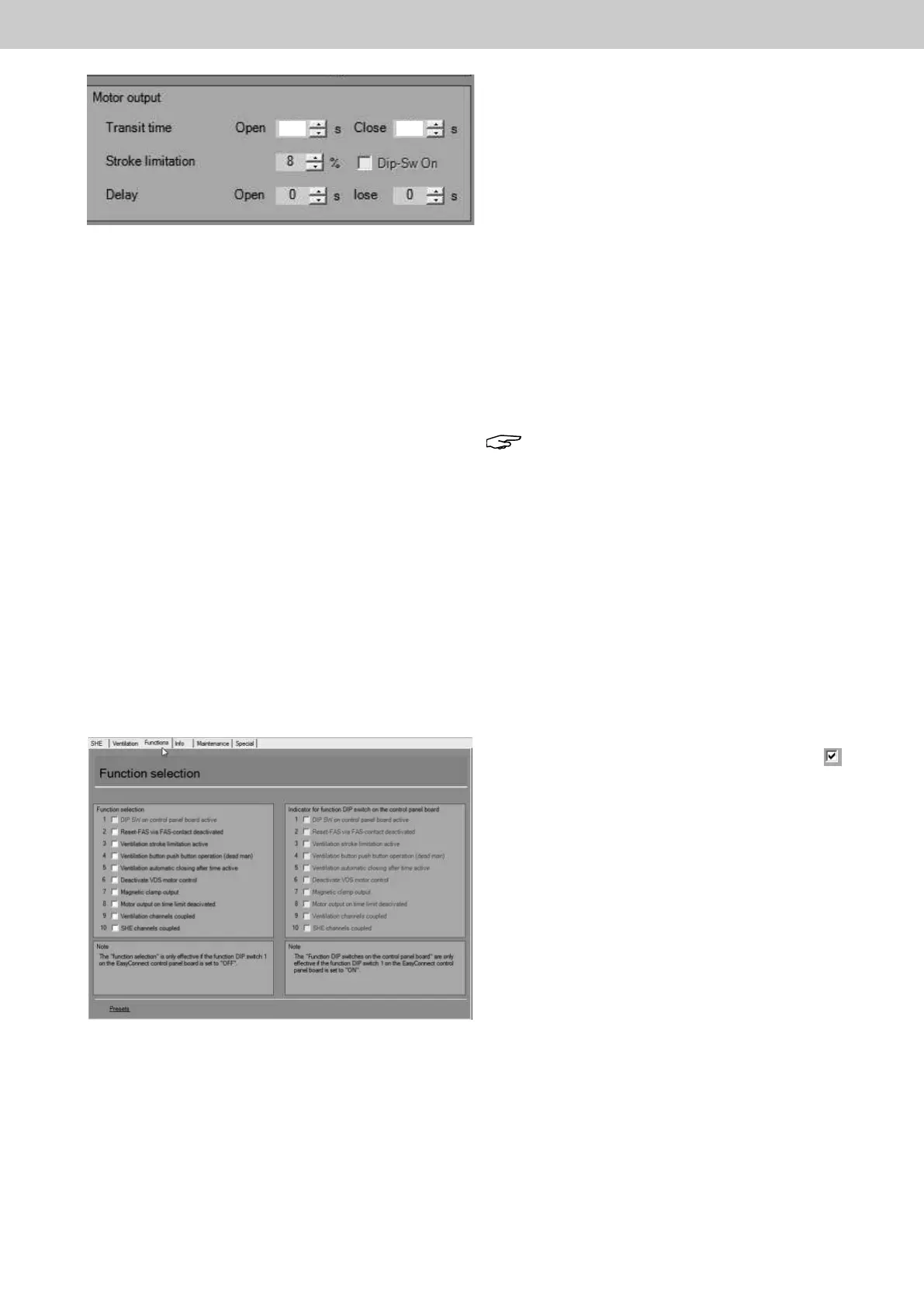
Motor output connection settings
Running time Open Close
Meaning: Setting the real drive running time in OPEN and
CLOSE direction in seconds until the output
voltageatthemotorconnectionisswitchedo
and the opening unit is completely opened /
closed. This is the base value for further
settings such as stroke limitation and
ventilation button position setting and must
be set to the right value.
Setting range 1 s - 1000 s, default 180 s
Stroke limitation
Meaning: Setting for the desired shorter opening width of
the opening unit in ventilation operation as a
percentage.
0 % = full Close, 50 % half OPEN / CLOSE,
100 % = full OPEN. This function can only be
used in the OPEN direction.
Note: OnlyeectiveifDIPswitches1+3on
the board are set to ON and 8 to OFF or DIP
switch 1 is OFF and the virtual DIP switch 3 is
ON and the virtual DIP switch 8 is OFF.
Delay Open Close
Meaning: Setting for the delay time in the OPEN and
CLOSE direction before the motor output of
the connected drive is supplied with power.
Setting range 1 s - 300 s
►
In "Function selection"congurationinterface,additio-
nal functions can be activated via PC by selecting .
At the same time, the manual DIP switch settings on the
board of the control centre can be displayed along with
the function selection.
The selected settings of the function selection are only
active if DIP switch 1 on the board is set to OFF.
DisplayoftheDIPswitchfunctiononthecontrol
centre
Nothingcanbeconguredhere.Thisdisplayisonlyused
for the documentation and display of the DIP switches set
on the board.
ThesettingsshownhereareonlyeectiveifDIPswitch1
on the board is set to ON.
Fig.:Ventilationcongurationinterface,channel1,Motoroutput
Fig.:Functionselectioncongurationinterface



 To Next Page