77
01/13424999386
EasyConnect+
EN
15.6 SHEcongurationinterface
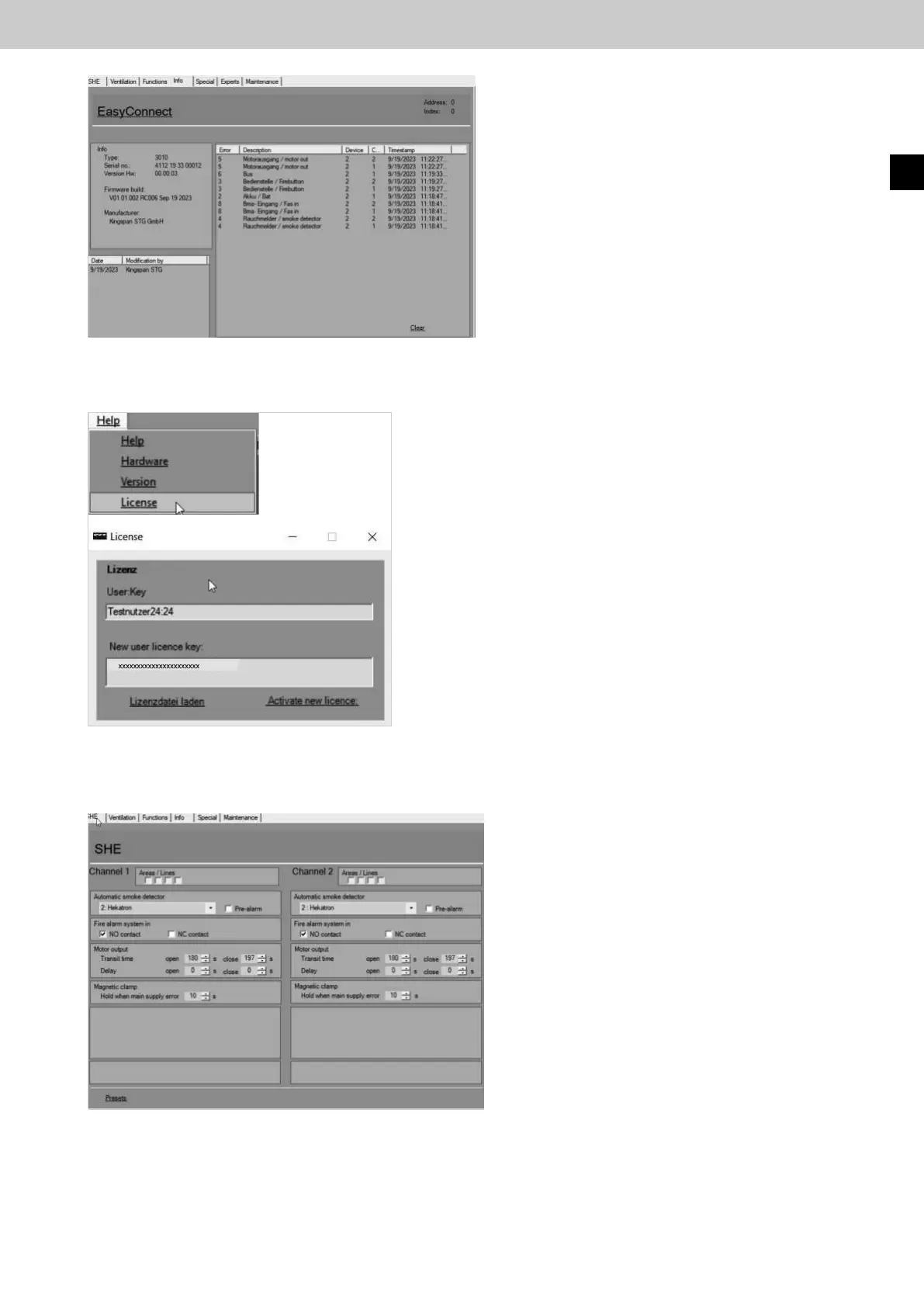
Connection settings for the following connected
components can be made in the "SHE"congura-
tion interface via PC:
• Automatic detector
• FAS input
• Motor outputs
• Magnetic clamp
The "Defaultsettings" button is used to reset all
congurationstotheirfactorysettings.
► Now in the Help tab under the License button,
enter the license code in the "New user license
key" field.
Then confirm with the "Activate new license"
button.
Thelicenseisonlyeectiveafterarestartofthe
EasyConnectcongurationsoftware.
Fig.: Info interface error
Fig.: Window license
Fig.:SHEcongurationinterface
Any errors that occur along with an error description
are displayed in the Erroreld.
The Clear button deletes the displayed error list.
The times are only correct up to the last restart.
15.5 Input license key



 To Next Page