7.COMMAND CENTER ADMINISTRATOR MODE
Setting up User Management 281
7 COMMAND CENTER ADMINISTRATOR MODE
5
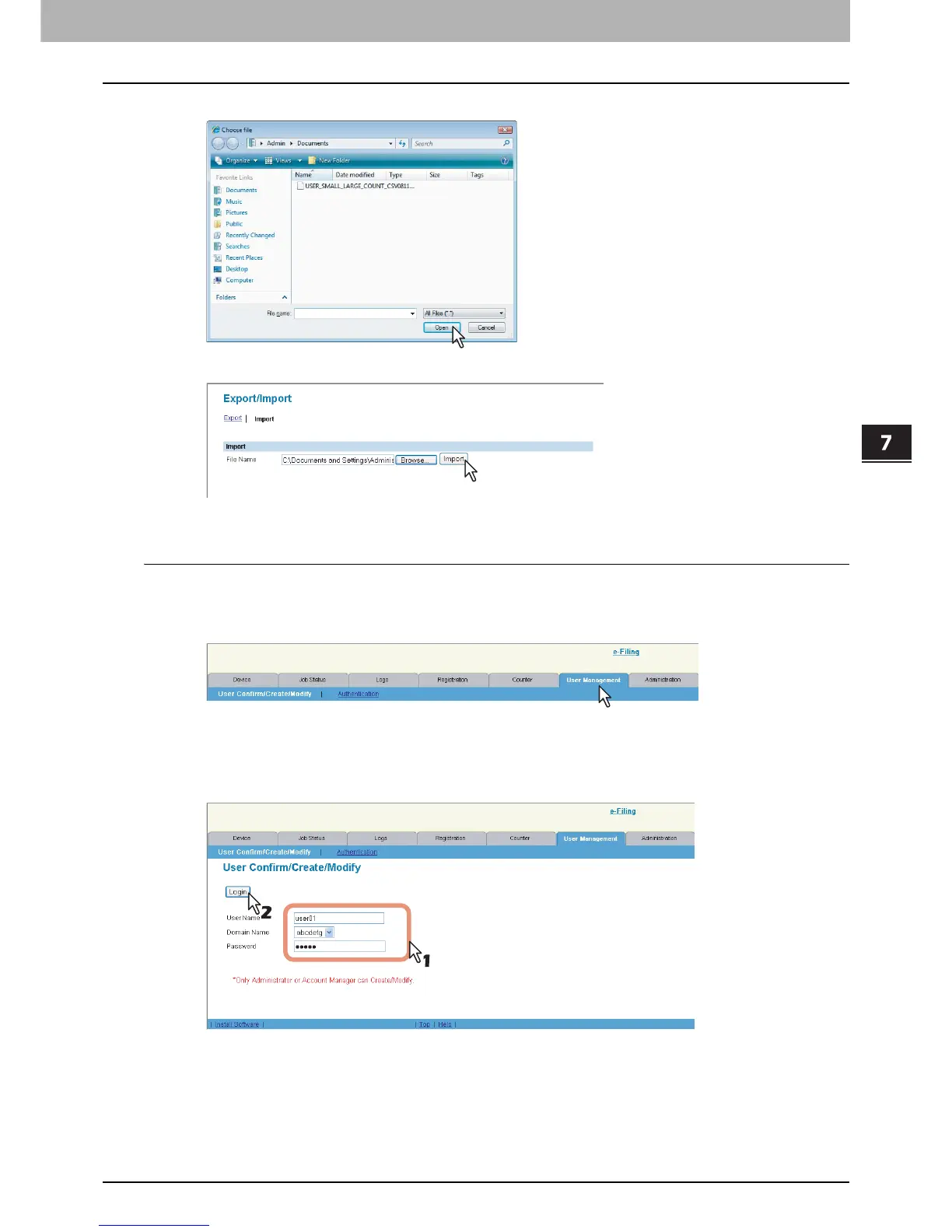
Select the CSV file that contains the user information data and click [Open].
6
Click [Import].
The data is imported to the User Information list page.
Viewing the own user information by a user
Users can view their own user information by logging in to the User Confirm/Create/Modify page. When the Role Based
Access Control is enabled, users can also confirm the functions to be allowed.
1
Click the [User Management] tab.
The login page is displayed.
2
Enter your user name in the [User Name] box, select a domain name (required only
when Windows Domain Authentication is enabled), enter your password in the
[Password] box, and click [Login].













 To Next Page