7 COMMAND CENTER ADMINISTRATOR MODE
282 Setting up User Management
3
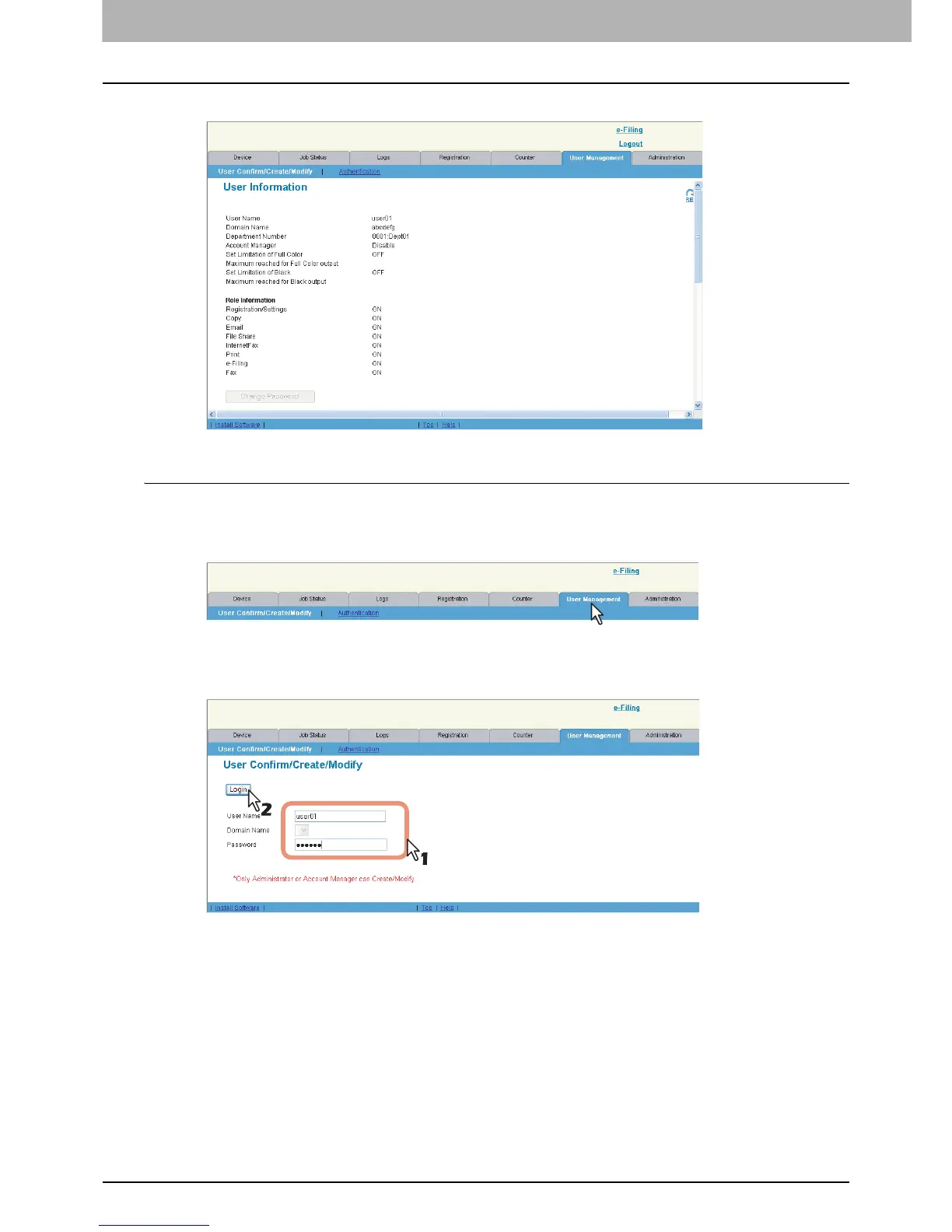
The User Information page is displayed.
Changing a password by a user (Local MFP Authentication only)
When the Local MFP Authentication is enabled, not only an administrator or account managers but also each registered
user can change the password himself.
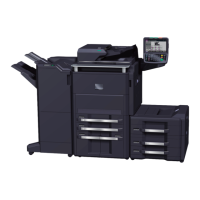
1
Click the [User Management] tab.
The login page is displayed.
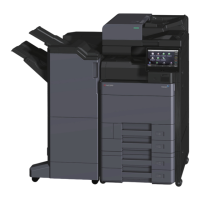
2
Enter your user name in the [User Name] box, enter your password in the [Password]
box, and click [Login].
The User Information page is displayed.













 To Next Page