LOADRITE PRO OPERATING MANUAL
20
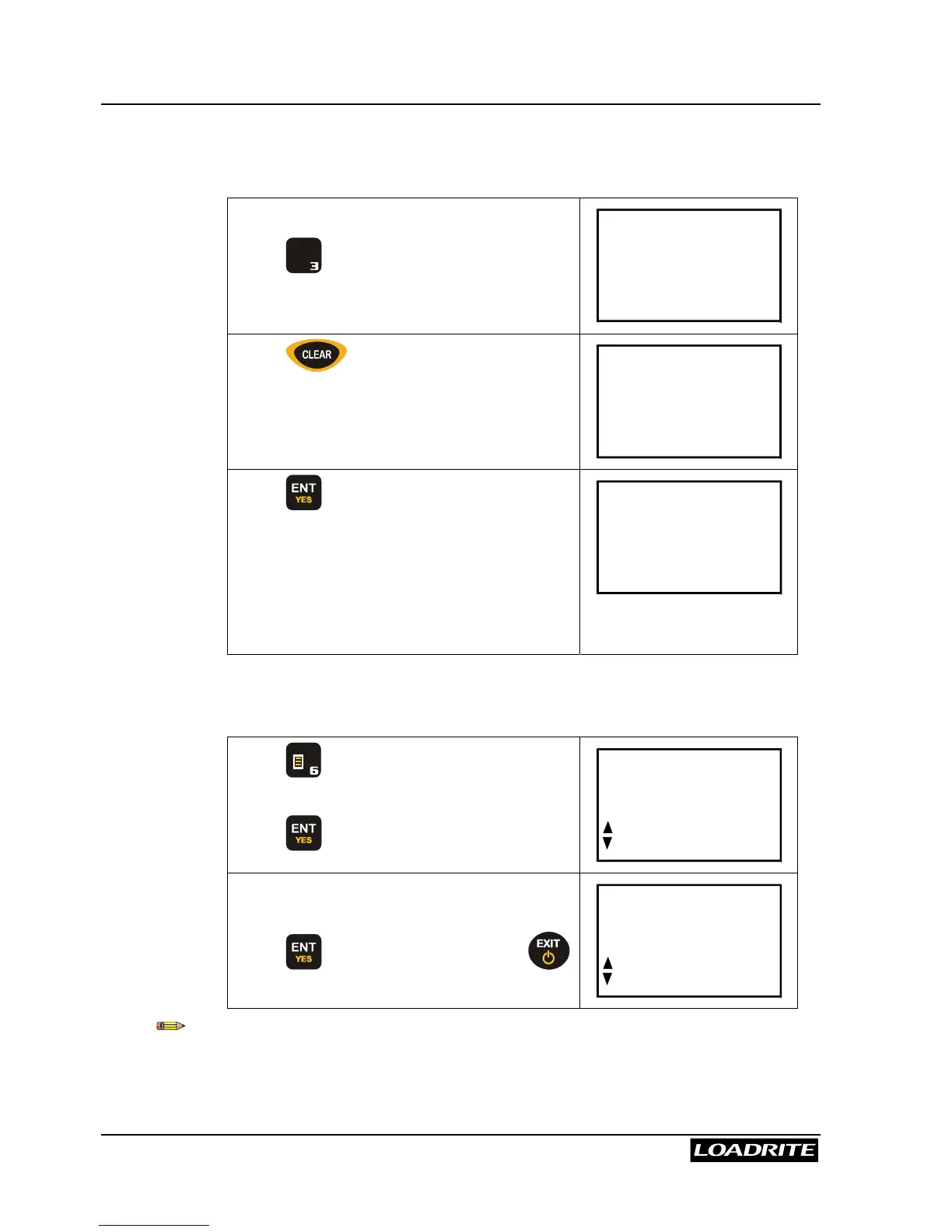
To clear the Long Total for the current product
(Weights shown are examples only)
In the Ready mode,
Press
+
L
D E F
.
The Loadrite displays the Long Total.
Long Tot
23400
Press .
The Loadrite asks you to confirm the clear
Long Tot
Clear?
23400
Press to confirm.
The Loadrite displays Long Tot
Cleared for a few seconds and then
returns to the Ready screen.
Note that the Short Total is also cleared for
consistency.
Ready
Sand
0
To clear all Long Totals in one go
Press
M N O
to display the menu and use
5
6
to scroll to the Clear All screen.
Press .
Menu
ClearAll
The Loadrite displays a prompt for you to
confirm the clear operation.
Press
again to clear all totals or
to return to the menu without clearing.
ClearAll
ENT/EXIT
If the Loadrite has a printer connected, the Long Totals are printed together
with a grand total before being cleared.



 To Next Page