LOADRITE PRO OPERATING MANUAL
2
The Loadrite has internal memory which stores settings and production data
even when switched off.
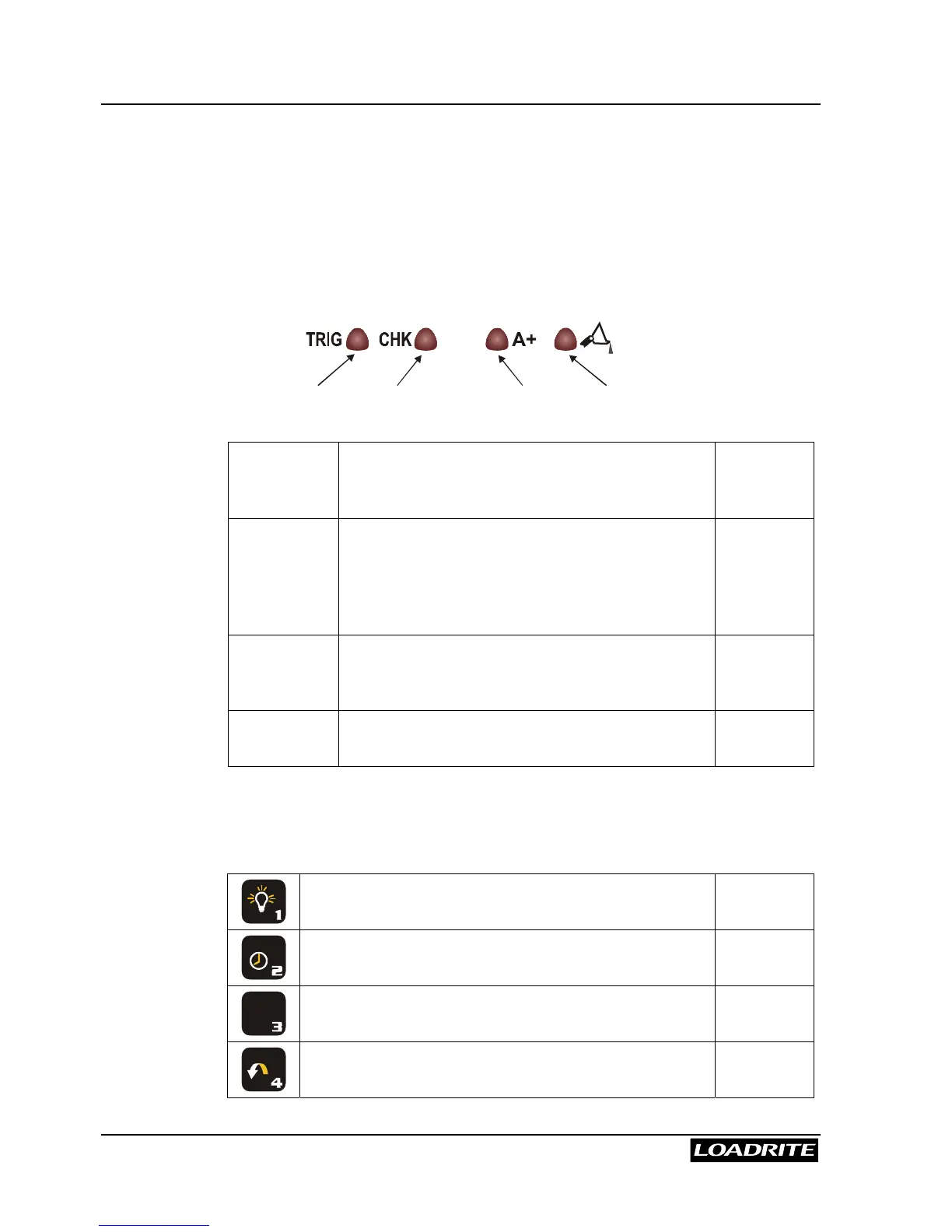
Indicator Lights
Four indicator lights are provided below the LCD screen.
Trigger
Check
Auto-Add
Tip-Off
Trigger Illuminates when a load is lifted past the
trigger point. When this light is on, the lifted
weight may be added.
Pages 7
and 12
Check
Function
Illuminates when the Loadrite is in the user-
selected function. Possible options are
Interlock, Tare mode, and Safe-to-weigh
mode for rotary trigger. Configuration is set
during installation.
-
Auto-Add Illuminates when the Loadrite is in Auto-Add
mode. In this mode, the Loadrite will
automatically add the lifted weight.
Page 14
Tip-Off Illuminates when the Tip-Off function is
operating.
Page 52
Keypad
The table below shows the special functions that the keys have in addition
to their numeric values used for entering data.
Adjusts the brightness of the screen back light.
-
A B C
Displays time and date. -
+
L
D E F
Displays the long total for the current product. Page 19
G H I
Recalls the previous load. Page 18



 To Next Page