TYPES OF OPERATIONS
Logicube Falcon
®
-Neo User’s Manual 93
Chinese (中文)
Korean (한국어)
Japanese (日本語)
To change the language displayed. As soon as the selection is made, the
Falcon-NEO’s screen (or the computer’s Internet browser) will
automatically refresh and display the selected language.
The Custom button
is reserved for future
language releases.
5.10.4.2 Time Zone
The Falcon-NEO utilizes NTP (Network Time Protocol). Each time the
Falcon-NEO is connected to a network with internet access, it will
automatically check for the correct time using NTP and adjust the time as
needed.
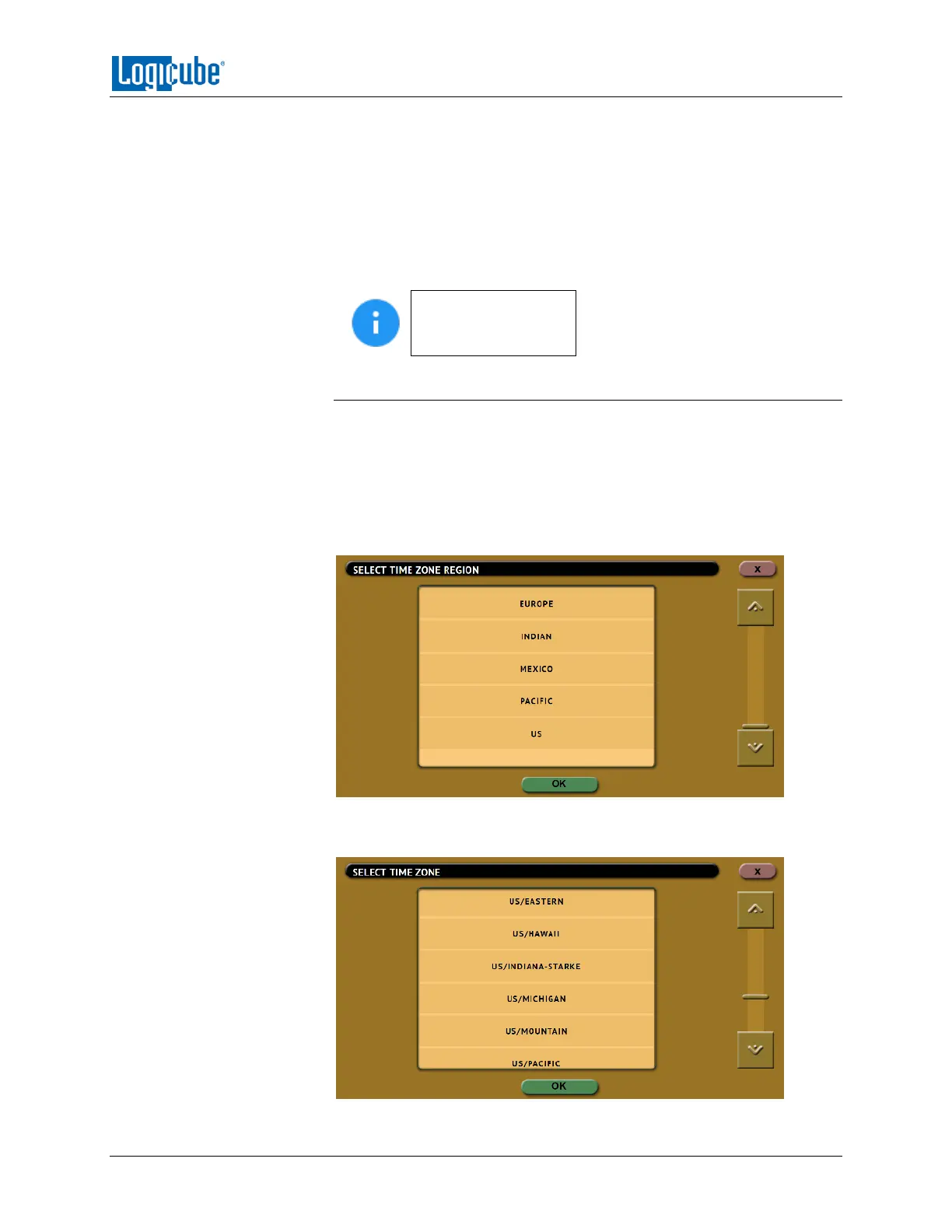
The Falcon-NEO also has a time zone setting. Tap Time Zone to select
the time zone region. Tap the OK icon to continue.
After selecting the region, select the time zone where the Falcon-NEO is
located. Tap the OK icon to set the time zone.


 To Next Page
 Loading...