DRIVE ENCRYPTION & DECRYPTION
Logicube Falcon
®
-Neo User’s Manual 109
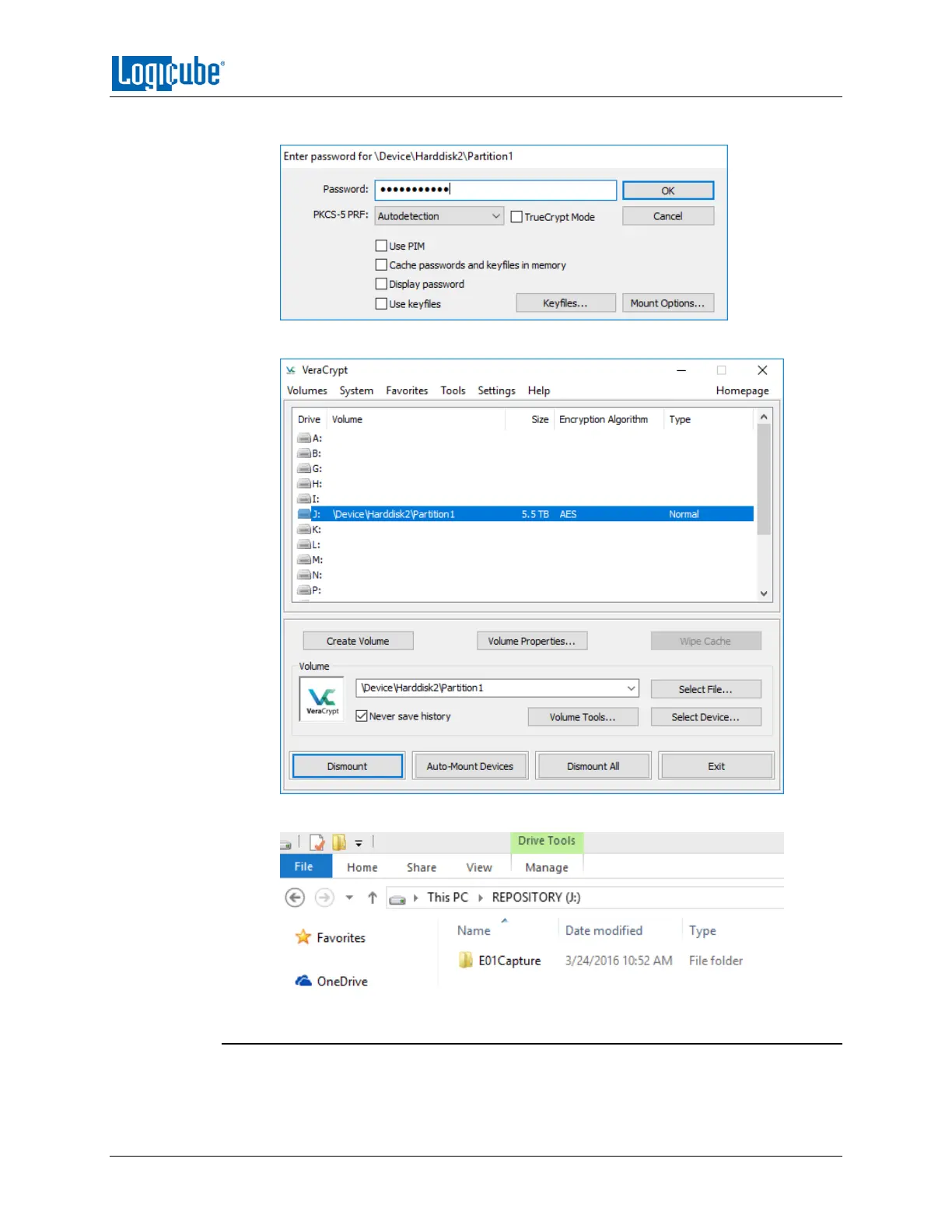
10. Type the encryption password in the Password field then click OK.
11. The drive should now be mounted and assigned a drive letter.
12. The drive should now be accessible in Windows.
7.3.3 Decrypting Using TrueCrypt
Requirements:
TrueCrypt properly installed.


 To Next Page
 Loading...