5 Operation by patient
PLEASE NOTE
Avoiding errors when using the device in patients’ homes
• Store the Suprasorb
®
CNP P3 incl. accessories in the Suprasorb
®
CNP Case.
• Keep children and pets away from the Suprasorb
®
CNP P3 to ensure that
the device is not knocked over or may fall down.
• Before connecting the power supply, ensure that the voltage of the device
isthe same as that of the domestic mains power supply.
• Do not use the Suprasorb
®
CNP P3 in rooms with high humidity,
bathrooms or shower rooms. Avoid wetting the power supply,
plugandscreen panel. Never immerse the Suprasorb
®
CNP P3
inwaterorany other liquids (even when switched off).
• Never shower or bathe with the Suprasorb
®
CNP P3 connected!
5.1 Switching the device on and off
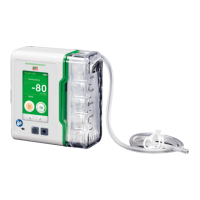
To switch the device on, press
. This key can be found below the screen on
theSuprasorb
®
CNP P3 (see image). To switch the device off, hold the same key down
untilthescreen goes black.
Power supply On/Off Signal off
The LED of the on/off key is green when the device is switched on.
The control LED for the power supply is green when the device is connected to the mains
powersupply.


 To Next Page
 Loading...