215585 93 Revision A
Installing Light Assembly
Light assemblies provide position, hazard, turning direction, and braking information.
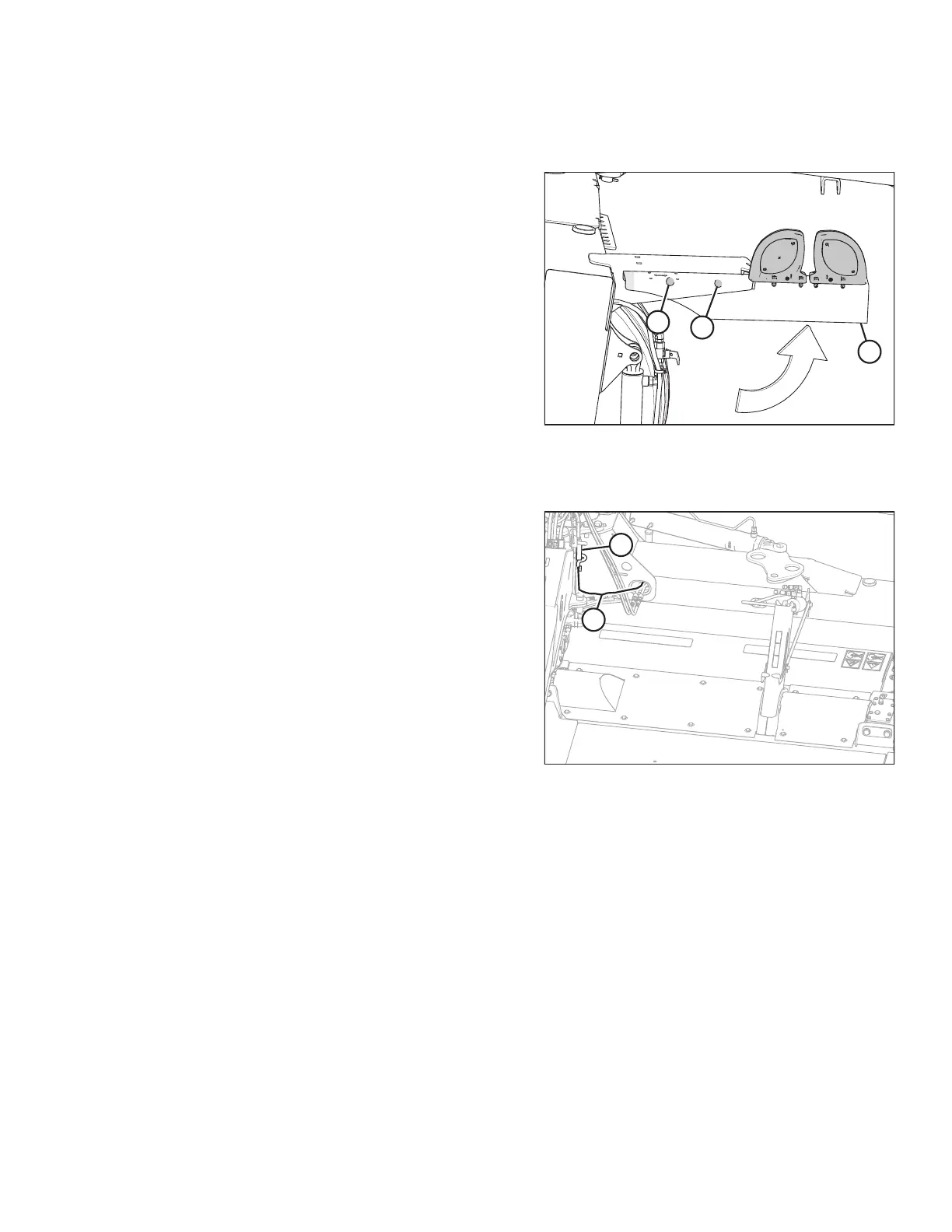
Figure 4.76: Left, Rear End of Pull-Type
1. Locate right light assembly (A).
NOTE:
When the pull-type is in field position, the right light
assembly is located on the left, rear side of the pull-type.
When the machine is being towed, it will be on the
right side.
2. Loosen bolt (C). Rotate light assembly (A) up to position
shown at right.
3. Install bolt (B).
Connecting Transport Lighting Module
Figure 4.77: Transport Lighting Module
1. Connect harness (A) to transport lighting module (B).
ASSEMBLING THE ROTARY DISC PULL-TYPE – FACTORY-INSTALLED TRANSPORT




 To Next Page