215585 115 Revision A
6.4 Setting up Forming Shields
Each type of conditioner uses a different configuration for the swath forming shield. Refer to the applicable instruction for
the conditioner supplied with the machine.
If a finger conditioner is installed, refer to 6.4.1 Setting up Forming Shields for Finger Conditioner, page 115.
If a roll conditioner is installed, refer to 6.4.2 Setting up Forming Shields for Roll Conditioner, page 120.
If no conditioner is installed, refer to 6.6 Discharge Shield – No Conditioner, page 123.
6.4.1 Setting up Forming Shields for Finger Conditioner
On a machine equipped with a finger conditioner, the shields provide an enclosure for the fingers to flail the crop and
control distribution onto the field.
NOTE:
Transport not shown in illustrations for clarity.
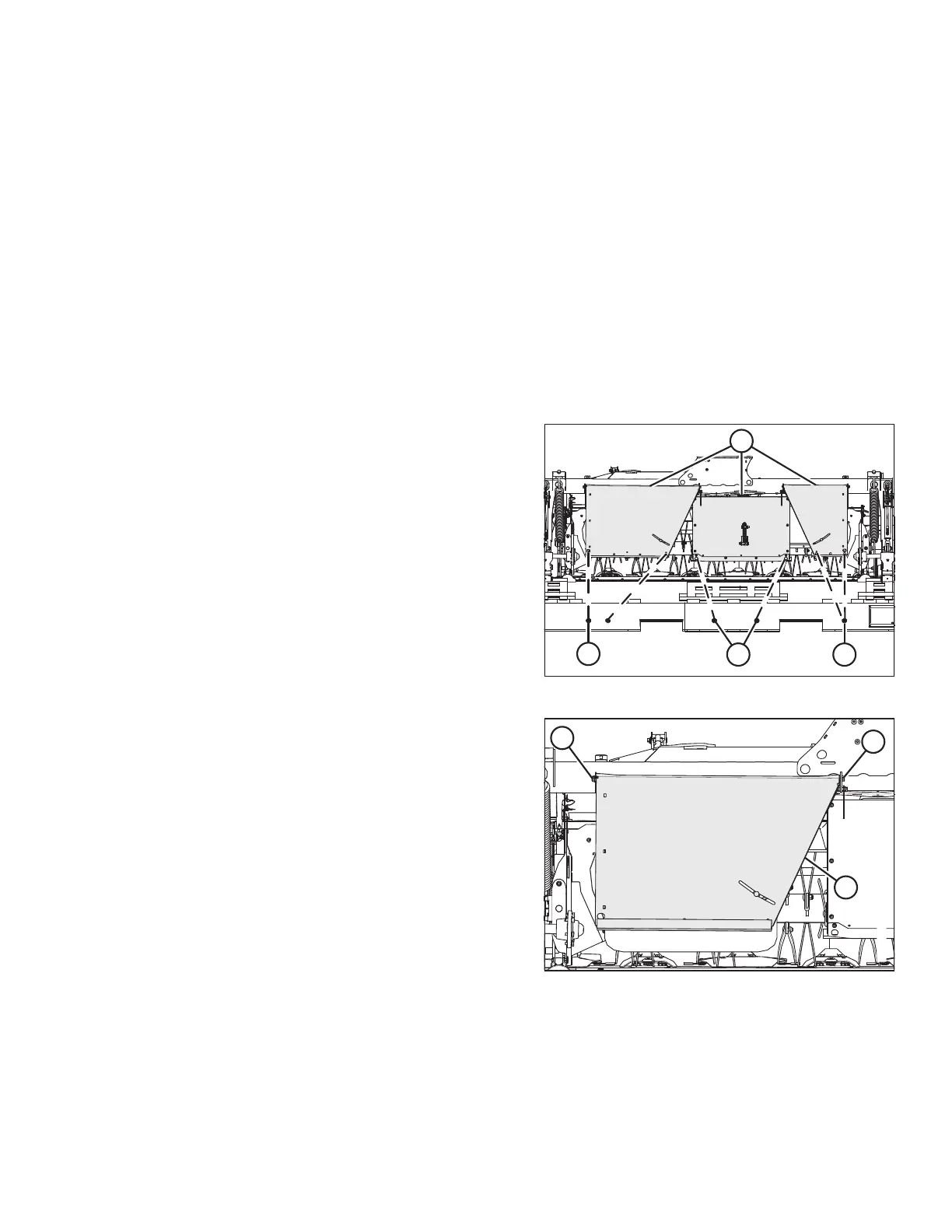
Figure 6.13: Forming Shields Strapped to Pallet
1. Before setting up the forming shields, convert the header
to field mode. For instructions, refer to 9.2.2 Converting
from Transport to Field Mode – with Transport, page 175.
2. Remove shipping wires (A) securing forming shield
covers (B) to pallet.
Figure 6.14: Outboard Top Cover
3. Support shield (C), remove two bolts at
locations (A) and (B), and remove the shield.
COMPLETING ROTARY DISC PULL-TYPE ASSEMBLY




 To Next Page