215585 116 Revision A
$
%
&
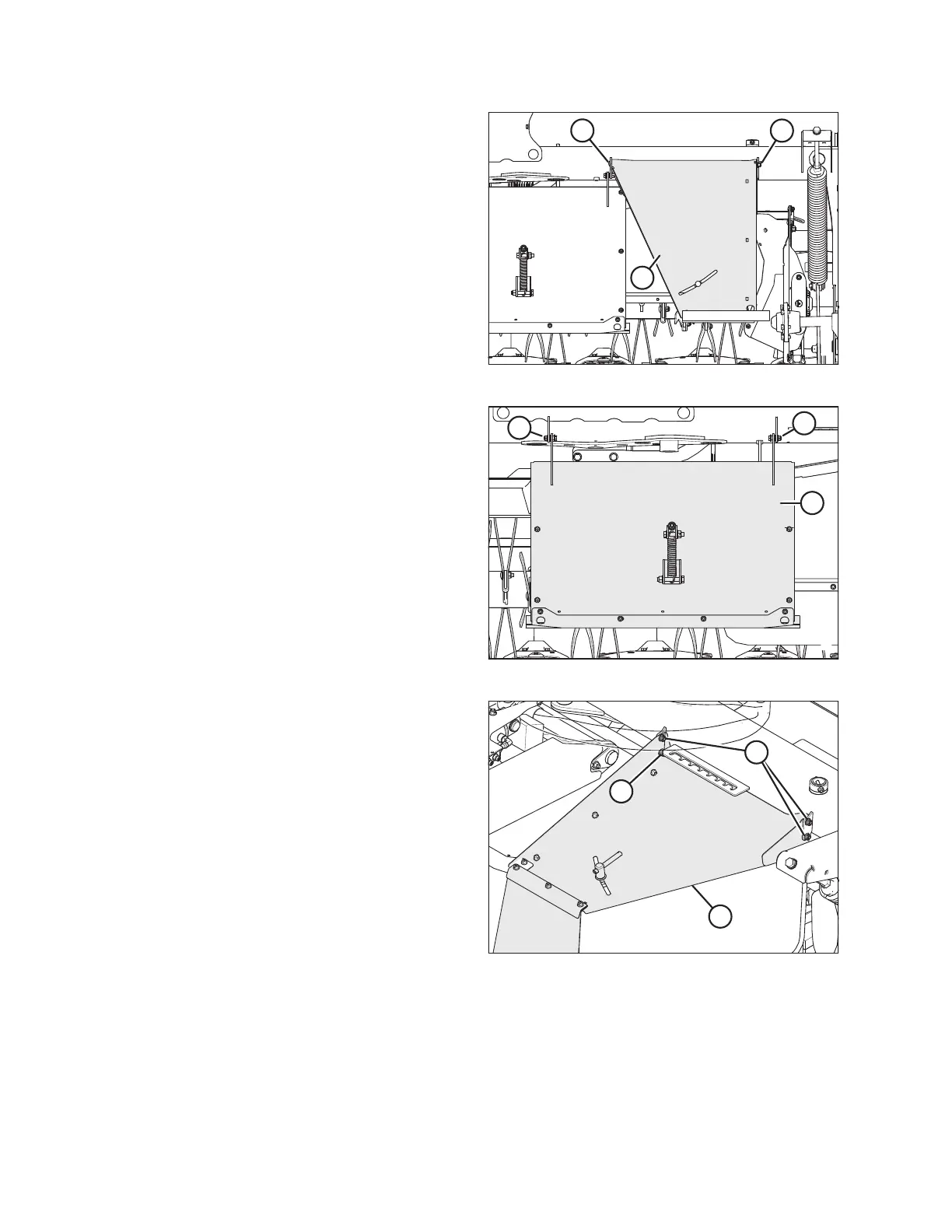
Figure 6.15: Outboard Top Cover
4. Support shield (C), remove the two bolts at locations (A)
and (B), and remove the shield.
$
$
%
Figure 6.16: Center Shield
5. Remove nuts (A) from center shield (B). Do NOT remove
the bolts.
$
%
&
Figure 6.17: Forming Shield – Right Side
6. Flip right forming shield over so the adjustment handle is
facing up and install it as follows:
NOTE:
If installing the transport system, install shield (A) after
transport assembly is in place.
a. Position shield (A) onto hex head bolt (B). Loosely
install nut to hold shield in place.
b. Install carriage bolts (C) with heads facing towards
center of shield. Install nuts on bolts (C).
c. Tighten nuts on bolts (B) and (C).
d. Repeat for the left forming shield.
COMPLETING ROTARY DISC PULL-TYPE ASSEMBLY





 To Next Page