215585 65 Revision A
4.2 Attaching Hitch to Carrier
The connection point on the carrier frame secures the hitch to the frame and allows the pull-type to pivot.
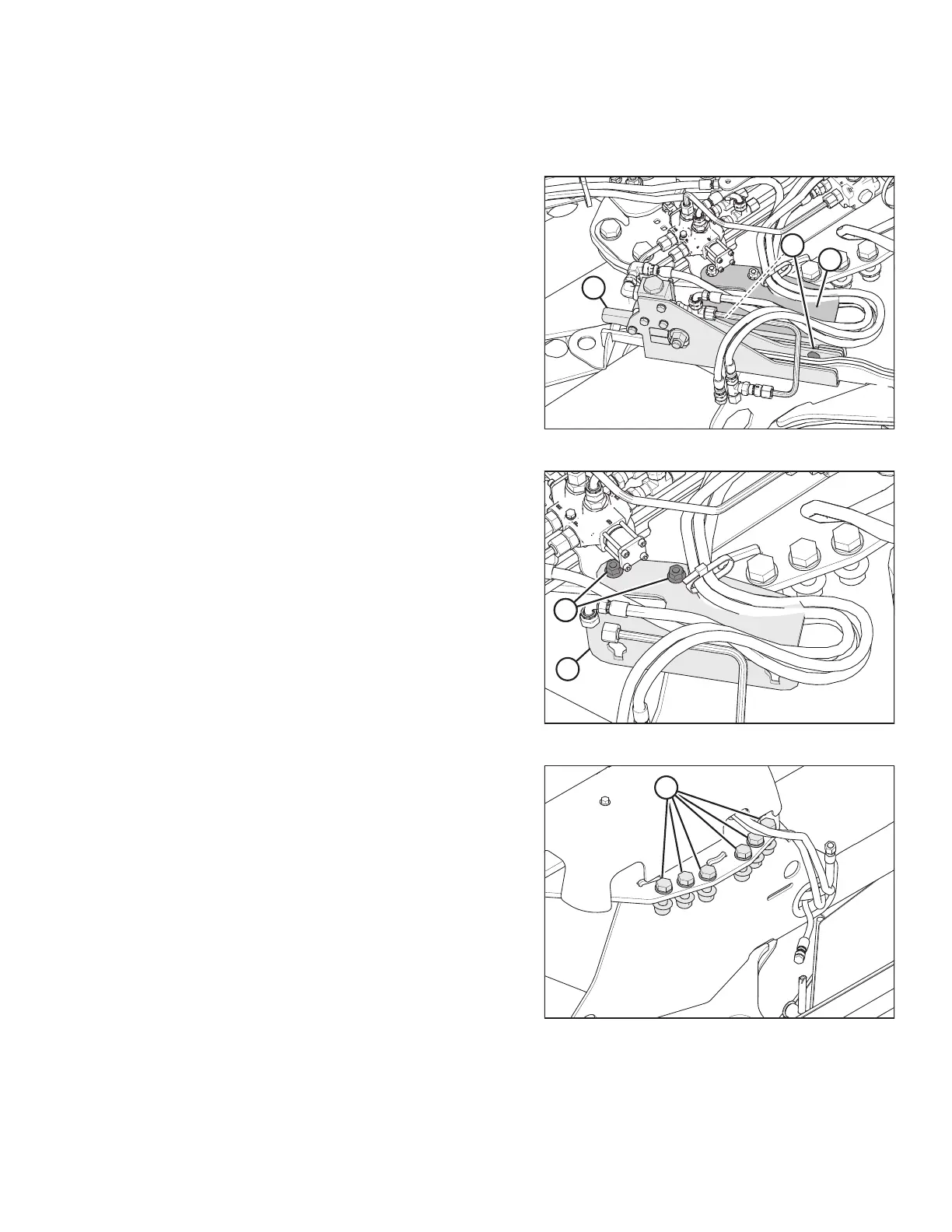
Figure 4.11: Alignment Controls – Front Right View
1. Remove cam assembly (A) from shipping support (B) by
loosening nuts (C) and sliding the cam assembly off of the
shipping support.
2. Rest the cam assembly on the carrier hydraulics.
Figure 4.12: Shipping Support – Front Right View
3. Remove and discard bolts (A) and shipping support (B).
NOTE:
You may need to pry up the shipping support to remove
the hardware.
Figure 4.13: Carrier Frame
4. Remove six M20 bolts (A), washers, and nuts from carrier at
the hitch attachment location. Retain bolts, washers,
and nuts.
ASSEMBLING THE ROTARY DISC PULL-TYPE – FACTORY-INSTALLED TRANSPORT





 To Next Page